
Monika_i - Minecraft Skins & Skin History
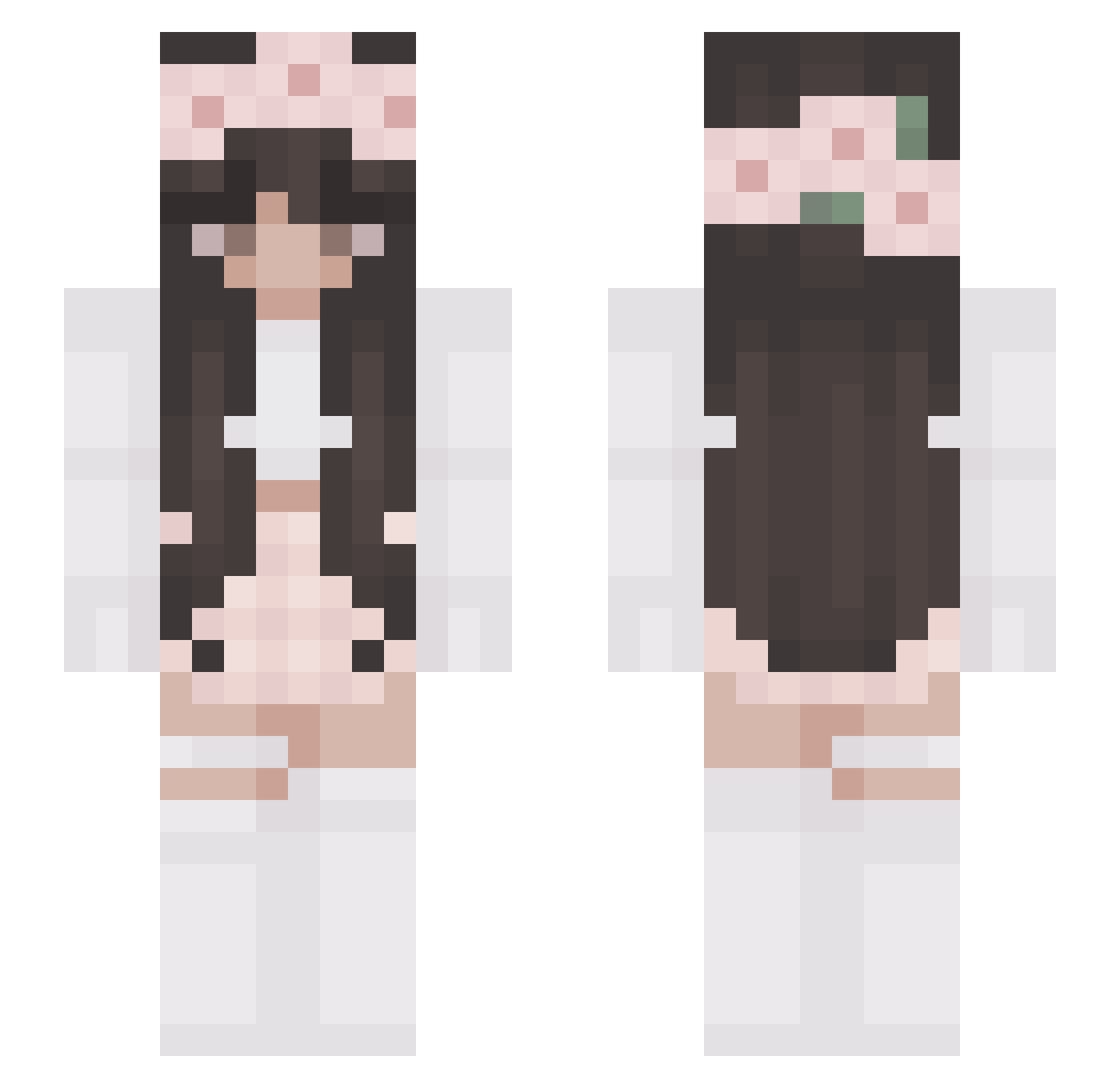
Current Minecraft skin of the player Monika_i, loaded from the official Mojang API. Rotate the 3D model with your mouse or finger, then download the skin as a PNG file and use it in Minecraft: Bedrock Edition or Java Edition for free. When Monika_i changes their skin, this page updates automatically and the old skin stays in the history below.
Other players with this skin (327)
Monika_i was the 79th player we have seen with this skin, first spotted on 23.08.2026. The same skin was seen on these players. Open a nickname to see their current skin and skin history.
 UneRageuse AngelinaGM03 LetMeGiveYouHead Kotobirb_ lalalatte __Avocado_ mytien4 PandoraReina Empress_Bailey chromau KALA_PL onlyloropiana KIYA_S2 BriSchu catgirlCoco patiuk dodik8989 CookieBookies Stringbean952 meluri swaggygabi Anastasia_Volk TwistedSister420 leonie281004 RaisinCookies Shirayuki2905 riming_ Dina0 Its_Kat_ Geekiful Julip_91 MrsLaLou renl1 IsabelleCG Yamateshiro zannaiia Tursonia julcia2006 TaleMarieG aaaavvvvaaaaa JudgeHollowJR MiaHaily love_v ODiisia CareBearXX3 Samtpfote_Yuna ThirstyLicky 3aloul Browniator Ferdgi ByBH L_EGO adriprincess llukaaaa rabeenK k31ra_ roger430 Dannie_e Thegrankeil L_wan
More Flower Crown Minecraft skins
See all 3686 Flower Crown skins
How to install the Monika_i skin
- Press the Download button above to save the skin as a PNG file.
- Minecraft: Bedrock Edition (PE): open the Dressing Room from the main menu (or tap your character → Edit Character), go to Classic Skins → Owned, press the + (new skin) button, choose the downloaded PNG and pick the Slim (Alex) model. Works on PC and mobile; consoles cannot import custom skins.
- Minecraft: Java Edition: open the Minecraft Launcher, go to the Skins tab, click New Skin, load the PNG, pick the Slim (Alex) model and press Save & Use. You can also upload it at minecraft.net → Profile → Change Skin.
The skin does not show up after import - what should I do?
Restart Minecraft and open the Dressing Room again - imported skins sometimes appear only after a restart. Also make sure you selected the imported skin and picked the Slim (Alex) model.
Which model should I choose, Classic or Slim?
This skin is designed for the Slim (Alex) model. If you pick the wrong model, the arms of the skin will look stretched or squeezed.
Is the skin of Monika_i free to download?
Yes. Press Download, save the PNG file and use it in Minecraft: Bedrock Edition or Java Edition - no payment or registration needed. The skin also works on multiplayer servers and Realms.
More skins
Looking for more? Go back to all Minecraft skins and check the top skins of the week, month and all time, or find any player's skin by nickname.