
Molep73 - Minecraft Skins & Skin History
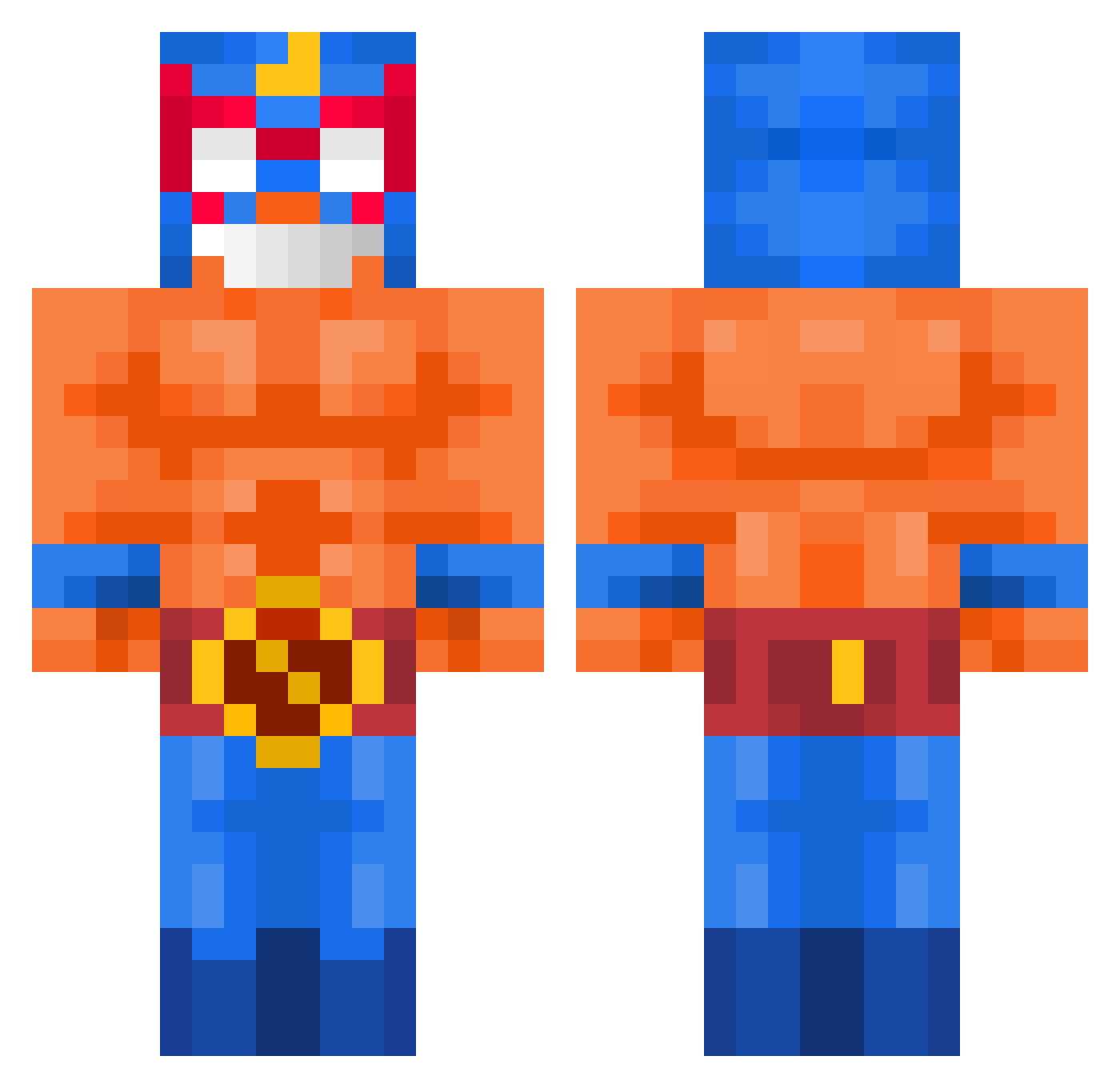
Current Minecraft skin of the player Molep73, loaded from the official Mojang API. Rotate the 3D model with your mouse or finger, then download the skin as a PNG file and use it in Minecraft: Bedrock Edition or Java Edition for free. When Molep73 changes their skin, this page updates automatically and the old skin stays in the history below.
Other players with this skin (634)
Molep73 was the 603rd player we have seen with this skin, first spotted on 12.11.2026. The same skin was seen on these players. Open a nickname to see their current skin and skin history.
 Mxzvr Whysotoxicmann frog1615 Jugol7 The0tterm4n MasterBaktE SlamuelO M4rge1 MC1023MC Mic_Siuuu mmoski Cobraq0 mayoooooooX GhostLelek Canitaa LoryConfuso NowyPl98 Fforkayn Qyuils7 sw8llow ivan_14011009 lorqc Markus8333 maxisbeautiful Zol4r_Legend Snib6024 relkash01 Gaspodmlt SiNeKaLiSi Ary1912 sebaton gayzy joseloarca SpRxNt_mc jinsoohyun capentoad Salaroni 6uoJAMES_0411 G0LFIK Albreadough atata256 prison1395 boomer20100309 Alxisbetter Jeritopapu Spywv ErBellinss HitlerTeniaRazon C0CHONNE Proddgy Jewpitor McReynaldo Szymeq186 TheNarwhalMC 1EREN7 loegamer ThomasJamess yorokoko DaCarrot34 terkes1
More El Primo Minecraft skins
How to install the Molep73 skin
- Press the Download button above to save the skin as a PNG file.
- Minecraft: Bedrock Edition (PE): open the Dressing Room from the main menu (or tap your character → Edit Character), go to Classic Skins → Owned, press the + (new skin) button, choose the downloaded PNG and pick the Classic (Steve) model. Works on PC and mobile; consoles cannot import custom skins.
- Minecraft: Java Edition: open the Minecraft Launcher, go to the Skins tab, click New Skin, load the PNG, pick the Classic (Steve) model and press Save & Use. You can also upload it at minecraft.net → Profile → Change Skin.
The skin does not show up after import - what should I do?
Restart Minecraft and open the Dressing Room again - imported skins sometimes appear only after a restart. Also make sure you selected the imported skin and picked the Classic (Steve) model.
Which model should I choose, Classic or Slim?
This skin is designed for the Classic (Steve) model. If you pick the wrong model, the arms of the skin will look stretched or squeezed.
Is the skin of Molep73 free to download?
Yes. Press Download, save the PNG file and use it in Minecraft: Bedrock Edition or Java Edition - no payment or registration needed. The skin also works on multiplayer servers and Realms.
More skins
Looking for more? Go back to all Minecraft skins and check the top skins of the week, month and all time, or find any player's skin by nickname.