
Mofus_1234 - Minecraft Skins & Skin History
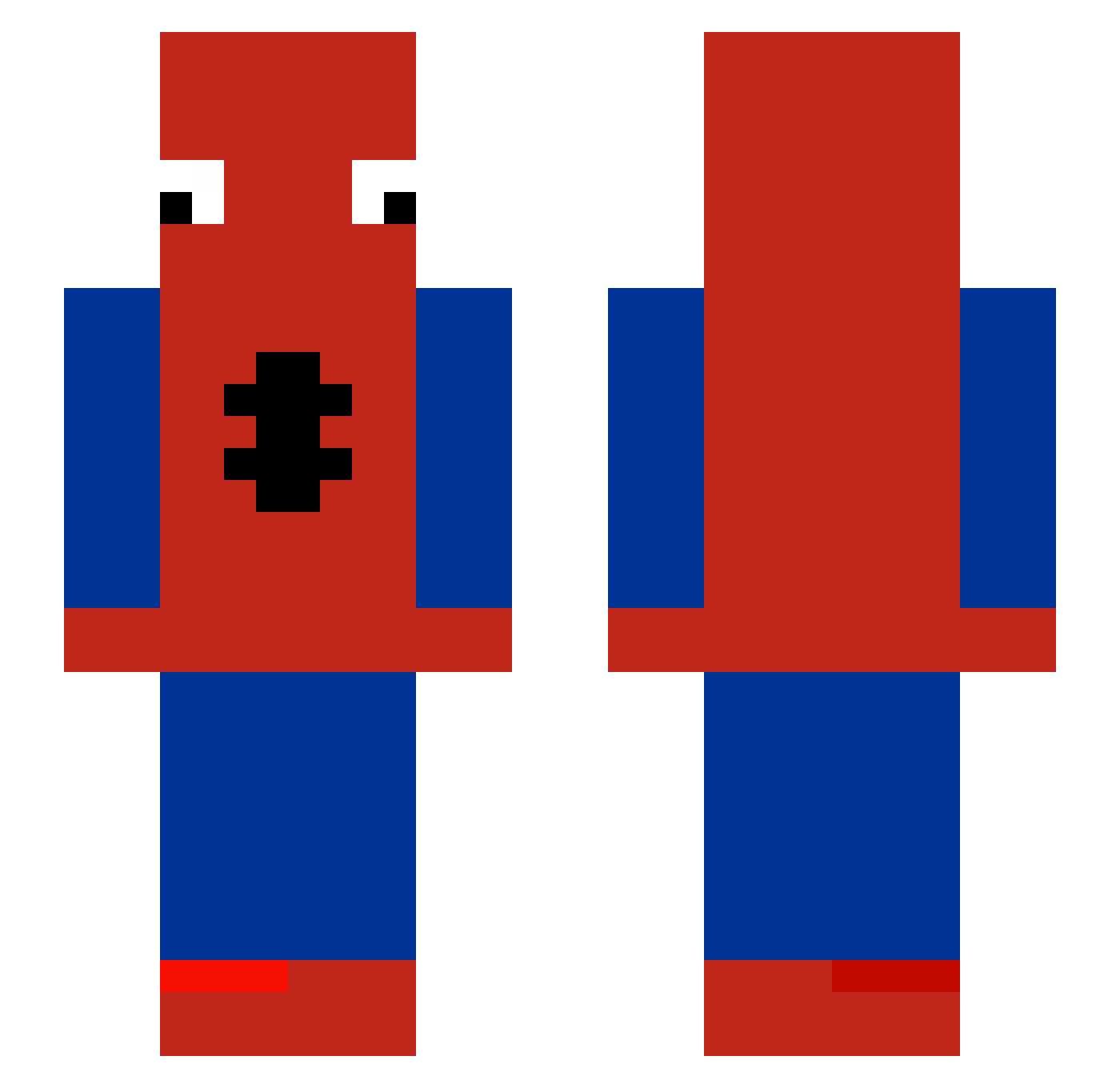
Current Minecraft skin of the player Mofus_1234, loaded from the official Mojang API. Rotate the 3D model with your mouse or finger, then download the skin as a PNG file and use it in Minecraft: Bedrock Edition or Java Edition for free. When Mofus_1234 changes their skin, this page updates automatically and the old skin stays in the history below.
Other players with this skin (510)
Mofus_1234 was the 337th player we have seen with this skin, first spotted on 03.10.2026. The same skin was seen on these players. Open a nickname to see their current skin and skin history.
 krak_29 kody0340 Renzzi_ Cookies547 ShiCha23 SeaDestroyer3000 Bobpvp63 TETAnick157 Azuyll MrPuff_Ball eszaaa Jakxox AndrewPower0315 MrFulanoPersonaP PPP987 Xkinio MatsouBoy dos3951 sevenrc SkibidiWave Valizob gaigerolain oreokunn ohYunh carnalpulpo28 zonkmann Flyinpurtata LiamFR6 JexedM8 QZ96T xiadfe adoo0000 GaBu7se AiridasKr LilGamerr rottncoffn RJRemons pollang15 babamba5909 Minecraftbob123 Jayy1962 Marbiam vezzor crazyboy420 Wraxpsismyking picklez_are_good b0tmi similaregg lvy1231 MRod_ marco_sebastian MrPeabody6 TheLeX99 MajesticAsFuq Deymond03 YAN365 zatsuu SpedeyMan matu985 mauridk
More Spider-Man Minecraft skins
How to install the Mofus_1234 skin
- Press the Download button above to save the skin as a PNG file.
- Minecraft: Bedrock Edition (PE): open the Dressing Room from the main menu (or tap your character → Edit Character), go to Classic Skins → Owned, press the + (new skin) button, choose the downloaded PNG and pick the Slim (Alex) model. Works on PC and mobile; consoles cannot import custom skins.
- Minecraft: Java Edition: open the Minecraft Launcher, go to the Skins tab, click New Skin, load the PNG, pick the Slim (Alex) model and press Save & Use. You can also upload it at minecraft.net → Profile → Change Skin.
The skin does not show up after import - what should I do?
Restart Minecraft and open the Dressing Room again - imported skins sometimes appear only after a restart. Also make sure you selected the imported skin and picked the Slim (Alex) model.
Which model should I choose, Classic or Slim?
This skin is designed for the Slim (Alex) model. If you pick the wrong model, the arms of the skin will look stretched or squeezed.
Is the skin of Mofus_1234 free to download?
Yes. Press Download, save the PNG file and use it in Minecraft: Bedrock Edition or Java Edition - no payment or registration needed. The skin also works on multiplayer servers and Realms.
More skins
Looking for more? Go back to all Minecraft skins and check the top skins of the week, month and all time, or find any player's skin by nickname.