
MoOderSo_1 - Minecraft Skins & Skin History
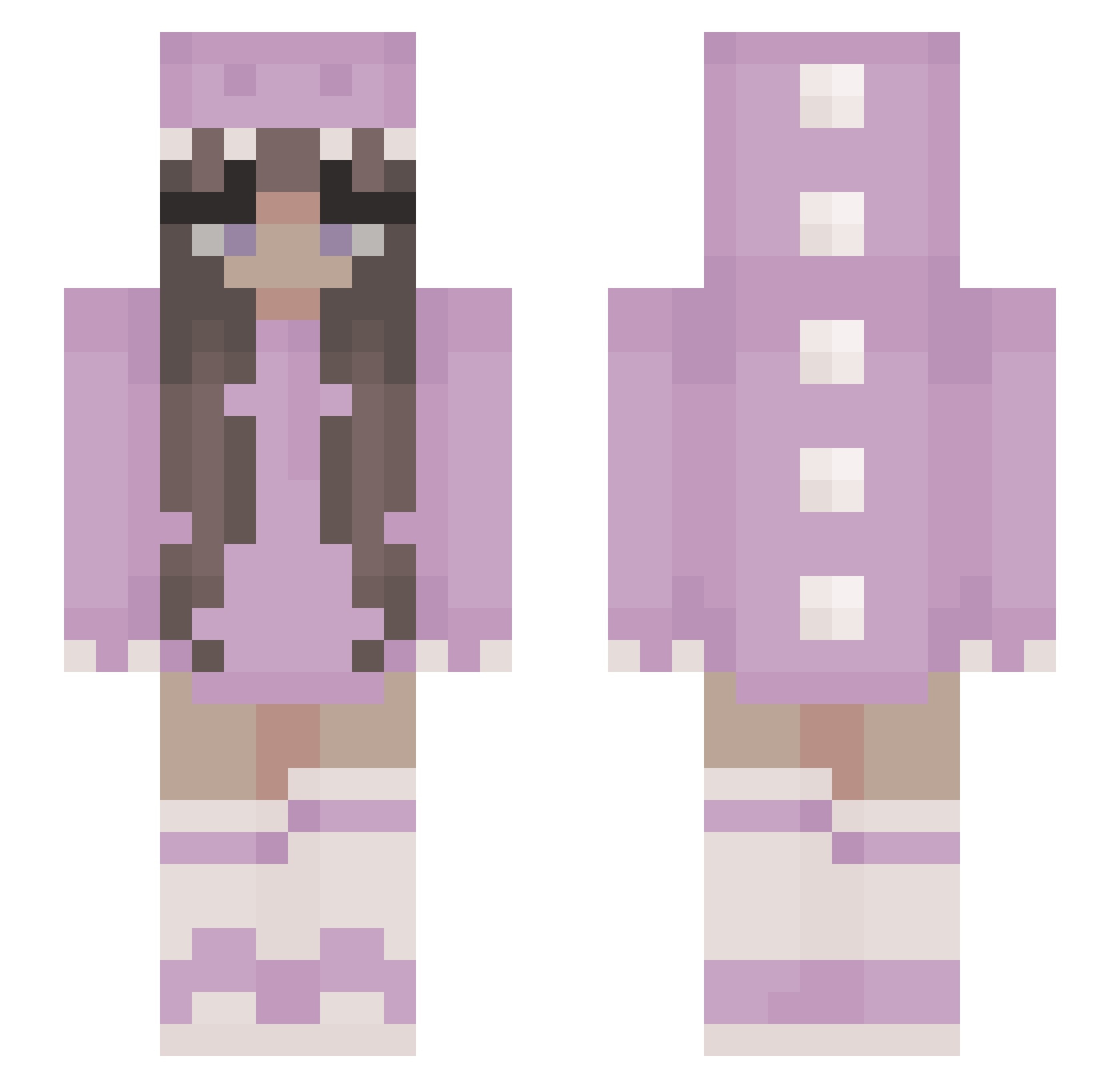
Current Minecraft skin of the player MoOderSo_1, loaded from the official Mojang API. Rotate the 3D model with your mouse or finger, then download the skin as a PNG file and use it in Minecraft: Bedrock Edition or Java Edition for free. When MoOderSo_1 changes their skin, this page updates automatically and the old skin stays in the history below.
Other players with this skin (347)
MoOderSo_1 was the 118th player we have seen with this skin, first spotted on 26.08.2026. The same skin was seen on these players. Open a nickname to see their current skin and skin history.
 Tess_16 luvs2TNT ShiroOnly yazberry Romituvia Suusk200 EGrill69 MildProblem samdlcruz QueenRC Dobbyisafreelf89 MadisonPariss Martixa2010 megansteinmasel JuhMiranda GabriellaWK Akira_second estrelladoesnt Dori410 o2da leyna2005 ConfusedQuokka JyXooo_ Kingus120 ZigiPigi __Grill__ urxwaifu melino96 haffss imsosick Angel_Butterfly Amira2968x Picate05 Duckymomo2002 ellimellivxk __Franzi_ AgentUnicorn07 XxJasxX CALE_cale momobabey Miska0008 RiceChex sweetiicake BaconBoy_ Yorisouuuu Katie_bell14 Kayrae27 lztt Zajczuuk UniformOne8540 StephieRuns Koala53871 Mamamue JJettt Mr2Pizza EmmyMsgMe LitteAga Ignacia_ FroschaugenLP libil
More Kigurumi Minecraft skins
How to install the MoOderSo_1 skin
- Press the Download button above to save the skin as a PNG file.
- Minecraft: Bedrock Edition (PE): open the Dressing Room from the main menu (or tap your character → Edit Character), go to Classic Skins → Owned, press the + (new skin) button, choose the downloaded PNG and pick the Slim (Alex) model. Works on PC and mobile; consoles cannot import custom skins.
- Minecraft: Java Edition: open the Minecraft Launcher, go to the Skins tab, click New Skin, load the PNG, pick the Slim (Alex) model and press Save & Use. You can also upload it at minecraft.net → Profile → Change Skin.
The skin does not show up after import - what should I do?
Restart Minecraft and open the Dressing Room again - imported skins sometimes appear only after a restart. Also make sure you selected the imported skin and picked the Slim (Alex) model.
Which model should I choose, Classic or Slim?
This skin is designed for the Slim (Alex) model. If you pick the wrong model, the arms of the skin will look stretched or squeezed.
Is the skin of MoOderSo_1 free to download?
Yes. Press Download, save the PNG file and use it in Minecraft: Bedrock Edition or Java Edition - no payment or registration needed. The skin also works on multiplayer servers and Realms.
More skins
Looking for more? Go back to all Minecraft skins and check the top skins of the week, month and all time, or find any player's skin by nickname.