
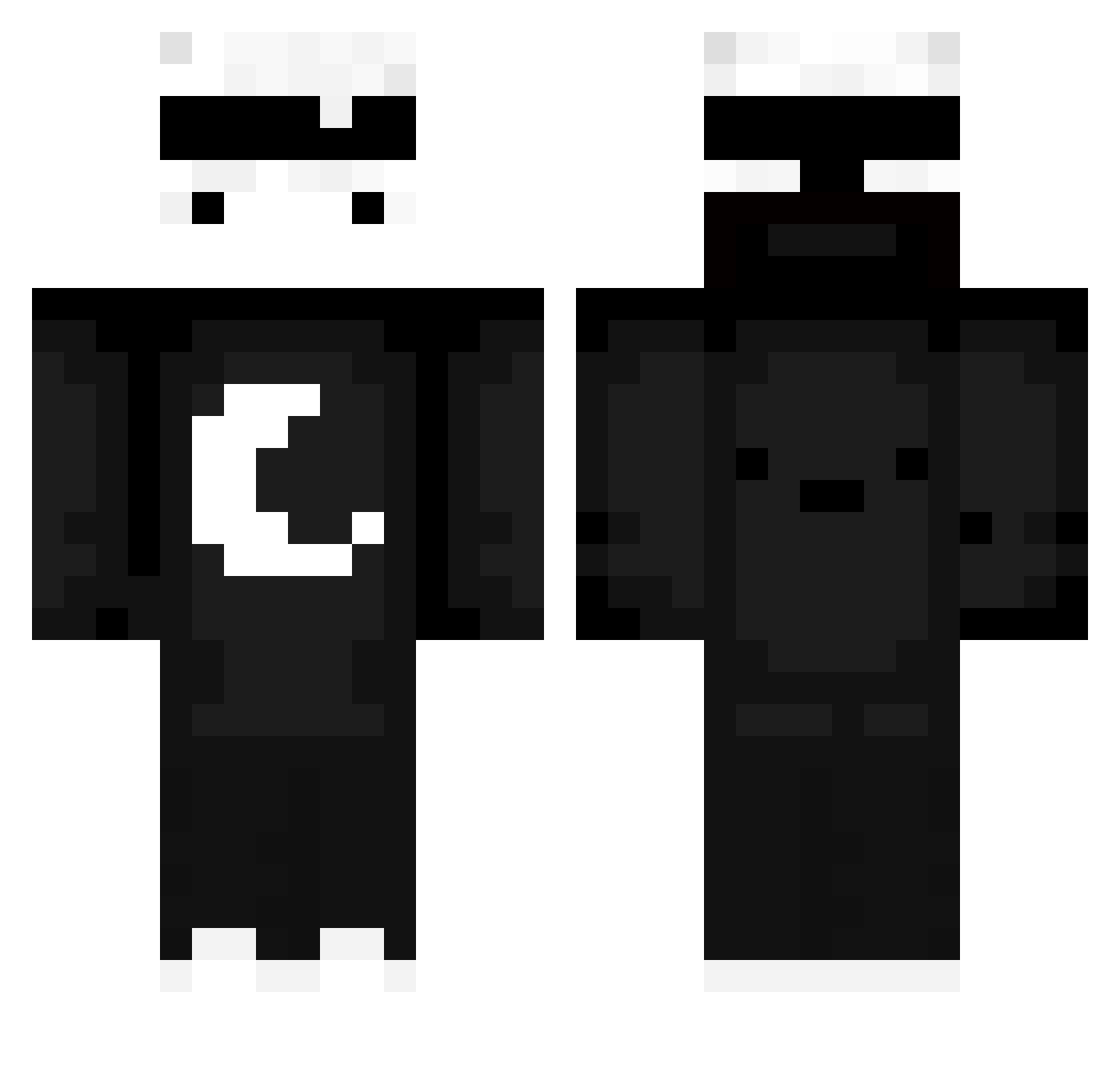
Current Minecraft skin of the player Misu_12, loaded from the official Mojang API. Rotate the 3D model with your mouse or finger, then download the skin as a PNG file and use it in Minecraft: Bedrock Edition or Java Edition for free. When Misu_12 changes their skin, this page updates automatically and the old skin stays in the history below.
Other players with this skin (534)
Misu_12 was the 51st player we have seen with this skin, first spotted on 03.08.2026. The same skin was seen on these players. Open a nickname to see their current skin and skin history.
 MrTomXXV GoofyShadow09 DoctorK007 beastro13 ARLGG Goiab407 maxster145 po8999965461222 Brasilleiro takethewaterfall DiamantPetko R3D_g0d notNarga LeGeNDDreamy mzinn_p DXCFTDE sQubanyTM_OFC Muho42 Nul1a_ xShiinoMs Serene04 vexssus niceguy22223 k______126 FelpsTV Shadow_Gamer_YT Patryczek1234
 ZetPEK1 raphi123456789 Keriwm41 FarmingNons Agustinz PietBaumeister Sx7KY dEEzEL_Is_Back Micul_Caesar spuuk1 DENISpanik Lord_Rajat RAG3BAIT LmaoVHT MasterMoonAnd Nerqios Baron1999 Noble_BM Roezzz Mattixx2012 Strouczek KaZuKiChAnN Swix047 Napon_Build Sachsuper Zi_xuann cohudo _Laura17_ BlatantZ_ VzensveR LoFveC_c oMyXTaRo Der_Eimer99
More Moon Minecraft skins
How to install the Misu_12 skin
- Press the Download button above to save the skin as a PNG file.
- Minecraft: Bedrock Edition (PE): open the Dressing Room from the main menu (or tap your character → Edit Character), go to Classic Skins → Owned, press the + (new skin) button, choose the downloaded PNG and pick the Classic (Steve) model. Works on PC and mobile; consoles cannot import custom skins.
- Minecraft: Java Edition: open the Minecraft Launcher, go to the Skins tab, click New Skin, load the PNG, pick the Classic (Steve) model and press Save & Use. You can also upload it at minecraft.net → Profile → Change Skin.
The skin does not show up after import - what should I do?
Restart Minecraft and open the Dressing Room again - imported skins sometimes appear only after a restart. Also make sure you selected the imported skin and picked the Classic (Steve) model.
Which model should I choose, Classic or Slim?
This skin is designed for the Classic (Steve) model. If you pick the wrong model, the arms of the skin will look stretched or squeezed.
Is the skin of Misu_12 free to download?
Yes. Press Download, save the PNG file and use it in Minecraft: Bedrock Edition or Java Edition - no payment or registration needed. The skin also works on multiplayer servers and Realms.
More skins
Looking for more? Go back to all Minecraft skins and check the top skins of the week, month and all time, or find any player's skin by nickname.