
Misteruus - Minecraft Skins & Skin History
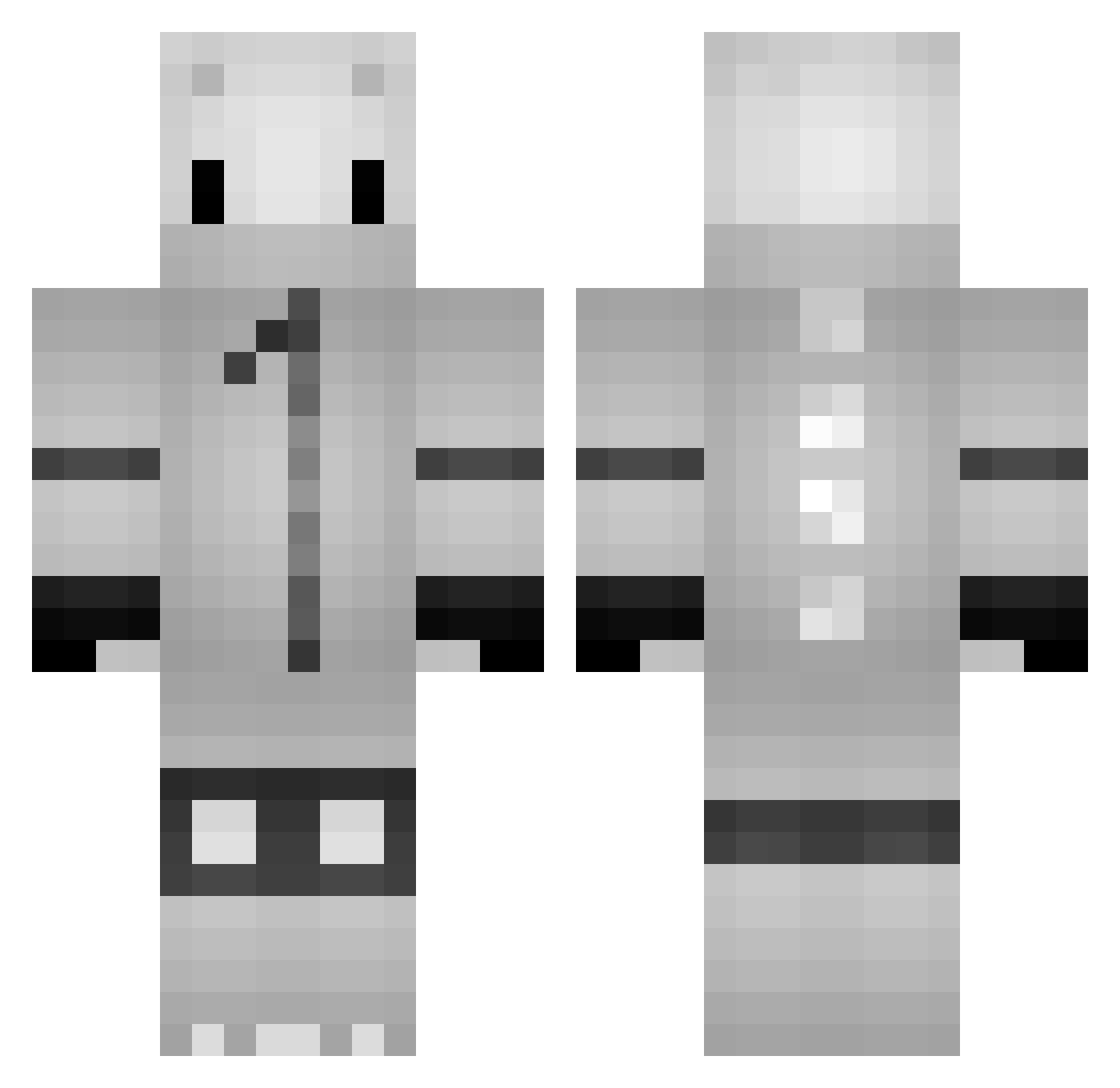
Current Minecraft skin of the player Misteruus, loaded from the official Mojang API. Rotate the 3D model with your mouse or finger, then download the skin as a PNG file and use it in Minecraft: Bedrock Edition or Java Edition for free. When Misteruus changes their skin, this page updates automatically and the old skin stays in the history below.
Other players with this skin (127)
Misteruus was the 46th player we have seen with this skin, first spotted on 22.08.2026. The same skin was seen on these players. Open a nickname to see their current skin and skin history.
 FENO2021 antiness saber_Gamer_dz pusko123 Kedennon mongsel dhdh123 AnnatheBee MrKingzTV Airdays Achimacus 7126 Myr0oo HanDock Noon4960 skeletise minokazu0225 GabyRecout hyun7150 Nikrofilo R4pid23 Arbi_19 Sniper93917 Loveisgame Framexdd Filipits26 petit_pc fabiangp23 justtapuj Just_for_panda ight_adrian Citrosek Happyz Craybolous Humeuria xiaoxianyuyu BS489 0Mr_Fluffy chednoons XIceBearz Klimbe Gurihon0102 TOTTIE0614 MONACAT2 SteBrt incompetent_kun Seelios daro19800 gaccha114 Bakisen Kiddokomet saku_0924 DavL1 BearIlho Septorl kayas420 zRazn poy157 wawler choiww
More Kigurumi Minecraft skins
How to install the Misteruus skin
- Press the Download button above to save the skin as a PNG file.
- Minecraft: Bedrock Edition (PE): open the Dressing Room from the main menu (or tap your character → Edit Character), go to Classic Skins → Owned, press the + (new skin) button, choose the downloaded PNG and pick the Classic (Steve) model. Works on PC and mobile; consoles cannot import custom skins.
- Minecraft: Java Edition: open the Minecraft Launcher, go to the Skins tab, click New Skin, load the PNG, pick the Classic (Steve) model and press Save & Use. You can also upload it at minecraft.net → Profile → Change Skin.
The skin does not show up after import - what should I do?
Restart Minecraft and open the Dressing Room again - imported skins sometimes appear only after a restart. Also make sure you selected the imported skin and picked the Classic (Steve) model.
Which model should I choose, Classic or Slim?
This skin is designed for the Classic (Steve) model. If you pick the wrong model, the arms of the skin will look stretched or squeezed.
Is the skin of Misteruus free to download?
Yes. Press Download, save the PNG file and use it in Minecraft: Bedrock Edition or Java Edition - no payment or registration needed. The skin also works on multiplayer servers and Realms.
More skins
Looking for more? Go back to all Minecraft skins and check the top skins of the week, month and all time, or find any player's skin by nickname.