
Minsterxd - Minecraft Skins & Skin History
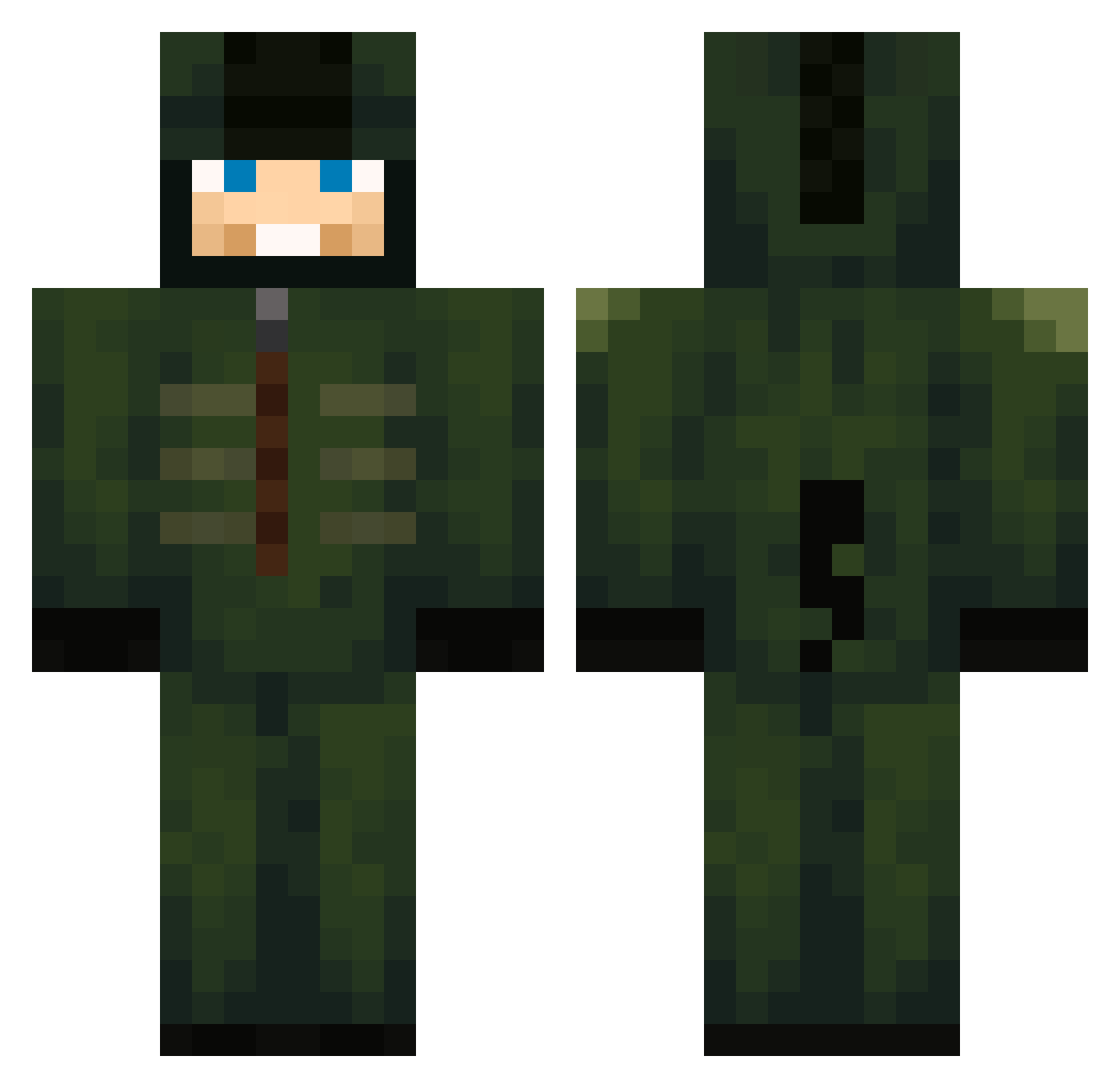
Current Minecraft skin of the player Minsterxd, loaded from the official Mojang API. Rotate the 3D model with your mouse or finger, then download the skin as a PNG file and use it in Minecraft: Bedrock Edition or Java Edition for free. When Minsterxd changes their skin, this page updates automatically and the old skin stays in the history below.
Other players with this skin (682)
Minsterxd was the 398th player we have seen with this skin, first spotted on 27.09.2026. The same skin was seen on these players. Open a nickname to see their current skin and skin history.
 4pm3 bobjkl mrtuff67 wenxinsux ESrow_ DraytedMaTT Hornet018 Kasikanin Vstenberg11 2000THB Kevinek20155 Darary_PC Unknowncosmos137 gaby2467 ajanar12 Kzy1 Chassthekid hguii whoislinyz Wtfviper ninjakiller0817 Mrbigmac22 LimLim11 jcmpn0y Iskaldt BrianLOOL sqlivin Sumugal AlkoorMusic l0k109 NolanIsSoTuff duri17 tofumaster1 Alarcon2002 akos12342256 Heichl ManoJn Grenka290 mchoi_07 thegodofminningV bebe0527 ifly89 FlooredMoose983 Shysco Nathan614 UnHumano olive23244 Verox_ASUS CosminNik w1nseez MCrank4 Arian07 SimonPilar GarGrrr noetoussaint lordzepa Trix223 Andipresst 67tt Arminius30
More Kigurumi Minecraft skins
How to install the Minsterxd skin
- Press the Download button above to save the skin as a PNG file.
- Minecraft: Bedrock Edition (PE): open the Dressing Room from the main menu (or tap your character → Edit Character), go to Classic Skins → Owned, press the + (new skin) button, choose the downloaded PNG and pick the Classic (Steve) model. Works on PC and mobile; consoles cannot import custom skins.
- Minecraft: Java Edition: open the Minecraft Launcher, go to the Skins tab, click New Skin, load the PNG, pick the Classic (Steve) model and press Save & Use. You can also upload it at minecraft.net → Profile → Change Skin.
The skin does not show up after import - what should I do?
Restart Minecraft and open the Dressing Room again - imported skins sometimes appear only after a restart. Also make sure you selected the imported skin and picked the Classic (Steve) model.
Which model should I choose, Classic or Slim?
This skin is designed for the Classic (Steve) model. If you pick the wrong model, the arms of the skin will look stretched or squeezed.
Is the skin of Minsterxd free to download?
Yes. Press Download, save the PNG file and use it in Minecraft: Bedrock Edition or Java Edition - no payment or registration needed. The skin also works on multiplayer servers and Realms.
More skins
Looking for more? Go back to all Minecraft skins and check the top skins of the week, month and all time, or find any player's skin by nickname.