
Minniemoomooo - Minecraft Skins & Skin History
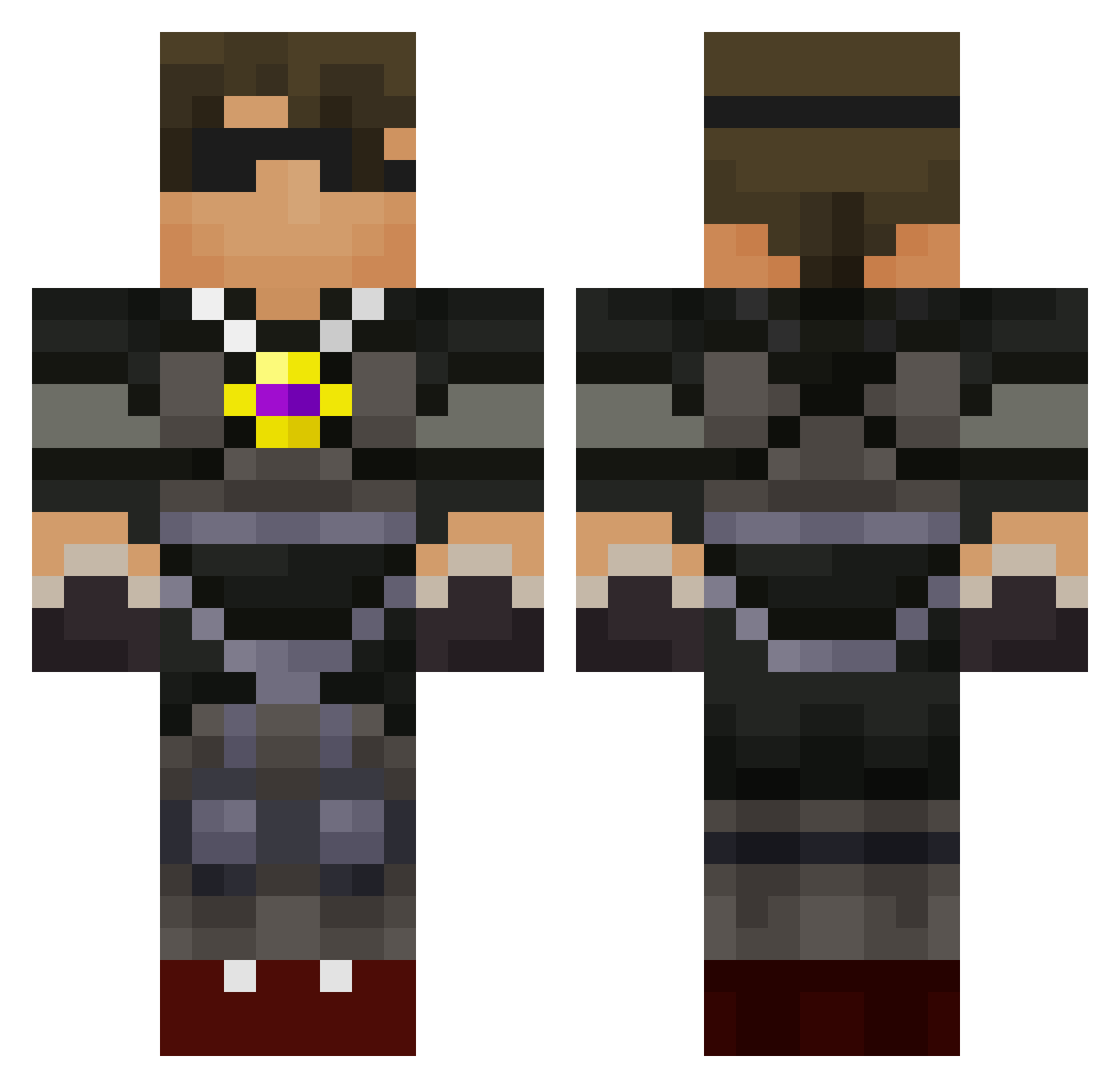
Current Minecraft skin of the player Minniemoomooo, loaded from the official Mojang API. Rotate the 3D model with your mouse or finger, then download the skin as a PNG file and use it in Minecraft: Bedrock Edition or Java Edition for free. When Minniemoomooo changes their skin, this page updates automatically and the old skin stays in the history below.
Other players with this skin (750)
Minniemoomooo was the 706th player we have seen with this skin, first spotted on 04.11.2026. The same skin was seen on these players. Open a nickname to see their current skin and skin history.
 SCF06 Draven513 DWasham03 CraftyWhite schaeffer5656 Bloodarcher16 crazyoo7 iolo818 HBP2005 Fatty36 BrotherCousins Kelo2003Til ecoeco03 E_Money_UT ffionboy Beachboy253 kevin9704 koopacoops109 BouncerBOY123 thebossman2112 blakefelts123 ooadamp tronn200 Vman80 kingofbutter13 ITZ_SKINNYVINNY josh1st MCGOOTER FosterE Ronaldo2426 dennis0009 Josxav ZaacAttack LiLBooS gardman18 yairya900 Ninjaface37 awesomekid1225 poisonninja02 jessejr539 1Devinminecraft JediDigger444 deni2008 parkourfreak008 painfulrob louski_124 Digital_Destiny bjt_04 minecraftbigshot topher_2 nicholas12357 miguellira thewanted28 hazzy2003 marshtomp123 icehockey8 Noah711 selahattin25 roger33845 Howling_Wolf123
More Necklace Minecraft skins
How to install the Minniemoomooo skin
- Press the Download button above to save the skin as a PNG file.
- Minecraft: Bedrock Edition (PE): open the Dressing Room from the main menu (or tap your character → Edit Character), go to Classic Skins → Owned, press the + (new skin) button, choose the downloaded PNG and pick the Classic (Steve) model. Works on PC and mobile; consoles cannot import custom skins.
- Minecraft: Java Edition: open the Minecraft Launcher, go to the Skins tab, click New Skin, load the PNG, pick the Classic (Steve) model and press Save & Use. You can also upload it at minecraft.net → Profile → Change Skin.
The skin does not show up after import - what should I do?
Restart Minecraft and open the Dressing Room again - imported skins sometimes appear only after a restart. Also make sure you selected the imported skin and picked the Classic (Steve) model.
Which model should I choose, Classic or Slim?
This skin is designed for the Classic (Steve) model. If you pick the wrong model, the arms of the skin will look stretched or squeezed.
Is the skin of Minniemoomooo free to download?
Yes. Press Download, save the PNG file and use it in Minecraft: Bedrock Edition or Java Edition - no payment or registration needed. The skin also works on multiplayer servers and Realms.
More skins
Looking for more? Go back to all Minecraft skins and check the top skins of the week, month and all time, or find any player's skin by nickname.