
Mine_Zhangge - Minecraft Skins & Skin History
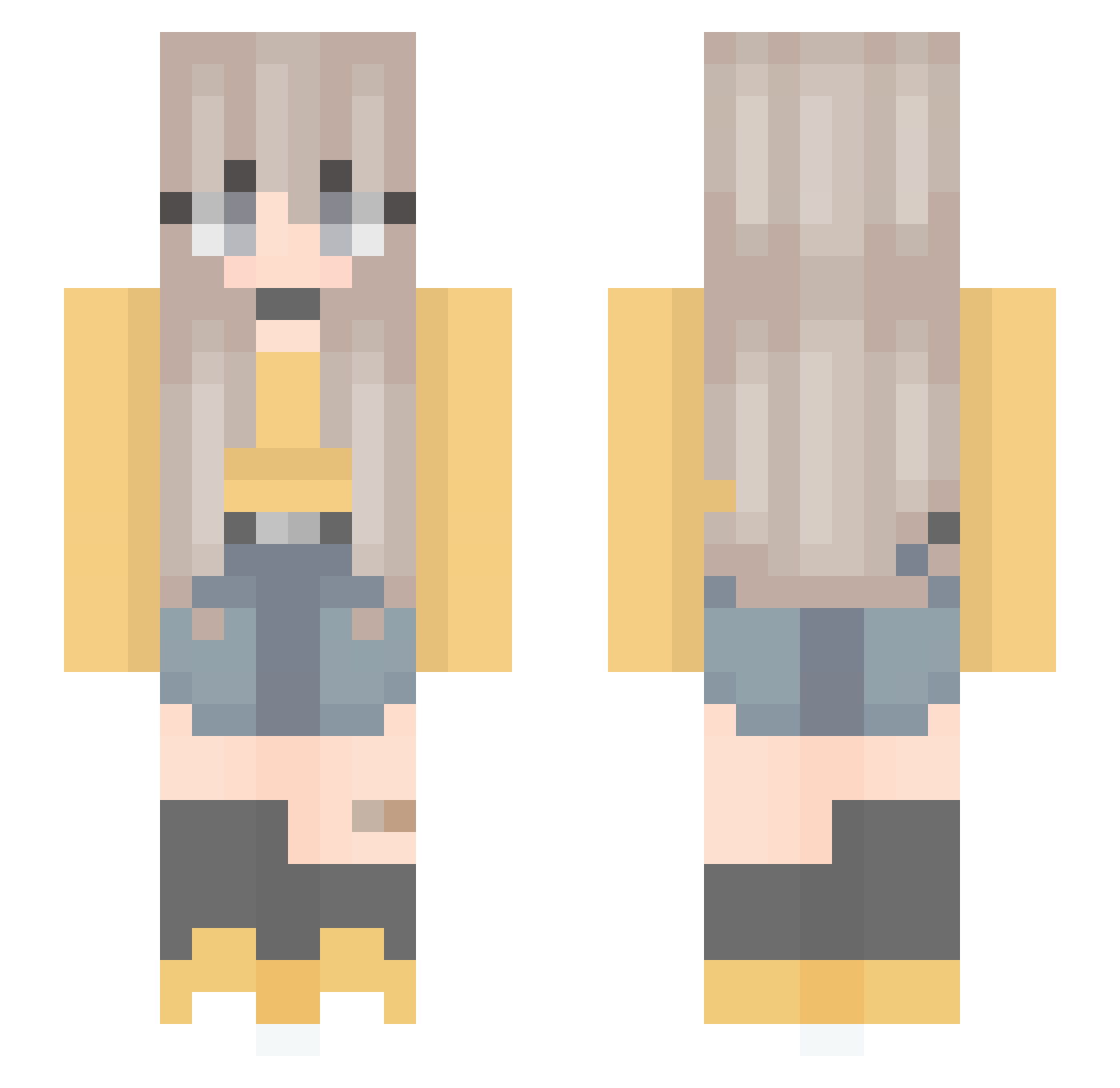
Current Minecraft skin of the player Mine_Zhangge, loaded from the official Mojang API. Rotate the 3D model with your mouse or finger, then download the skin as a PNG file and use it in Minecraft: Bedrock Edition or Java Edition for free. When Mine_Zhangge changes their skin, this page updates automatically and the old skin stays in the history below.
Other players with this skin (301)
Mine_Zhangge was the 168th player we have seen with this skin, first spotted on 01.10.2026. The same skin was seen on these players. Open a nickname to see their current skin and skin history.
 iiLostStitch_ _Giska_ Issy_Lewis dudolune cocolait xiaoli555 XElibeliX WaifuYandere Azumanee MiaTheLitOne yee___yee klaudusiaaaa2 NooNut Sxfx Aurora_11 OLAYT10 olive282 Ellurie Lunaehime audrey_diss guuzns Shmoom kino_s10 muchinana Jiuwei_1 LaRagazzaAnzia ShiroEugen Player0022 Inkxuan Pau_2004 _mollie_c_ Zucumber Gogang9 moca07 FRA8822 Lhire_17 elijahy sabycrew martina888 SawyerLynn2002 YaelTa Lumamau2 LyfeJr Siwa96 LaLatina47 ChocolaMeilleure acba007 starlight_80 ButterflyFlower8 Dawn5753 Meloonade B1LLYYY A_L_I_C_EE El_hamster seohyun4029 Aegialeuz Takikomigohann Aigne2009 Nachoon Himajin3dayo
More Anime Minecraft skins
How to install the Mine_Zhangge skin
- Press the Download button above to save the skin as a PNG file.
- Minecraft: Bedrock Edition (PE): open the Dressing Room from the main menu (or tap your character → Edit Character), go to Classic Skins → Owned, press the + (new skin) button, choose the downloaded PNG and pick the Slim (Alex) model. Works on PC and mobile; consoles cannot import custom skins.
- Minecraft: Java Edition: open the Minecraft Launcher, go to the Skins tab, click New Skin, load the PNG, pick the Slim (Alex) model and press Save & Use. You can also upload it at minecraft.net → Profile → Change Skin.
The skin does not show up after import - what should I do?
Restart Minecraft and open the Dressing Room again - imported skins sometimes appear only after a restart. Also make sure you selected the imported skin and picked the Slim (Alex) model.
Which model should I choose, Classic or Slim?
This skin is designed for the Slim (Alex) model. If you pick the wrong model, the arms of the skin will look stretched or squeezed.
Is the skin of Mine_Zhangge free to download?
Yes. Press Download, save the PNG file and use it in Minecraft: Bedrock Edition or Java Edition - no payment or registration needed. The skin also works on multiplayer servers and Realms.
More skins
Looking for more? Go back to all Minecraft skins and check the top skins of the week, month and all time, or find any player's skin by nickname.