
Millow0 - Minecraft Skins & Skin History
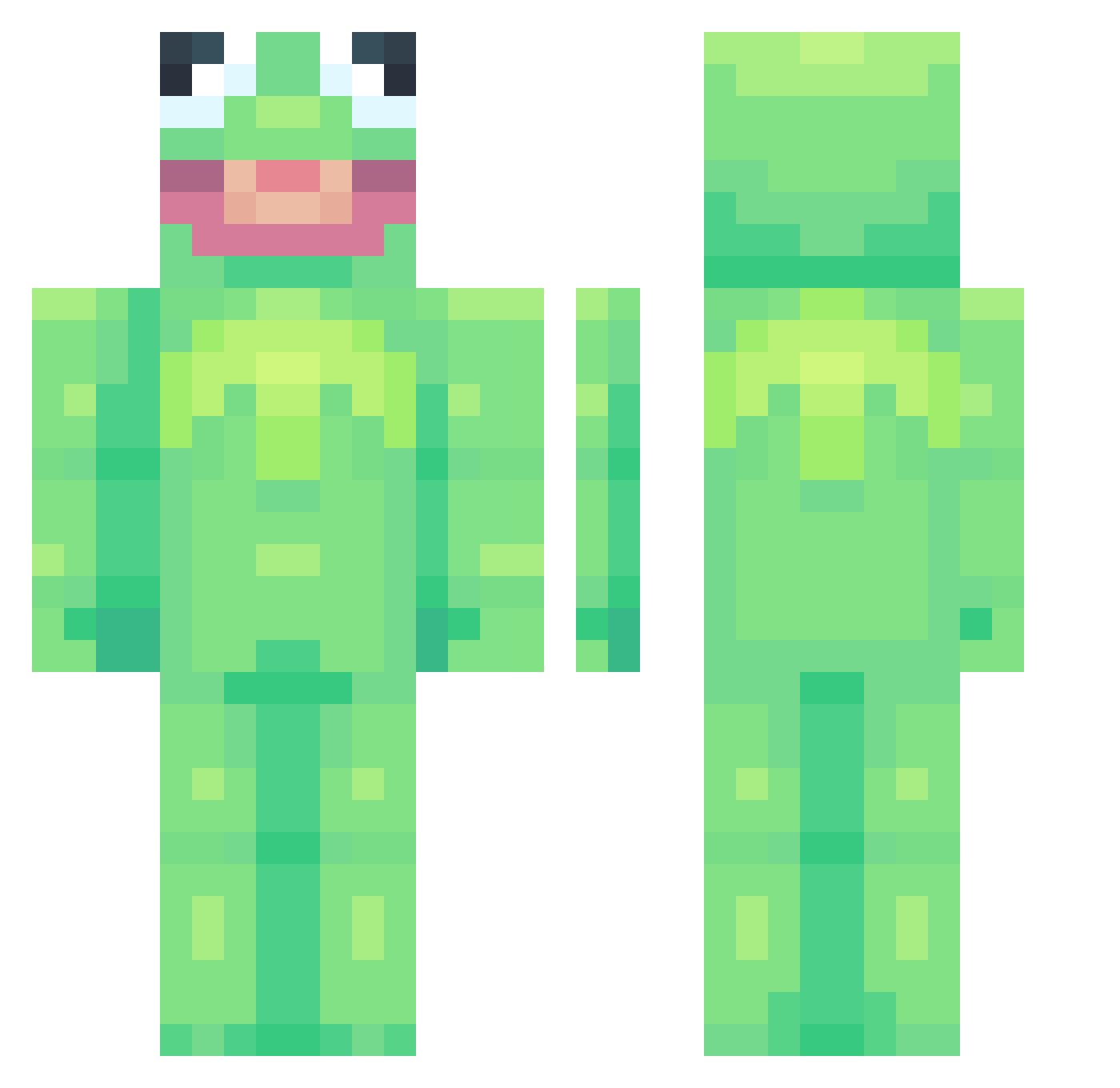
Current Minecraft skin of the player Millow0, loaded from the official Mojang API. Rotate the 3D model with your mouse or finger, then download the skin as a PNG file and use it in Minecraft: Bedrock Edition or Java Edition for free. When Millow0 changes their skin, this page updates automatically and the old skin stays in the history below.
Other players with this skin (912)
Millow0 was the 866th player we have seen with this skin, first spotted on 14.11.2026. The same skin was seen on these players. Open a nickname to see their current skin and skin history.
 hioncoffee Oxyms Sudsin Zack_147 SincereSarcasm02 Lcll frog_master_ aztekkawashere fggtbr Xxjoe61 DarkBladeHD1 Ferdnz pepsivanilla BobiChurroS swivels2 BigBoyBlocker MopeyTick Kairo7509 GhostOfThe7thWar anne_schulte nosmokking UhJinn SaintChub Mariebeth5 Wubbah21 narutoichi mak_3 Werewer55 plcin MikanPie indraj EmSeaDonalds LSWC_YH ronnoc55 Bomag591 HUMPHREYPSYCH WatermelonOW Chillin_Banana FrankLikesTanks Raginbum Joostenn PTAP753 cbstarve luvmonkeyforever MattJackson_ faultystart Kocheyy xtra_dip22 CutHerUp Froggzer beefburger29 Cryzsis Craveriox IamKillbot MojoJojo5_ Xixkai Thearcticdeath soundsgay_imin BenofficialHank _Gutah_
More Kermit The Frog Minecraft skins
See all 472 Kermit The Frog skins
How to install the Millow0 skin
- Press the Download button above to save the skin as a PNG file.
- Minecraft: Bedrock Edition (PE): open the Dressing Room from the main menu (or tap your character → Edit Character), go to Classic Skins → Owned, press the + (new skin) button, choose the downloaded PNG and pick the Classic (Steve) model. Works on PC and mobile; consoles cannot import custom skins.
- Minecraft: Java Edition: open the Minecraft Launcher, go to the Skins tab, click New Skin, load the PNG, pick the Classic (Steve) model and press Save & Use. You can also upload it at minecraft.net → Profile → Change Skin.
The skin does not show up after import - what should I do?
Restart Minecraft and open the Dressing Room again - imported skins sometimes appear only after a restart. Also make sure you selected the imported skin and picked the Classic (Steve) model.
Which model should I choose, Classic or Slim?
This skin is designed for the Classic (Steve) model. If you pick the wrong model, the arms of the skin will look stretched or squeezed.
Is the skin of Millow0 free to download?
Yes. Press Download, save the PNG file and use it in Minecraft: Bedrock Edition or Java Edition - no payment or registration needed. The skin also works on multiplayer servers and Realms.
More skins
Looking for more? Go back to all Minecraft skins and check the top skins of the week, month and all time, or find any player's skin by nickname.