
Mikkelsoelberg - Minecraft Skins & Skin History
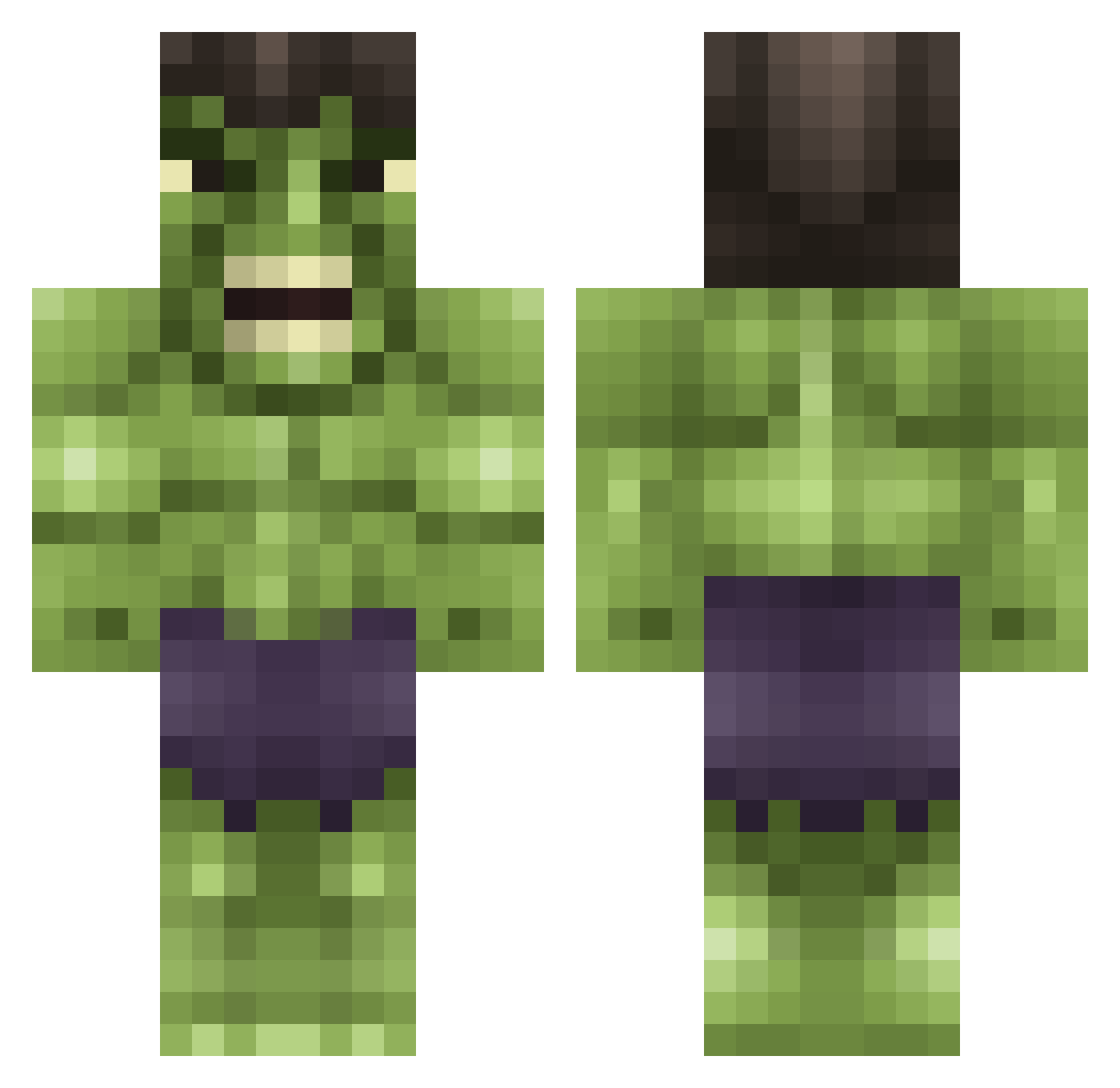
Current Minecraft skin of the player Mikkelsoelberg, loaded from the official Mojang API. Rotate the 3D model with your mouse or finger, then download the skin as a PNG file and use it in Minecraft: Bedrock Edition or Java Edition for free. When Mikkelsoelberg changes their skin, this page updates automatically and the old skin stays in the history below.
Other players with this skin (740)
Mikkelsoelberg was the 629th player we have seen with this skin, first spotted on 02.11.2026. The same skin was seen on these players. Open a nickname to see their current skin and skin history.
 ALEDANI cckthedemon bigboiahoy Nevin19 ChineseDumpling iiFekyZz dcmwaldo11 shadowbasix Appoc thomassie1 DJW6477 hooters01 TheScoth BuRpy01 1L1L1 McPelaaja psychosquirrel4 Babyxhulk farmerboy12345 LoganM10049 ImCrx FrankGNL johnnymac1 Breaking_Blocks_ LennyGreen slayerema heejtrick shawnjrmaster Mirthful77 bridie12 OllieGed Fellies qdog08 TSGXZHOUYU trevdog55 Gabriel_B Nikecool31 geyre08 superwarrior4000 snorlaxkin pandaexpress01 SilentlyEating terrorspider Warlatm bromonster fleak_7 catocampbell Morten_Dew ItsJackHD MurphyGoodman Anna2715 xDr_Zx dbasso56 ukr_888 pimnelemans Sit_Down_Kiddo MediasTheWarrior Sheldon951 DeFQoN_1_469 Knightsgamer
More Hulk Minecraft skins
How to install the Mikkelsoelberg skin
- Press the Download button above to save the skin as a PNG file.
- Minecraft: Bedrock Edition (PE): open the Dressing Room from the main menu (or tap your character → Edit Character), go to Classic Skins → Owned, press the + (new skin) button, choose the downloaded PNG and pick the Classic (Steve) model. Works on PC and mobile; consoles cannot import custom skins.
- Minecraft: Java Edition: open the Minecraft Launcher, go to the Skins tab, click New Skin, load the PNG, pick the Classic (Steve) model and press Save & Use. You can also upload it at minecraft.net → Profile → Change Skin.
The skin does not show up after import - what should I do?
Restart Minecraft and open the Dressing Room again - imported skins sometimes appear only after a restart. Also make sure you selected the imported skin and picked the Classic (Steve) model.
Which model should I choose, Classic or Slim?
This skin is designed for the Classic (Steve) model. If you pick the wrong model, the arms of the skin will look stretched or squeezed.
Is the skin of Mikkelsoelberg free to download?
Yes. Press Download, save the PNG file and use it in Minecraft: Bedrock Edition or Java Edition - no payment or registration needed. The skin also works on multiplayer servers and Realms.
More skins
Looking for more? Go back to all Minecraft skins and check the top skins of the week, month and all time, or find any player's skin by nickname.