
Michals86 - Minecraft Skins & Skin History
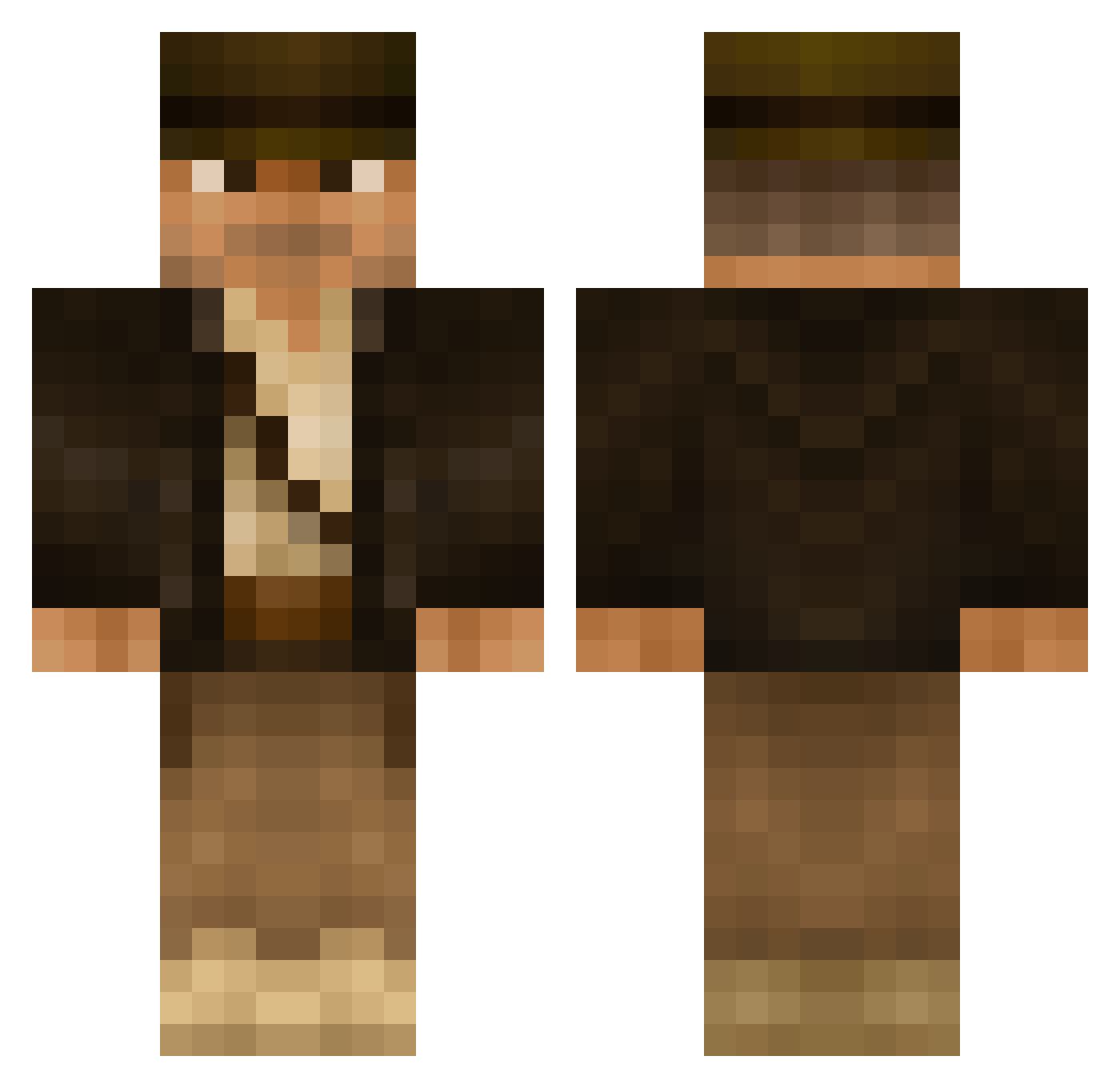
Current Minecraft skin of the player Michals86, loaded from the official Mojang API. Rotate the 3D model with your mouse or finger, then download the skin as a PNG file and use it in Minecraft: Bedrock Edition or Java Edition for free. When Michals86 changes their skin, this page updates automatically and the old skin stays in the history below.
Other players with this skin (502)
Michals86 was the 448th player we have seen with this skin, first spotted on 23.10.2026. The same skin was seen on these players. Open a nickname to see their current skin and skin history.
 mastercheif469 SnapperDesade THE_WOOLYMAN Gunner_sgt MacBau MulderWu SweatyBandit Akutan SnorlaxMeal Brexiteer thrasher616 Madmobcon ziegelwieser awdball Cereseris Odontocetes Aeon_Patriarch blankuser0 willg1999 carbon02 XplorerMC Lantzelot Maxiii NinjaAMJ95 Choobinski grimjimbo Labben123 Neary83 MercyRain Wurzelkoenig666 pktss EuphoricWoody robinml2 mandorf2014 dani_mller Denitn nijemi aScout94 pmarlow Taquitooooo BradyPlayz MrRazorBlade12 Cr33p3rWarrior TheDaDon Elpa2001 indiejones7 Giugiaro LostDrugar Nate_thegreat TiggerTheGod Malephest bungernut Hiasei Torien7 Grimalduss Grey_Heron HessCJ Sushinator DigitalSpecter IndyMP
More Indiana Jones Minecraft skins
See all 80 Indiana Jones skins
How to install the Michals86 skin
- Press the Download button above to save the skin as a PNG file.
- Minecraft: Bedrock Edition (PE): open the Dressing Room from the main menu (or tap your character → Edit Character), go to Classic Skins → Owned, press the + (new skin) button, choose the downloaded PNG and pick the Classic (Steve) model. Works on PC and mobile; consoles cannot import custom skins.
- Minecraft: Java Edition: open the Minecraft Launcher, go to the Skins tab, click New Skin, load the PNG, pick the Classic (Steve) model and press Save & Use. You can also upload it at minecraft.net → Profile → Change Skin.
The skin does not show up after import - what should I do?
Restart Minecraft and open the Dressing Room again - imported skins sometimes appear only after a restart. Also make sure you selected the imported skin and picked the Classic (Steve) model.
Which model should I choose, Classic or Slim?
This skin is designed for the Classic (Steve) model. If you pick the wrong model, the arms of the skin will look stretched or squeezed.
Is the skin of Michals86 free to download?
Yes. Press Download, save the PNG file and use it in Minecraft: Bedrock Edition or Java Edition - no payment or registration needed. The skin also works on multiplayer servers and Realms.
More skins
Looking for more? Go back to all Minecraft skins and check the top skins of the week, month and all time, or find any player's skin by nickname.