
Michael192 - Minecraft Skins & Skin History
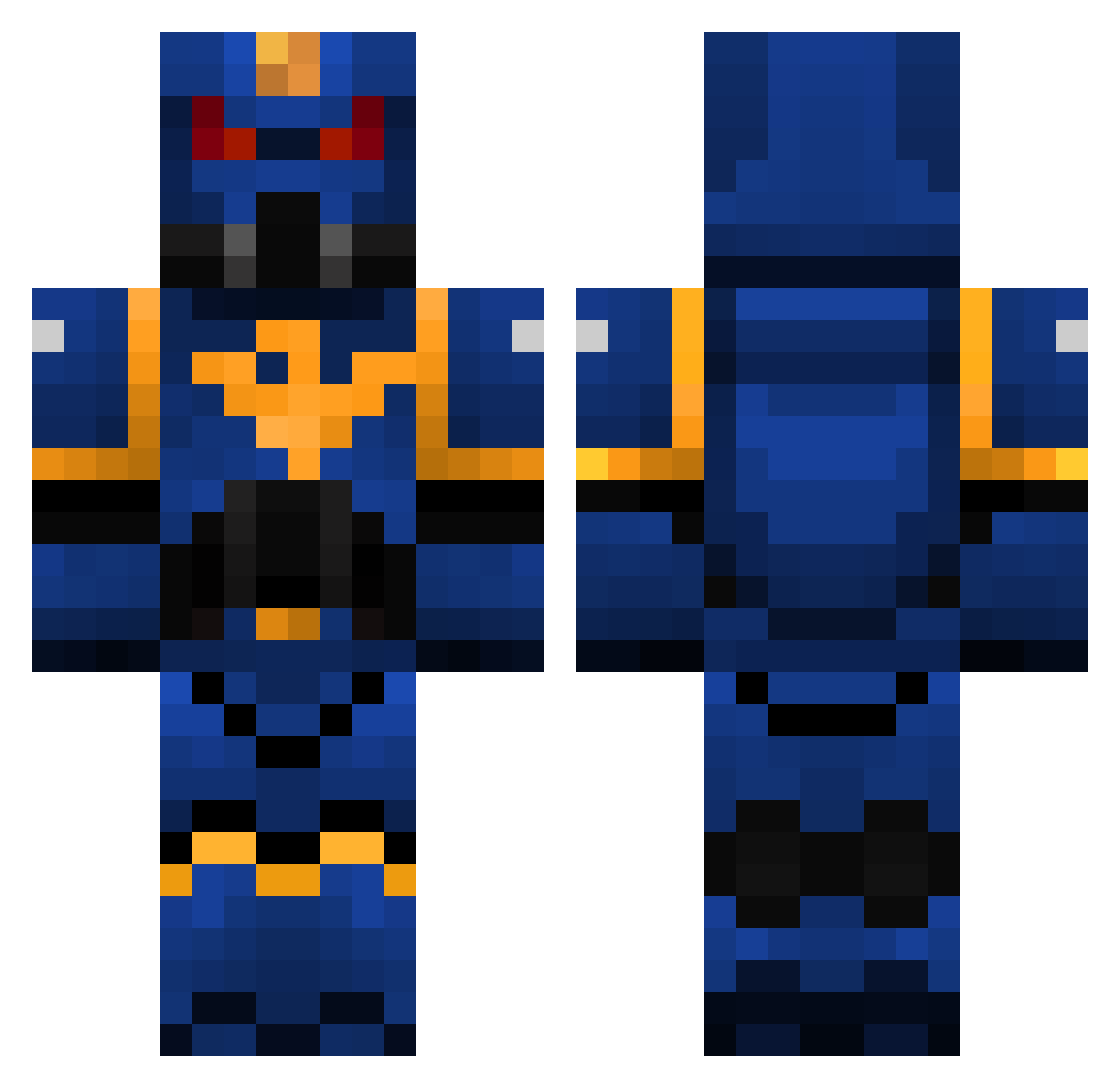
Current Minecraft skin of the player Michael192, loaded from the official Mojang API. Rotate the 3D model with your mouse or finger, then download the skin as a PNG file and use it in Minecraft: Bedrock Edition or Java Edition for free. When Michael192 changes their skin, this page updates automatically and the old skin stays in the history below.
Other players with this skin (325)
Michael192 was the 263rd player we have seen with this skin, first spotted on 16.10.2026. The same skin was seen on these players. Open a nickname to see their current skin and skin history.
 frozteh MrMex05 tman_nic Taldorin Vezos Casqit LakeWinni warfighter2026 TubaProblem killedtate Marciellus __WSOP__ salif76 Orapac JSrok repta54 mymeer4543 sillas2001 elii17 kairosktar Gorgatron2000 Lilysnowdragon AmazingAlex007 Dawntreader2003 toadholder Djamo78 miku928 pe4rCEy kmorfill Degommer EuanB2001 gaffer3108 Wildhart0900 rynosaurus3 PoroHugger Barber02 jacobholm12 tomdu05 Quicksyth King_Kitty Icarus_Rising Milo_Mori Blugeoning Khasaris obhetha Toryuu jesr2175 rabargo06 Narvalo17 lamboguy14 GrimmFowl scoutknife15 Schwarzflamme117 sacha55 l1_l1 jackbillyliv turbo0123 Losavo Omniscient_Ice TheConcepteur
More Warhammer Minecraft skins
How to install the Michael192 skin
- Press the Download button above to save the skin as a PNG file.
- Minecraft: Bedrock Edition (PE): open the Dressing Room from the main menu (or tap your character → Edit Character), go to Classic Skins → Owned, press the + (new skin) button, choose the downloaded PNG and pick the Classic (Steve) model. Works on PC and mobile; consoles cannot import custom skins.
- Minecraft: Java Edition: open the Minecraft Launcher, go to the Skins tab, click New Skin, load the PNG, pick the Classic (Steve) model and press Save & Use. You can also upload it at minecraft.net → Profile → Change Skin.
The skin does not show up after import - what should I do?
Restart Minecraft and open the Dressing Room again - imported skins sometimes appear only after a restart. Also make sure you selected the imported skin and picked the Classic (Steve) model.
Which model should I choose, Classic or Slim?
This skin is designed for the Classic (Steve) model. If you pick the wrong model, the arms of the skin will look stretched or squeezed.
Is the skin of Michael192 free to download?
Yes. Press Download, save the PNG file and use it in Minecraft: Bedrock Edition or Java Edition - no payment or registration needed. The skin also works on multiplayer servers and Realms.
More skins
Looking for more? Go back to all Minecraft skins and check the top skins of the week, month and all time, or find any player's skin by nickname.