
MeteorDestroyer - Minecraft Skins & Skin History
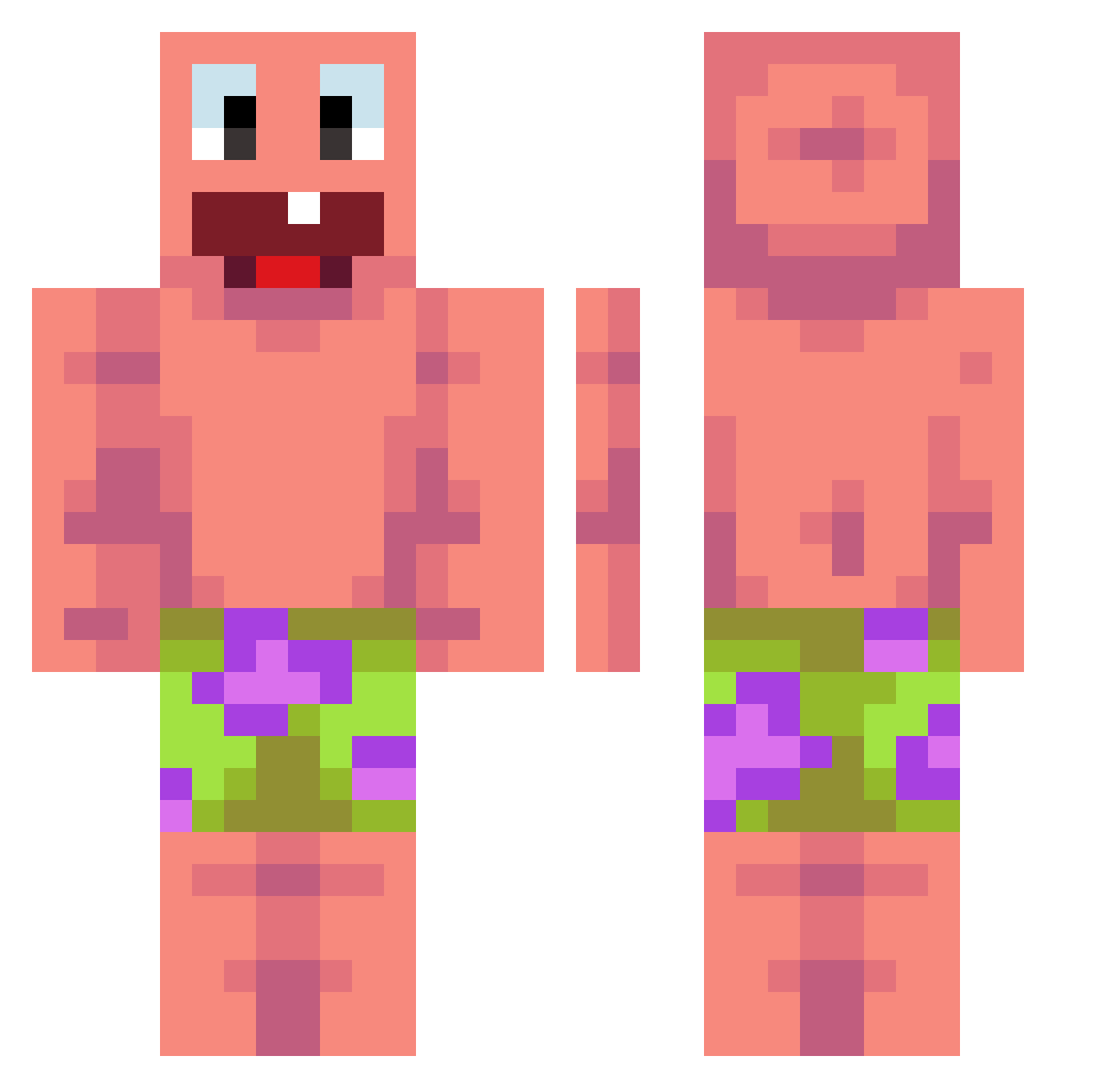
Current Minecraft skin of the player MeteorDestroyer, loaded from the official Mojang API. Rotate the 3D model with your mouse or finger, then download the skin as a PNG file and use it in Minecraft: Bedrock Edition or Java Edition for free. When MeteorDestroyer changes their skin, this page updates automatically and the old skin stays in the history below.
Other players with this skin (440)
MeteorDestroyer was the 249th player we have seen with this skin, first spotted on 24.09.2026. The same skin was seen on these players. Open a nickname to see their current skin and skin history.
 xyz0910 BLACK0UT_UWU JIM7K amirocn OG_MCPlayer Nisserr elepoop19 QuinquilleroNeto Verxyn99 Jayashan Vexu_Y Dsniffer69 TTVKingseagamer kamilk1 Yigitosx zazajitslime ZETROX22 Legendloot kirnrninsu sneakyjoeri harishan4 Raon_0317 TESGamer1932 Azaol hadesik3421 vCraig1 Jcreed57 N3V0K ONTOPMIKKEL_LOL nun0515 klata Varalasss biggestbir347 AlwaysGM CoreyOlisOmega Sleepingjet5 Luna_on_pc Alien_ace Unregistered1 Ombrekiller MrChimichanga dravnet Manji_OJ Partickle Blobismijnnaam1 SwicherSquid5 Bigsloppy67 ALMODMRQ8 kobietchoi29 nie3vie 21Miczu_ Imbarazzante_ DaBabyRapy kuba18nowa 1Sorgen oniongamer213 m7ya123 DDbong lyontax Maoyou_
More Patrick Star Minecraft skins
See all 612 Patrick Star skins
How to install the MeteorDestroyer skin
- Press the Download button above to save the skin as a PNG file.
- Minecraft: Bedrock Edition (PE): open the Dressing Room from the main menu (or tap your character → Edit Character), go to Classic Skins → Owned, press the + (new skin) button, choose the downloaded PNG and pick the Classic (Steve) model. Works on PC and mobile; consoles cannot import custom skins.
- Minecraft: Java Edition: open the Minecraft Launcher, go to the Skins tab, click New Skin, load the PNG, pick the Classic (Steve) model and press Save & Use. You can also upload it at minecraft.net → Profile → Change Skin.
The skin does not show up after import - what should I do?
Restart Minecraft and open the Dressing Room again - imported skins sometimes appear only after a restart. Also make sure you selected the imported skin and picked the Classic (Steve) model.
Which model should I choose, Classic or Slim?
This skin is designed for the Classic (Steve) model. If you pick the wrong model, the arms of the skin will look stretched or squeezed.
Is the skin of MeteorDestroyer free to download?
Yes. Press Download, save the PNG file and use it in Minecraft: Bedrock Edition or Java Edition - no payment or registration needed. The skin also works on multiplayer servers and Realms.
More skins
Looking for more? Go back to all Minecraft skins and check the top skins of the week, month and all time, or find any player's skin by nickname.