
MetalZ0mb1e - Minecraft Skins & Skin History
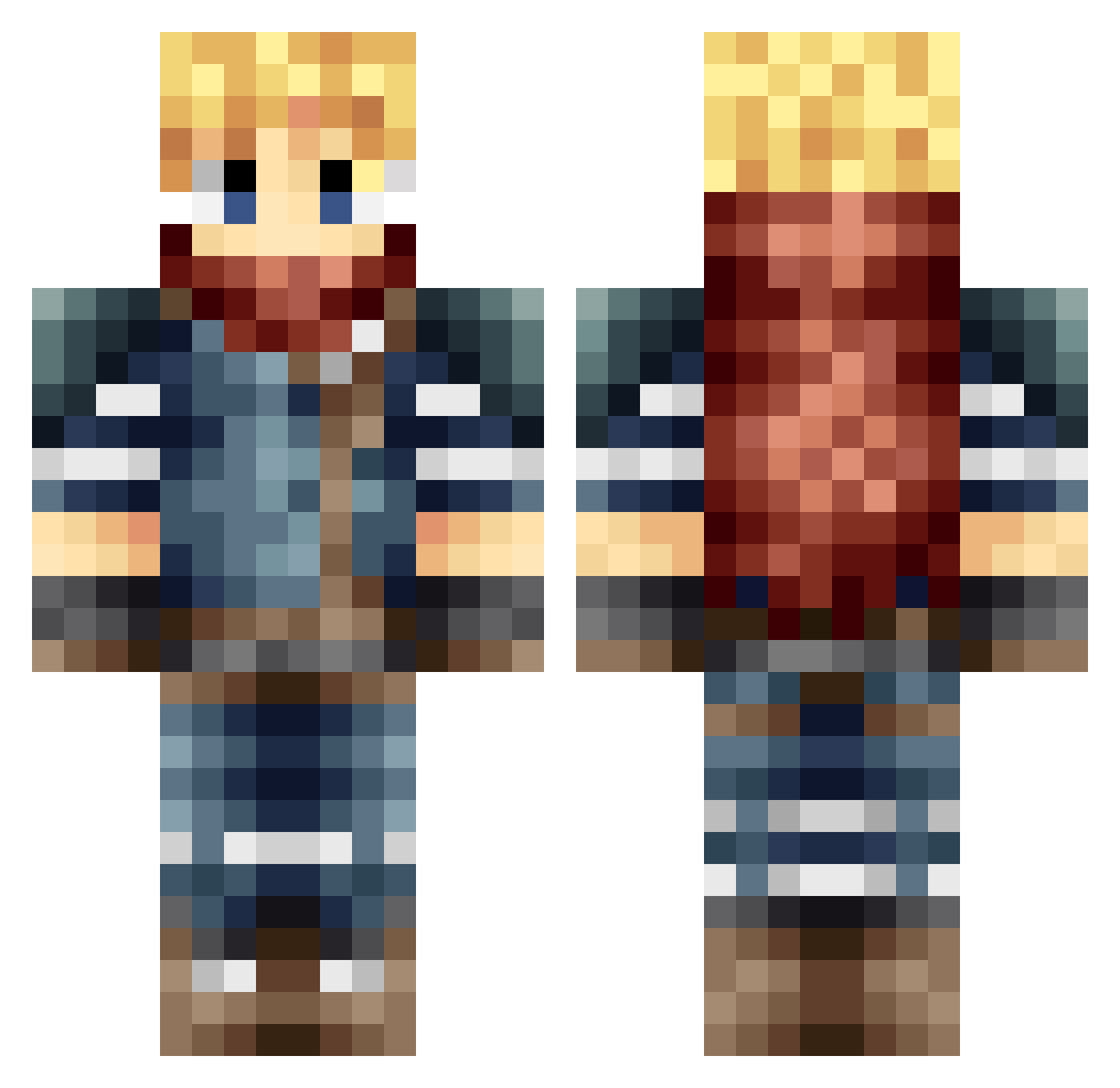
Current Minecraft skin of the player MetalZ0mb1e, loaded from the official Mojang API. Rotate the 3D model with your mouse or finger, then download the skin as a PNG file and use it in Minecraft: Bedrock Edition or Java Edition for free. When MetalZ0mb1e changes their skin, this page updates automatically and the old skin stays in the history below.
Other players with this skin (55)
MetalZ0mb1e was the 7th player we have seen with this skin, first spotted on 02.08.2026. The same skin was seen on these players. Open a nickname to see their current skin and skin history.
 ttchubble hawkflorea ozatomic EdoIsh Hacker_4chan AtomicSuicide wasgehtab22 Ev4l _karcrack Korisin Poopmasterpeep connorboa Judge55 MemphisFire24 Yisori VlaLjuba jacman318 gameover19883 technes Smaskaren NoctisMK2 ThePandaBeat Goopy83 Queldealer VerTiGo_Etrex Personants Porojukaha DarlyFX ElliElliNumber1 Wyvarie xX_SOULx3ATER_Xx SidneyBro ken13123 AlucardMinecraft isaac_2001 Heryu Nokata86 JoaBelgium Lutraz eurydiceee bart100125 Asheyka pedropan92 jonasql legit_lt Rannoa spamakaze Aglovaile Lero1992 ttTT3642 jayrox Razgriz3210 Turze DjSpinLaden B3atSt4r
More Adventurer Minecraft skins
How to install the MetalZ0mb1e skin
- Press the Download button above to save the skin as a PNG file.
- Minecraft: Bedrock Edition (PE): open the Dressing Room from the main menu (or tap your character → Edit Character), go to Classic Skins → Owned, press the + (new skin) button, choose the downloaded PNG and pick the Classic (Steve) model. Works on PC and mobile; consoles cannot import custom skins.
- Minecraft: Java Edition: open the Minecraft Launcher, go to the Skins tab, click New Skin, load the PNG, pick the Classic (Steve) model and press Save & Use. You can also upload it at minecraft.net → Profile → Change Skin.
The skin does not show up after import - what should I do?
Restart Minecraft and open the Dressing Room again - imported skins sometimes appear only after a restart. Also make sure you selected the imported skin and picked the Classic (Steve) model.
Which model should I choose, Classic or Slim?
This skin is designed for the Classic (Steve) model. If you pick the wrong model, the arms of the skin will look stretched or squeezed.
Is the skin of MetalZ0mb1e free to download?
Yes. Press Download, save the PNG file and use it in Minecraft: Bedrock Edition or Java Edition - no payment or registration needed. The skin also works on multiplayer servers and Realms.
More skins
Looking for more? Go back to all Minecraft skins and check the top skins of the week, month and all time, or find any player's skin by nickname.