
MenaceXD - Minecraft Skins & Skin History
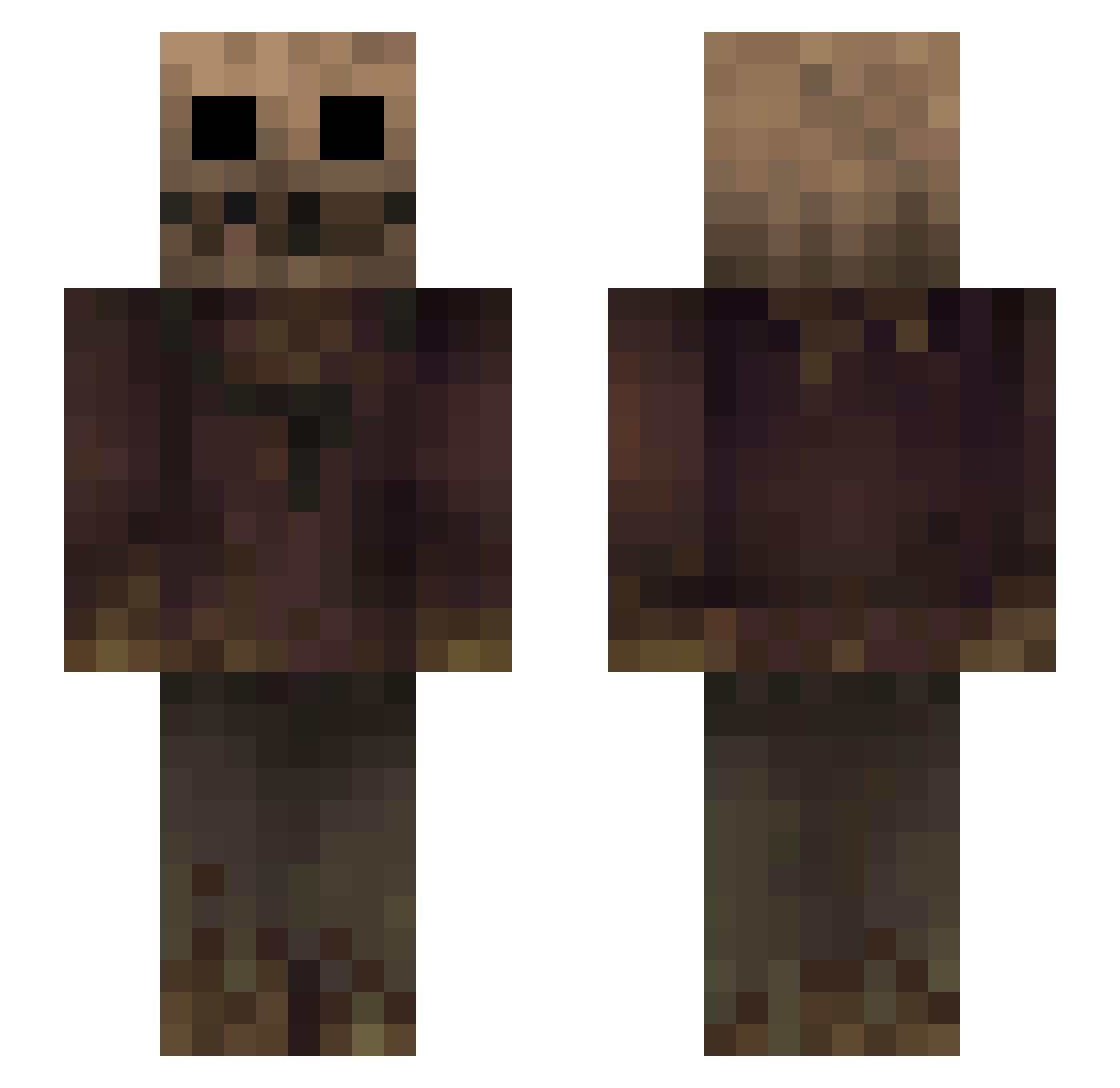
Current Minecraft skin of the player MenaceXD, loaded from the official Mojang API. Rotate the 3D model with your mouse or finger, then download the skin as a PNG file and use it in Minecraft: Bedrock Edition or Java Edition for free. When MenaceXD changes their skin, this page updates automatically and the old skin stays in the history below.
Other players with this skin (353)
MenaceXD was the 269th player we have seen with this skin, first spotted on 20.10.2026. The same skin was seen on these players. Open a nickname to see their current skin and skin history.
 jswwwwww2 AdolfVolkswagen godzilla_king13 wilerd Pexemple Deraki83 NazPoato ElianMSalas Mightyheffy polleyx Bulletclustrer Scarecrow_049 PJG_1 5ervais satorioux Militoo StriderOPA ExtendedArm Griffin56 Emcagundeu _Beck__ Kysownik WellysonBorg Wagzy RaydonKP3 Foquera Cromosoma_Y ScowlScarecrow xFluu_ Swellest DessMigos CollectedTen Berkan_ _its_dario paspisuwu JostBiden Sopociroasted0 DavidRetro Rainheart98 SlendyPython Gessuto Nullify__ 10Gosu99 ImmortalEcho ErickGe DADOU_GAMING 4ereich 911gravedigger Franco570 sphx_ Th3MuffinMan926 Leuthran Unkoven Foxhound12 KoperKru stiiizyprincess Latenses Dinosaur519091 TheMechanek baggalu
More Scarecrow Minecraft skins
How to install the MenaceXD skin
- Press the Download button above to save the skin as a PNG file.
- Minecraft: Bedrock Edition (PE): open the Dressing Room from the main menu (or tap your character → Edit Character), go to Classic Skins → Owned, press the + (new skin) button, choose the downloaded PNG and pick the Slim (Alex) model. Works on PC and mobile; consoles cannot import custom skins.
- Minecraft: Java Edition: open the Minecraft Launcher, go to the Skins tab, click New Skin, load the PNG, pick the Slim (Alex) model and press Save & Use. You can also upload it at minecraft.net → Profile → Change Skin.
The skin does not show up after import - what should I do?
Restart Minecraft and open the Dressing Room again - imported skins sometimes appear only after a restart. Also make sure you selected the imported skin and picked the Slim (Alex) model.
Which model should I choose, Classic or Slim?
This skin is designed for the Slim (Alex) model. If you pick the wrong model, the arms of the skin will look stretched or squeezed.
Is the skin of MenaceXD free to download?
Yes. Press Download, save the PNG file and use it in Minecraft: Bedrock Edition or Java Edition - no payment or registration needed. The skin also works on multiplayer servers and Realms.
More skins
Looking for more? Go back to all Minecraft skins and check the top skins of the week, month and all time, or find any player's skin by nickname.