
Melferal - Minecraft Skins & Skin History
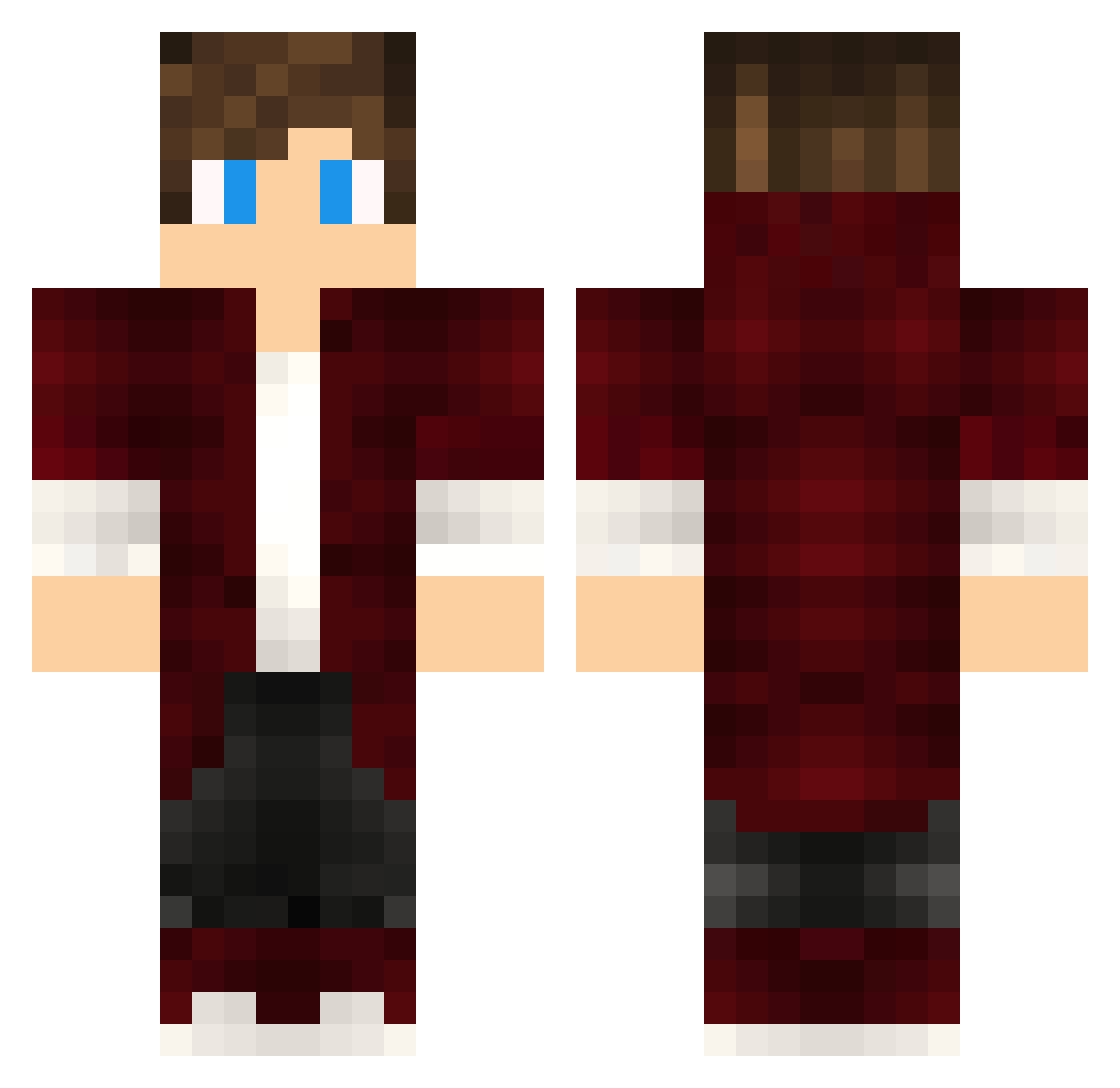
Current Minecraft skin of the player Melferal, loaded from the official Mojang API. Rotate the 3D model with your mouse or finger, then download the skin as a PNG file and use it in Minecraft: Bedrock Edition or Java Edition for free. When Melferal changes their skin, this page updates automatically and the old skin stays in the history below.
Other players with this skin (477)
Melferal was the 446th player we have seen with this skin, first spotted on 05.11.2026. The same skin was seen on these players. Open a nickname to see their current skin and skin history.
 Kobinno FloorToast5609 HorizonZhang Erixon909 StefanoTheLinkJr DedekAgung Efridite Ozark2 OlimpoSc _Drewan_ AngyGamer0_ cm444 LeGycz NachoRguez MATEUS_GUIMA xKevo SkYsUn530 KsKNatsu MarKus2001 ReiiDoFusca nyftix Lectrou Marlboro07 Suryman Pzyka DreadHunterPee Skizn Cowaska warmwoo miguelrduas CheatReal Eleynix ItIsNotRaft engiemr Mortem00 scilfinger Corven38 XIN13144 Rosti___ Nickysgirls3 DoxHawk _FactoreBlooden_ cc4_ Pagroon Peppe02 zSix Captainbart2 BaptistaMan cesurmenn AUDMIAN sahintalhabora MineHunterX630 Mateeh04 Bazooki_killer ImperialraveN KarminMalkey Kaderi Zerzos raVVoLuTion StanLaureel
How to install the Melferal skin
- Press the Download button above to save the skin as a PNG file.
- Minecraft: Bedrock Edition (PE): open the Dressing Room from the main menu (or tap your character → Edit Character), go to Classic Skins → Owned, press the + (new skin) button, choose the downloaded PNG and pick the Classic (Steve) model. Works on PC and mobile; consoles cannot import custom skins.
- Minecraft: Java Edition: open the Minecraft Launcher, go to the Skins tab, click New Skin, load the PNG, pick the Classic (Steve) model and press Save & Use. You can also upload it at minecraft.net → Profile → Change Skin.
The skin does not show up after import - what should I do?
Restart Minecraft and open the Dressing Room again - imported skins sometimes appear only after a restart. Also make sure you selected the imported skin and picked the Classic (Steve) model.
Which model should I choose, Classic or Slim?
This skin is designed for the Classic (Steve) model. If you pick the wrong model, the arms of the skin will look stretched or squeezed.
Is the skin of Melferal free to download?
Yes. Press Download, save the PNG file and use it in Minecraft: Bedrock Edition or Java Edition - no payment or registration needed. The skin also works on multiplayer servers and Realms.
More skins
Looking for more? Go back to all Minecraft skins and check the top skins of the week, month and all time, or find any player's skin by nickname.