
MegaAdi1997 - Minecraft Skins & Skin History
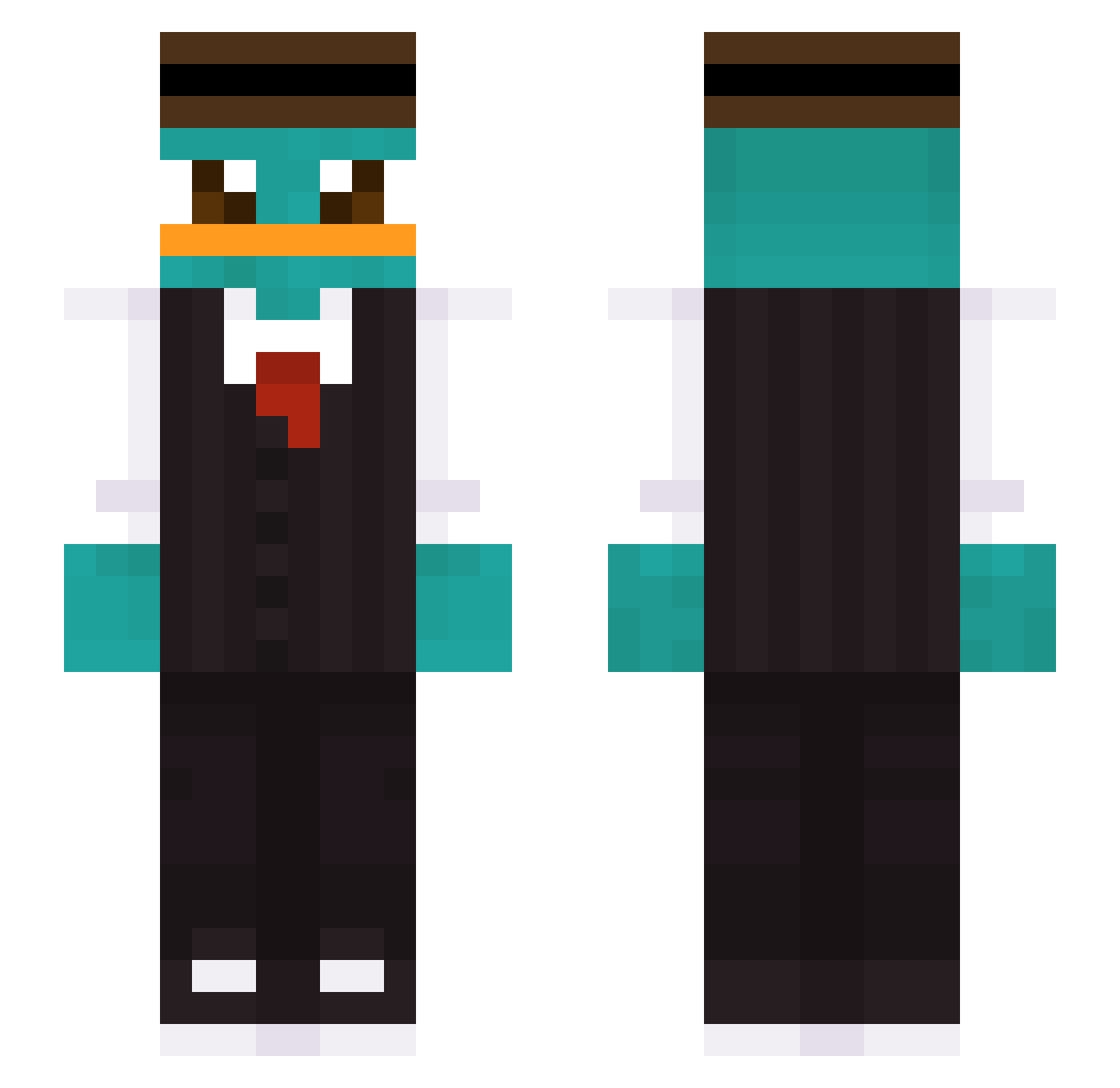
Current Minecraft skin of the player MegaAdi1997, loaded from the official Mojang API. Rotate the 3D model with your mouse or finger, then download the skin as a PNG file and use it in Minecraft: Bedrock Edition or Java Edition for free. When MegaAdi1997 changes their skin, this page updates automatically and the old skin stays in the history below.
Other players with this skin (361)
MegaAdi1997 was the 114th player we have seen with this skin, first spotted on 20.08.2026. The same skin was seen on these players. Open a nickname to see their current skin and skin history.
 JianShunni agentkaibun SpeedDvz SUNLEE96 JEFF1024 TripleEC hanachi87 Mbomb2008 Dzemtelman Yuan1204 Furansium Raminhos ElOrnitorrinc0 Deminex SKVII72 yeezuss_ _Donfreezee_ ShxftyYT Kohait MrAvalon97 Dolan__69 yourface_100 Scaper21 gazzer51 sos007sos Mamaxi2828 x98R M4dox05 MangoMan7414 K2Astro Genius_Chese Schishu gewuerzgurkey Kamilati BaxTriiik FetzerMax Tonyhuang1206 PAQUI_GG egaleinfachegal Jvlk ElFlake10 Gudeok Xyea_ MrNicky6735 BakedPotato72308 Duck_gg Adasiek12_ JustusWang KAYMICH MaskDudex Nay4as SemmelBot Marierasmus Doruk_GCL undefeatedkarma 808kanos Volansko Baoyu_321 NooB7151 Gabe_1203x
More Platypus Minecraft skins
How to install the MegaAdi1997 skin
- Press the Download button above to save the skin as a PNG file.
- Minecraft: Bedrock Edition (PE): open the Dressing Room from the main menu (or tap your character → Edit Character), go to Classic Skins → Owned, press the + (new skin) button, choose the downloaded PNG and pick the Slim (Alex) model. Works on PC and mobile; consoles cannot import custom skins.
- Minecraft: Java Edition: open the Minecraft Launcher, go to the Skins tab, click New Skin, load the PNG, pick the Slim (Alex) model and press Save & Use. You can also upload it at minecraft.net → Profile → Change Skin.
The skin does not show up after import - what should I do?
Restart Minecraft and open the Dressing Room again - imported skins sometimes appear only after a restart. Also make sure you selected the imported skin and picked the Slim (Alex) model.
Which model should I choose, Classic or Slim?
This skin is designed for the Slim (Alex) model. If you pick the wrong model, the arms of the skin will look stretched or squeezed.
Is the skin of MegaAdi1997 free to download?
Yes. Press Download, save the PNG file and use it in Minecraft: Bedrock Edition or Java Edition - no payment or registration needed. The skin also works on multiplayer servers and Realms.
More skins
Looking for more? Go back to all Minecraft skins and check the top skins of the week, month and all time, or find any player's skin by nickname.