
MeerKat6 - Minecraft Skins & Skin History
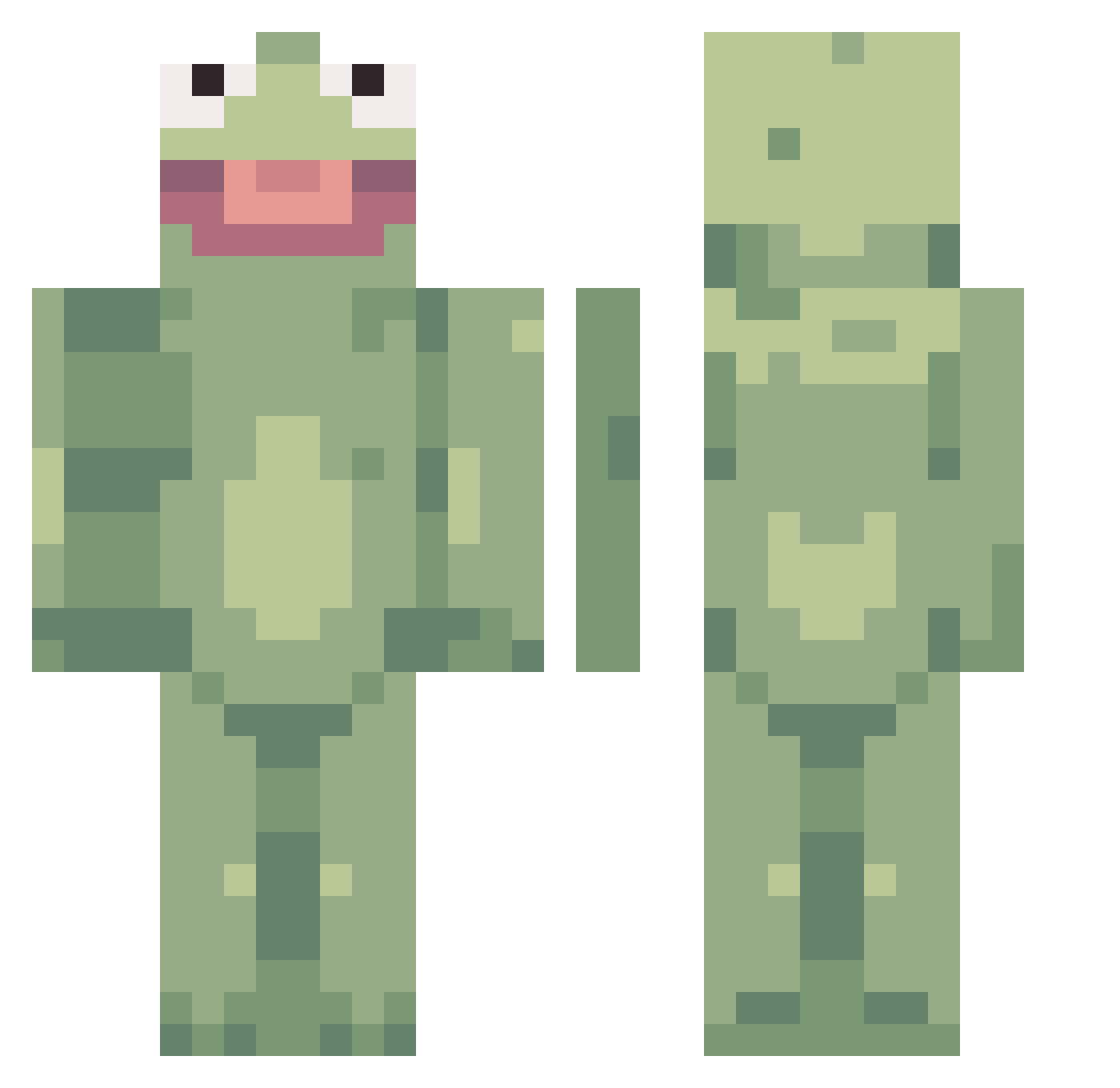
Current Minecraft skin of the player MeerKat6, loaded from the official Mojang API. Rotate the 3D model with your mouse or finger, then download the skin as a PNG file and use it in Minecraft: Bedrock Edition or Java Edition for free. When MeerKat6 changes their skin, this page updates automatically and the old skin stays in the history below.
Other players with this skin (359)
MeerKat6 was the 162nd player we have seen with this skin, first spotted on 14.09.2026. The same skin was seen on these players. Open a nickname to see their current skin and skin history.
 FunkyDevil7 QoiTheBoyToy JLFF1512 IGamo jarebear280 Greenbeard04 NotSoSl1mShady1 Vladimir__Gluten KLOAKENJonase MRBEAST8000 contraceptiondyl AlmaLson Venastronn09 sluglife4 _Pun_ jelleson_6 KoganeMasa Xuano2 alotlikepat jasyuu Yesh0_0 DominikWhs cheesybreaq Semp66 Recoil_Uzumaki_7 waddlesx drinkel MrPurple35 Imhimbruv Uber_Applesauce k8nado Abicone Favae laaa__la SoonHome DECOLANTERN carolinethecrab YungBean587 PlayBoiPanda srain04 BOSAL_KIM Cittle_Lunt beekur JurassicPugs Searching3454 BillyMasier caroweens Agentpotato5321 Scooot0110 hitlersnumbe1fan TukTheDestroyer Hotlion_Fox coco61000 Calrulean BruhMoment12 Rosendal_III lillithfair sqeux67 Gooddnightt SisterFan101
More Kermit The Frog Minecraft skins
See all 395 Kermit The Frog skins
How to install the MeerKat6 skin
- Press the Download button above to save the skin as a PNG file.
- Minecraft: Bedrock Edition (PE): open the Dressing Room from the main menu (or tap your character → Edit Character), go to Classic Skins → Owned, press the + (new skin) button, choose the downloaded PNG and pick the Classic (Steve) model. Works on PC and mobile; consoles cannot import custom skins.
- Minecraft: Java Edition: open the Minecraft Launcher, go to the Skins tab, click New Skin, load the PNG, pick the Classic (Steve) model and press Save & Use. You can also upload it at minecraft.net → Profile → Change Skin.
The skin does not show up after import - what should I do?
Restart Minecraft and open the Dressing Room again - imported skins sometimes appear only after a restart. Also make sure you selected the imported skin and picked the Classic (Steve) model.
Which model should I choose, Classic or Slim?
This skin is designed for the Classic (Steve) model. If you pick the wrong model, the arms of the skin will look stretched or squeezed.
Is the skin of MeerKat6 free to download?
Yes. Press Download, save the PNG file and use it in Minecraft: Bedrock Edition or Java Edition - no payment or registration needed. The skin also works on multiplayer servers and Realms.
More skins
Looking for more? Go back to all Minecraft skins and check the top skins of the week, month and all time, or find any player's skin by nickname.