
McGlobby - Minecraft Skins & Skin History
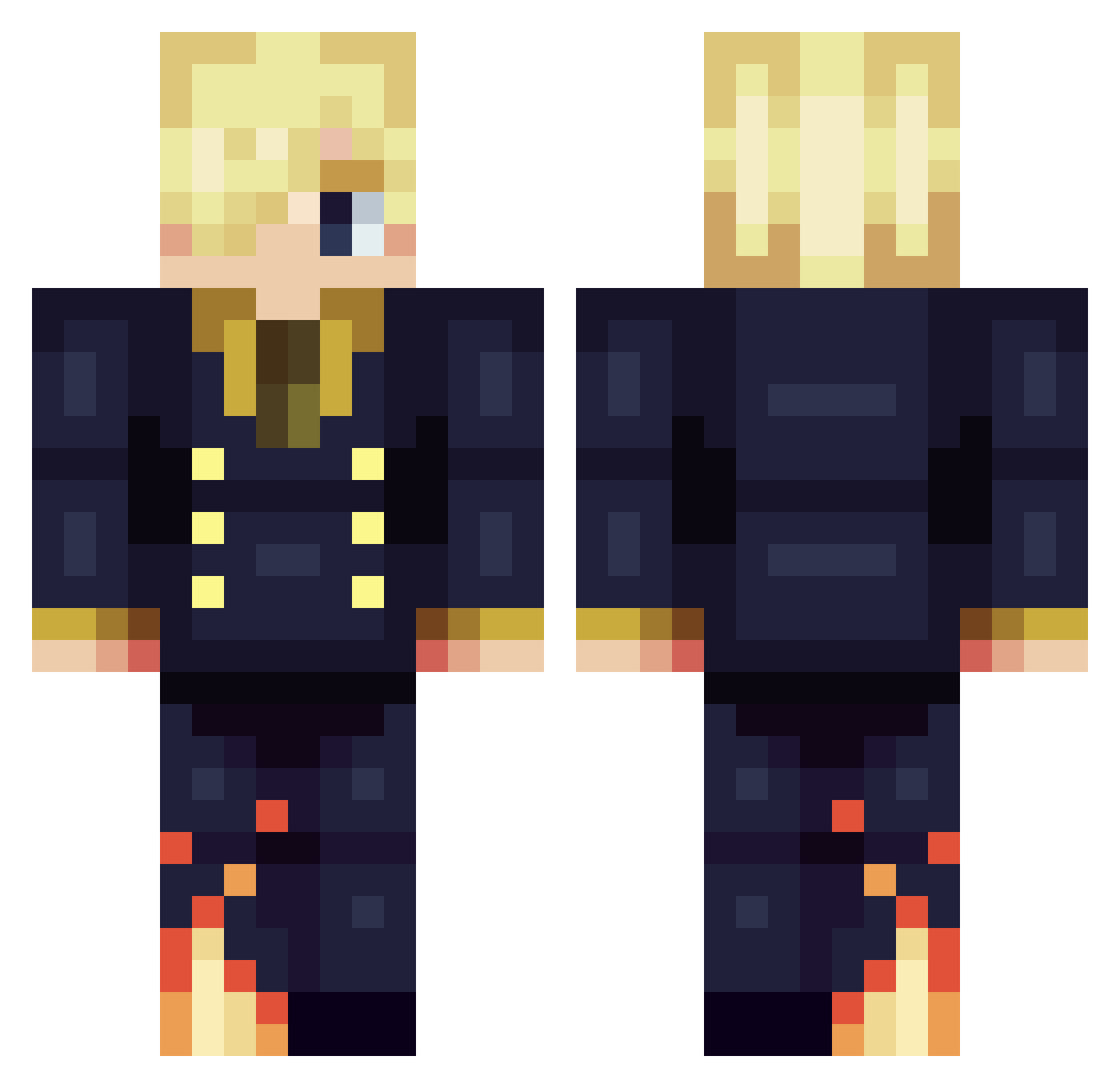
Current Minecraft skin of the player McGlobby, loaded from the official Mojang API. Rotate the 3D model with your mouse or finger, then download the skin as a PNG file and use it in Minecraft: Bedrock Edition or Java Edition for free. When McGlobby changes their skin, this page updates automatically and the old skin stays in the history below.
Other players with this skin (332)
McGlobby was the 66th player we have seen with this skin, first spotted on 15.08.2026. The same skin was seen on these players. Open a nickname to see their current skin and skin history.
 igoon2yaoi InfinnityxZ Skyloc1 EnioFelix BillChang_ Sonego Stryker985 Izum_i KillerShotDavid 9u2p Aninanon7 Sanji28240 Yaircentral xaxak xvladex JoeDuhPro govan3106 Inoiyk COMPLICAT3 gyux5 Philliam1 xo86 joaozin26 TitoOscar Sethmmh wierd25
 Gskw Brithion ElSea03 FelipeBrr korataaa shiroihako Spava98 lb3oo Z0laxx nieehhe xMidLineS Hey_Bam RanitaPonk aedoxx zamgibot Mmakeion TheDavid05 Dotirmats GetSmash Hazixdd zhiyv sami_pazz JoyBoy_Nika itzkrysiis Cacha12345 Jeongeun9 ShellySheldon Touch34 Wazel420 GinTony_88 Blinkmon Muslim_Kratos LePabloski n00bslicer
More Sanji Minecraft skins
How to install the McGlobby skin
- Press the Download button above to save the skin as a PNG file.
- Minecraft: Bedrock Edition (PE): open the Dressing Room from the main menu (or tap your character → Edit Character), go to Classic Skins → Owned, press the + (new skin) button, choose the downloaded PNG and pick the Classic (Steve) model. Works on PC and mobile; consoles cannot import custom skins.
- Minecraft: Java Edition: open the Minecraft Launcher, go to the Skins tab, click New Skin, load the PNG, pick the Classic (Steve) model and press Save & Use. You can also upload it at minecraft.net → Profile → Change Skin.
The skin does not show up after import - what should I do?
Restart Minecraft and open the Dressing Room again - imported skins sometimes appear only after a restart. Also make sure you selected the imported skin and picked the Classic (Steve) model.
Which model should I choose, Classic or Slim?
This skin is designed for the Classic (Steve) model. If you pick the wrong model, the arms of the skin will look stretched or squeezed.
Is the skin of McGlobby free to download?
Yes. Press Download, save the PNG file and use it in Minecraft: Bedrock Edition or Java Edition - no payment or registration needed. The skin also works on multiplayer servers and Realms.
More skins
Looking for more? Go back to all Minecraft skins and check the top skins of the week, month and all time, or find any player's skin by nickname.