
MaxdB1505 - Minecraft Skins & Skin History
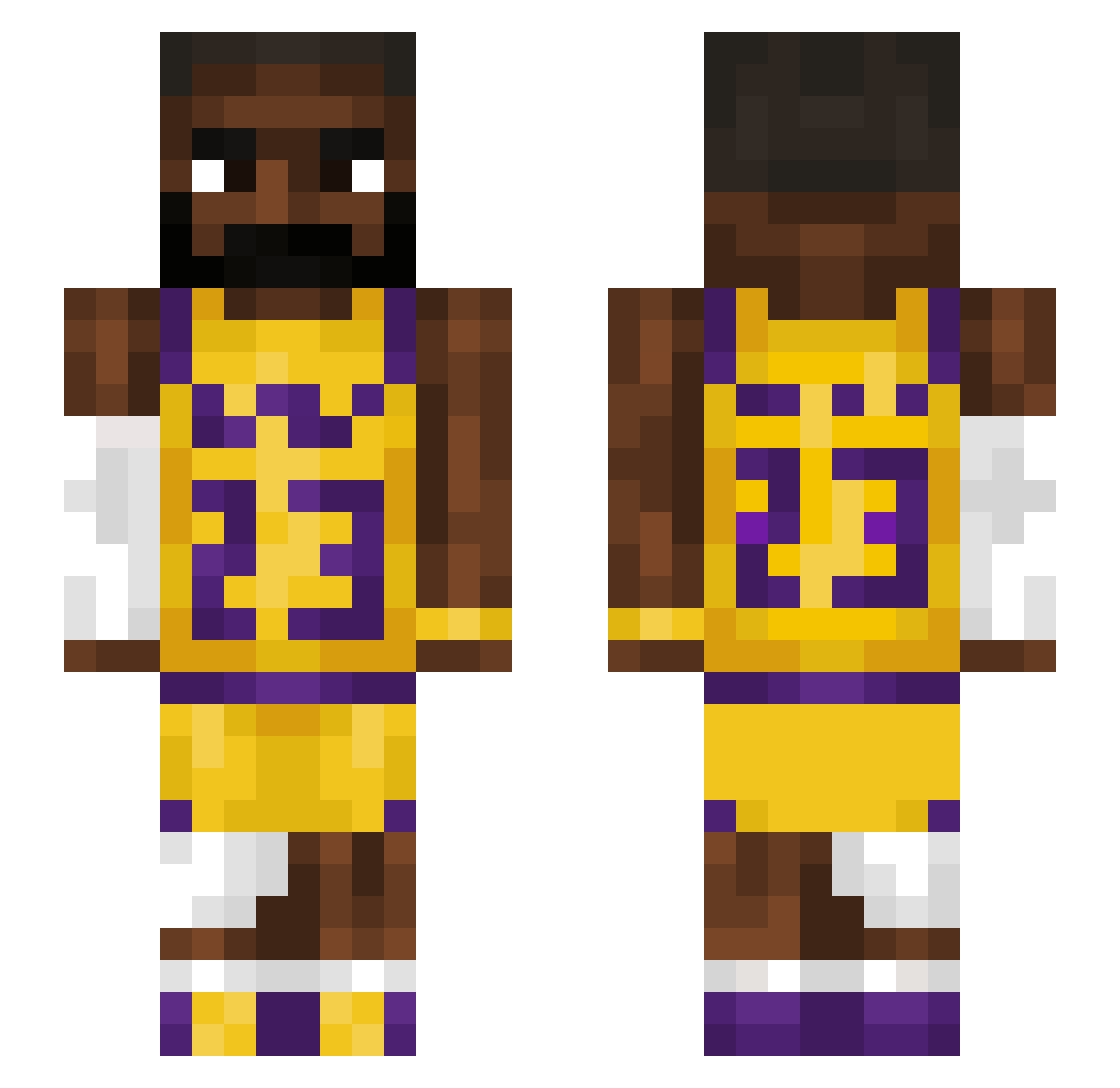
Current Minecraft skin of the player MaxdB1505, loaded from the official Mojang API. Rotate the 3D model with your mouse or finger, then download the skin as a PNG file and use it in Minecraft: Bedrock Edition or Java Edition for free. When MaxdB1505 changes their skin, this page updates automatically and the old skin stays in the history below.
Other players with this skin (1213)
MaxdB1505 was the 1084th player we have seen with this skin, first spotted on 13.10.2026. The same skin was seen on these players. Open a nickname to see their current skin and skin history.
 500cent_ terminator13 SYM1247 Nomed_192 ShadowQWS Atlebg ametin2020xxx Wobblyomarski10 alphaX69X Tanti1 xls65 Beko189 BigGuy90210 SaltyPear13 Perc4Plug Niklasi69 ItzCantuJ taking_chief13 klames123 fet23 Frozen_2333 okinG4F NickDude6969 JlG007 streleoh Mnzer6 flyinghippo69 OchoFT shrimpfryrice17 Opi_D08 XanzCPVP GameFig him5 ilovecaseohh RrDUD D1VAK Eray12 Flexinos kimmy1102 ChadChampion1 gtoms CheesyPencil Fedwaxer Wujter gi0vi12 jjakroo skidibirizz MNiko2020 GerritCBT turfygibbon sogabouchka fknjad Krabob Kureafide gsmaaa Demetree_ TurretedSky YOUSIN1225 Em0wji DurianCo
More Lakers Minecraft skins
How to install the MaxdB1505 skin
- Press the Download button above to save the skin as a PNG file.
- Minecraft: Bedrock Edition (PE): open the Dressing Room from the main menu (or tap your character → Edit Character), go to Classic Skins → Owned, press the + (new skin) button, choose the downloaded PNG and pick the Slim (Alex) model. Works on PC and mobile; consoles cannot import custom skins.
- Minecraft: Java Edition: open the Minecraft Launcher, go to the Skins tab, click New Skin, load the PNG, pick the Slim (Alex) model and press Save & Use. You can also upload it at minecraft.net → Profile → Change Skin.
The skin does not show up after import - what should I do?
Restart Minecraft and open the Dressing Room again - imported skins sometimes appear only after a restart. Also make sure you selected the imported skin and picked the Slim (Alex) model.
Which model should I choose, Classic or Slim?
This skin is designed for the Slim (Alex) model. If you pick the wrong model, the arms of the skin will look stretched or squeezed.
Is the skin of MaxdB1505 free to download?
Yes. Press Download, save the PNG file and use it in Minecraft: Bedrock Edition or Java Edition - no payment or registration needed. The skin also works on multiplayer servers and Realms.
More skins
Looking for more? Go back to all Minecraft skins and check the top skins of the week, month and all time, or find any player's skin by nickname.