
MaxD845 - Minecraft Skins & Skin History
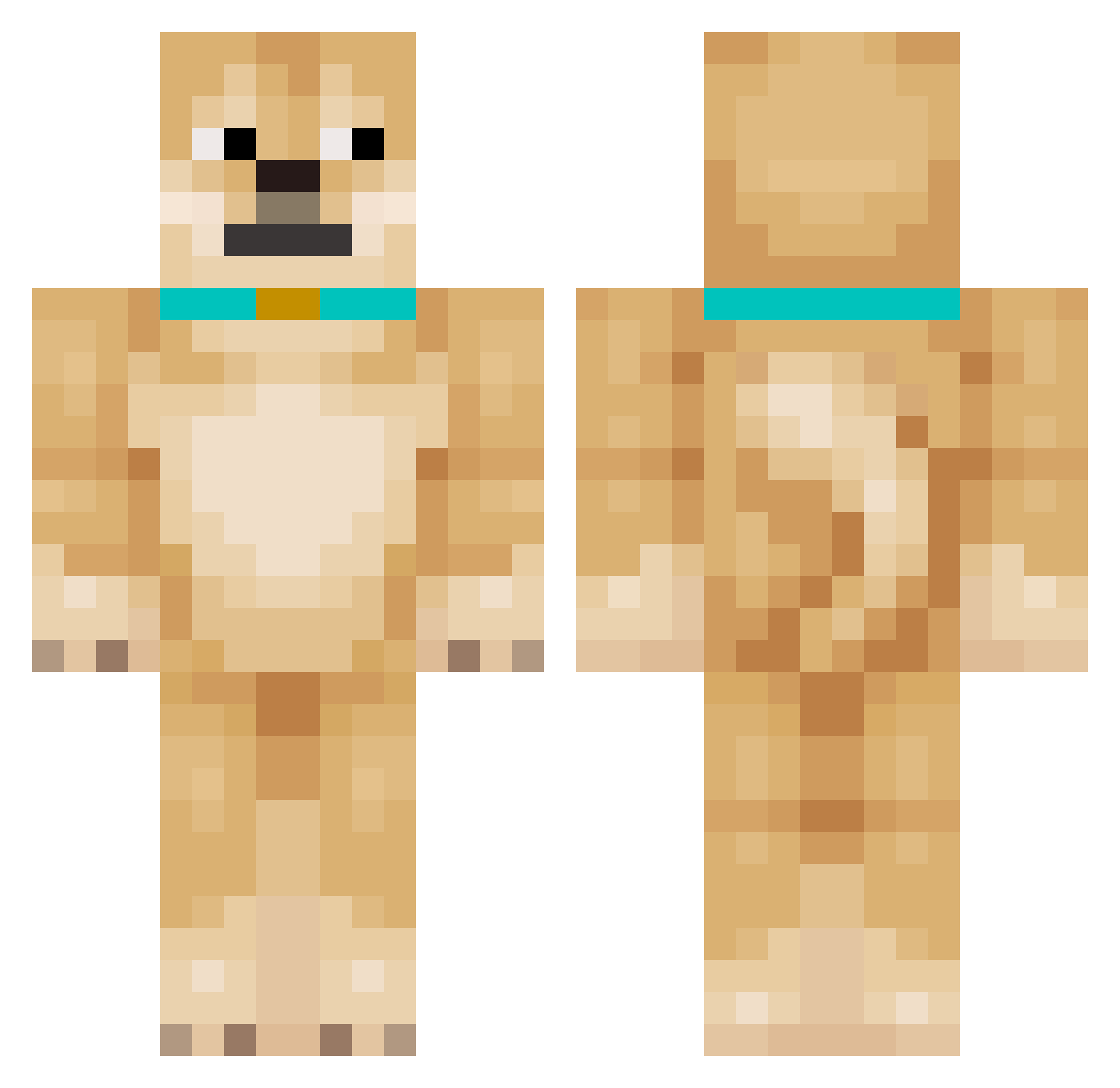
Current Minecraft skin of the player MaxD845, loaded from the official Mojang API. Rotate the 3D model with your mouse or finger, then download the skin as a PNG file and use it in Minecraft: Bedrock Edition or Java Edition for free. When MaxD845 changes their skin, this page updates automatically and the old skin stays in the history below.
Other players with this skin (171)
MaxD845 was the 118th player we have seen with this skin, first spotted on 07.10.2026. The same skin was seen on these players. Open a nickname to see their current skin and skin history.
 patrolrubble Chriskillinder ProNo4h10 Martinko153 Skvinjur MANUELvsi cheesecakeQWQ HungryForBurger Soccerjames23 sigma_bill Kevonaut chunk7429 wjddn_05 RIT_ZEBRA frube99 wtmelly Ll166 Tooli2 doge14649 SHIBS_LE_S bini7612 arfarfbby VISAL123 Mrmutton579 Bestnier shueimu Dokzi E_V_E_R pleopleo6 BARRRE Novatum Sobaka13 shintae02 y4mertv jankal0 Dogfighter205 PianoCentaur804 777r12 Adnana0919 Scubbyyy bobby2slobby kyuaikz PieselDomowy Fantomaizer_YT Wong0615 sjh0211 phillipjr JpgSilent OuO Baldy20112 Doggy333 Bobbymooney11 ClancyIsTheBest DogTrue FlySwatter3000 RodriRHLM MRPUPKINS grayson___ kiera_aitken tldnxoddl
More Shiba Inu Minecraft skins
How to install the MaxD845 skin
- Press the Download button above to save the skin as a PNG file.
- Minecraft: Bedrock Edition (PE): open the Dressing Room from the main menu (or tap your character → Edit Character), go to Classic Skins → Owned, press the + (new skin) button, choose the downloaded PNG and pick the Classic (Steve) model. Works on PC and mobile; consoles cannot import custom skins.
- Minecraft: Java Edition: open the Minecraft Launcher, go to the Skins tab, click New Skin, load the PNG, pick the Classic (Steve) model and press Save & Use. You can also upload it at minecraft.net → Profile → Change Skin.
The skin does not show up after import - what should I do?
Restart Minecraft and open the Dressing Room again - imported skins sometimes appear only after a restart. Also make sure you selected the imported skin and picked the Classic (Steve) model.
Which model should I choose, Classic or Slim?
This skin is designed for the Classic (Steve) model. If you pick the wrong model, the arms of the skin will look stretched or squeezed.
Is the skin of MaxD845 free to download?
Yes. Press Download, save the PNG file and use it in Minecraft: Bedrock Edition or Java Edition - no payment or registration needed. The skin also works on multiplayer servers and Realms.
More skins
Looking for more? Go back to all Minecraft skins and check the top skins of the week, month and all time, or find any player's skin by nickname.