
Mauri_troll17 - Minecraft Skins & Skin History
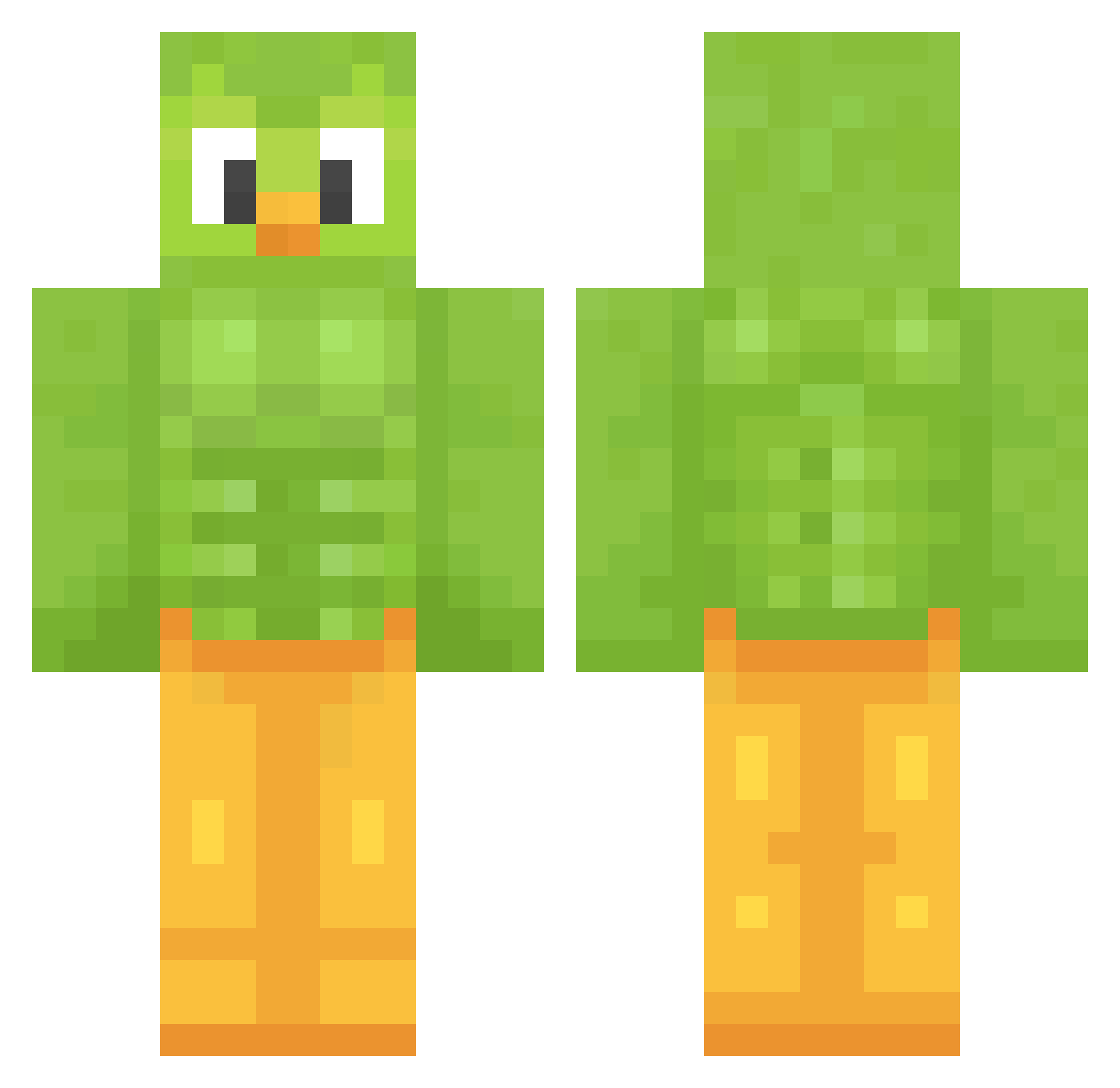
Current Minecraft skin of the player Mauri_troll17, loaded from the official Mojang API. Rotate the 3D model with your mouse or finger, then download the skin as a PNG file and use it in Minecraft: Bedrock Edition or Java Edition for free. When Mauri_troll17 changes their skin, this page updates automatically and the old skin stays in the history below.
Other players with this skin (1281)
Mauri_troll17 was the 496th player we have seen with this skin, first spotted on 03.09.2026. The same skin was seen on these players. Open a nickname to see their current skin and skin history.
 Lime_Mint_ coolbeeman420 eatstunabox4life
 bird6284920 TheWetmore TiltedEvergreen Pheasant1952 Tnejes emjay369 Golden_on_tt sweetwea9 PonikKolny Von_Sludge simongionni PapiSalinas Arbit3rs maerld DumbPotato2010 villager7609 gergerer shangou10 Vurgl69 Milly_mv McARTHUR_E Faze_Pepito gloweymint AcelJ StilSaintCat spirous2008 Atz001 CaramelBlueberry Thompson53mile BoothCrew
 wilkolakmim Jpz10317 MIGUEL9931 santinond2005 RetroHierbero GeenLicht ant111 MrDigatu lilhellboy666 TacoGang69 OffTheHeLiUm Suotome Enrique_02 Lanility GrabeSS az_86p6i_12_03 gxhsrt menoo16 JDizzle49 HoodieBoy1231 ErkanVorske leoswifey mtntrprojaker777 Tandroa Apus_apus Lucii17 Kapicorn
More Duo Minecraft skins
How to install the Mauri_troll17 skin
- Press the Download button above to save the skin as a PNG file.
- Minecraft: Bedrock Edition (PE): open the Dressing Room from the main menu (or tap your character → Edit Character), go to Classic Skins → Owned, press the + (new skin) button, choose the downloaded PNG and pick the Classic (Steve) model. Works on PC and mobile; consoles cannot import custom skins.
- Minecraft: Java Edition: open the Minecraft Launcher, go to the Skins tab, click New Skin, load the PNG, pick the Classic (Steve) model and press Save & Use. You can also upload it at minecraft.net → Profile → Change Skin.
The skin does not show up after import - what should I do?
Restart Minecraft and open the Dressing Room again - imported skins sometimes appear only after a restart. Also make sure you selected the imported skin and picked the Classic (Steve) model.
Which model should I choose, Classic or Slim?
This skin is designed for the Classic (Steve) model. If you pick the wrong model, the arms of the skin will look stretched or squeezed.
Is the skin of Mauri_troll17 free to download?
Yes. Press Download, save the PNG file and use it in Minecraft: Bedrock Edition or Java Edition - no payment or registration needed. The skin also works on multiplayer servers and Realms.
More skins
Looking for more? Go back to all Minecraft skins and check the top skins of the week, month and all time, or find any player's skin by nickname.