
MattyLG - Minecraft Skins & Skin History
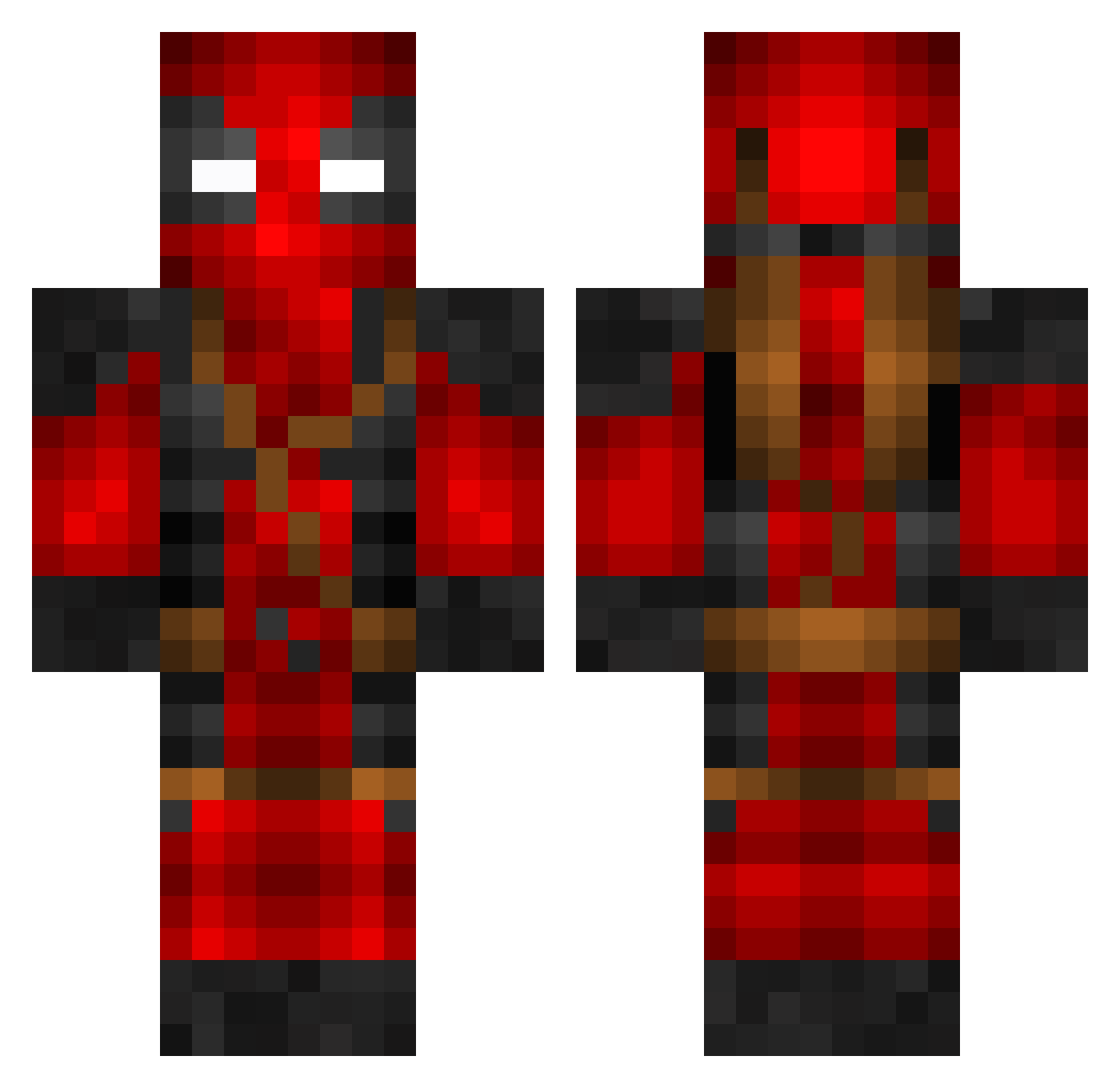
Current Minecraft skin of the player MattyLG, loaded from the official Mojang API. Rotate the 3D model with your mouse or finger, then download the skin as a PNG file and use it in Minecraft: Bedrock Edition or Java Edition for free. When MattyLG changes their skin, this page updates automatically and the old skin stays in the history below.
Other players with this skin (129)
MattyLG was the 114th player we have seen with this skin, first spotted on 06.11.2026. The same skin was seen on these players. Open a nickname to see their current skin and skin history.
 Tobbes01 Metzka91 Winnsome shadowxethanpugs Ibrxhim00 CrustyNinja BloodyBoyz ismabelec dequell Caleb210869 Robot_B9M3 BluePhoenix555 blue_raph lynkyn57 Fraxioned sitbfe SlashYW CRICHO Orangepie08 ClydeSixX Yummie8900 FuriousNuutSlaps diiscordia mylow200 Wellbornjoker BiggyBjorn Englando Ginnun Bengamed100 pckrfan00 Malaciel KingsRanger8 Fetchi_Zocker Muscle_boy06 charlie_fox99 NightWarrior6604 hishishishishis Lutther sophrza vtouch strikerpro123 Slicerjen sjuus boomdroom Deadpool1402 TruenoAce ZiRRoW232 Exonerate Yoshi53 Dleh0815 flowrider69 Petitlulu2007 Madic2000 swagmeister2010 Oleaheie AJShome Dk_Js LoganR107 Baumschule2007 Frontman
More Deadpool Minecraft skins
How to install the MattyLG skin
- Press the Download button above to save the skin as a PNG file.
- Minecraft: Bedrock Edition (PE): open the Dressing Room from the main menu (or tap your character → Edit Character), go to Classic Skins → Owned, press the + (new skin) button, choose the downloaded PNG and pick the Classic (Steve) model. Works on PC and mobile; consoles cannot import custom skins.
- Minecraft: Java Edition: open the Minecraft Launcher, go to the Skins tab, click New Skin, load the PNG, pick the Classic (Steve) model and press Save & Use. You can also upload it at minecraft.net → Profile → Change Skin.
The skin does not show up after import - what should I do?
Restart Minecraft and open the Dressing Room again - imported skins sometimes appear only after a restart. Also make sure you selected the imported skin and picked the Classic (Steve) model.
Which model should I choose, Classic or Slim?
This skin is designed for the Classic (Steve) model. If you pick the wrong model, the arms of the skin will look stretched or squeezed.
Is the skin of MattyLG free to download?
Yes. Press Download, save the PNG file and use it in Minecraft: Bedrock Edition or Java Edition - no payment or registration needed. The skin also works on multiplayer servers and Realms.
More skins
Looking for more? Go back to all Minecraft skins and check the top skins of the week, month and all time, or find any player's skin by nickname.