
MatildaB123 - Minecraft Skins & Skin History
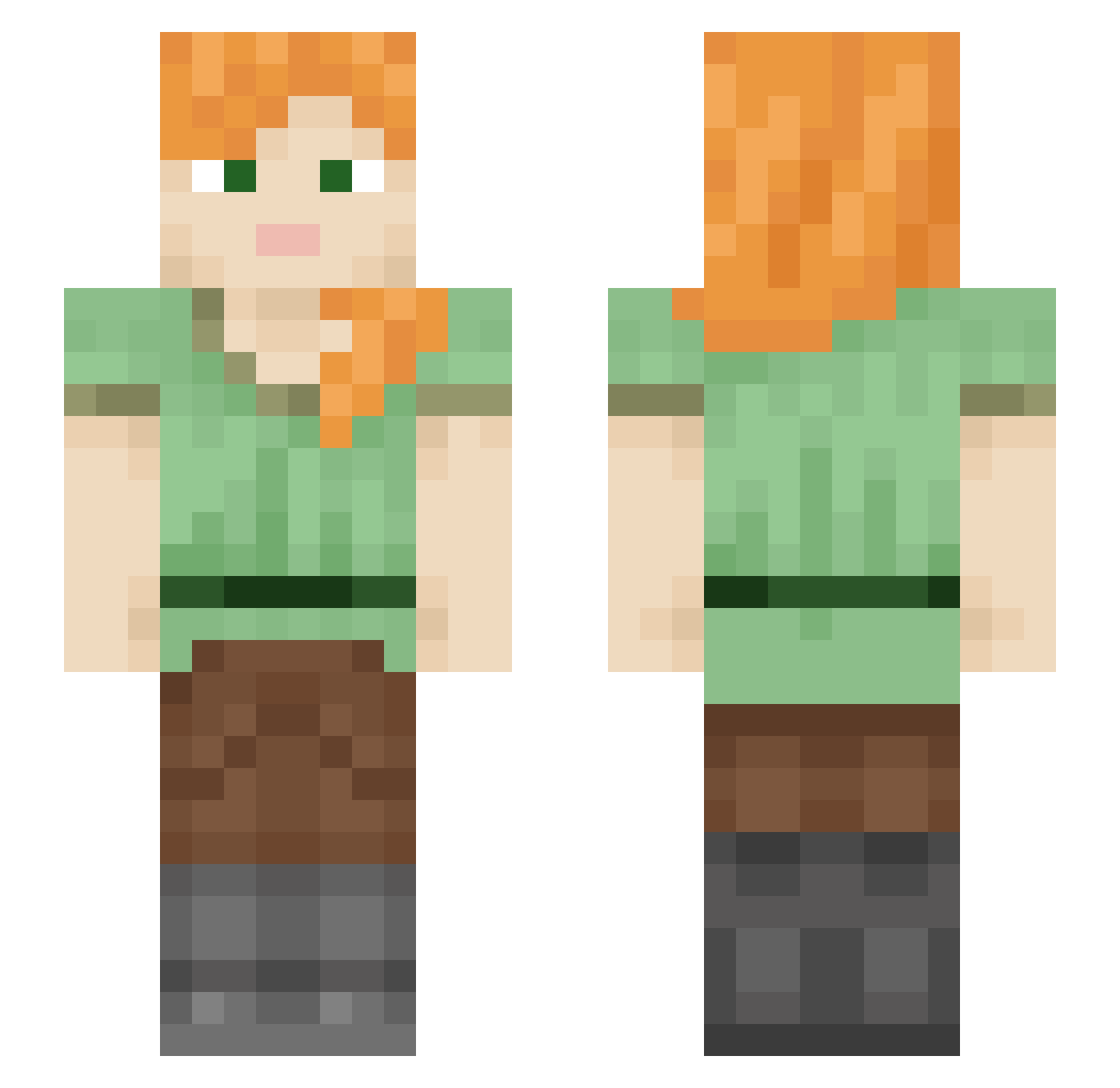
Current Minecraft skin of the player MatildaB123, loaded from the official Mojang API. Rotate the 3D model with your mouse or finger, then download the skin as a PNG file and use it in Minecraft: Bedrock Edition or Java Edition for free. When MatildaB123 changes their skin, this page updates automatically and the old skin stays in the history below.
Other players with this skin (599)
MatildaB123 was the 28th player we have seen with this skin, first spotted on 30.07.2026. The same skin was seen on these players. Open a nickname to see their current skin and skin history.
 lunalu0088 Mizullini tayolden llmxqs Ikun0209 EdgyUnicycle348 Shmateto Nephalee s7se Ventilateur07 Saku94 Pavalk1s RedQuinn85 F_yx Logandadski 637gigi FriedChicken207 lula2968 StaircaseGremlin blobfisk23 Oungzl Bombshels bob965 lise_lebron KidFromEarth VorteXWooW Quietly_Yell YouPro Storvikgud SakuraMasako Doumsi74 Whiters20 TexasMegalodon TheRealJKT Noeeliia25 LittleSpoon21337 DennyFlowey Darzon12 Shauryaggn Misterjonathon Nephilim1977 Guzhix wredota123 SANTACHRIST1 LI_Hao mona_na LfKLRS Ghibi_ PeachHawk Ariaraptor MONSTER_SUNG_JAE meejster captainaxolotl3 ArmoredAbyss Blade0160 Xabasaurus Qianx2 Varenik88 Flolady SuperZhang001
How to install the MatildaB123 skin
- Press the Download button above to save the skin as a PNG file.
- Minecraft: Bedrock Edition (PE): open the Dressing Room from the main menu (or tap your character → Edit Character), go to Classic Skins → Owned, press the + (new skin) button, choose the downloaded PNG and pick the Slim (Alex) model. Works on PC and mobile; consoles cannot import custom skins.
- Minecraft: Java Edition: open the Minecraft Launcher, go to the Skins tab, click New Skin, load the PNG, pick the Slim (Alex) model and press Save & Use. You can also upload it at minecraft.net → Profile → Change Skin.
The skin does not show up after import - what should I do?
Restart Minecraft and open the Dressing Room again - imported skins sometimes appear only after a restart. Also make sure you selected the imported skin and picked the Slim (Alex) model.
Which model should I choose, Classic or Slim?
This skin is designed for the Slim (Alex) model. If you pick the wrong model, the arms of the skin will look stretched or squeezed.
Is the skin of MatildaB123 free to download?
Yes. Press Download, save the PNG file and use it in Minecraft: Bedrock Edition or Java Edition - no payment or registration needed. The skin also works on multiplayer servers and Realms.
More skins
Looking for more? Go back to all Minecraft skins and check the top skins of the week, month and all time, or find any player's skin by nickname.