
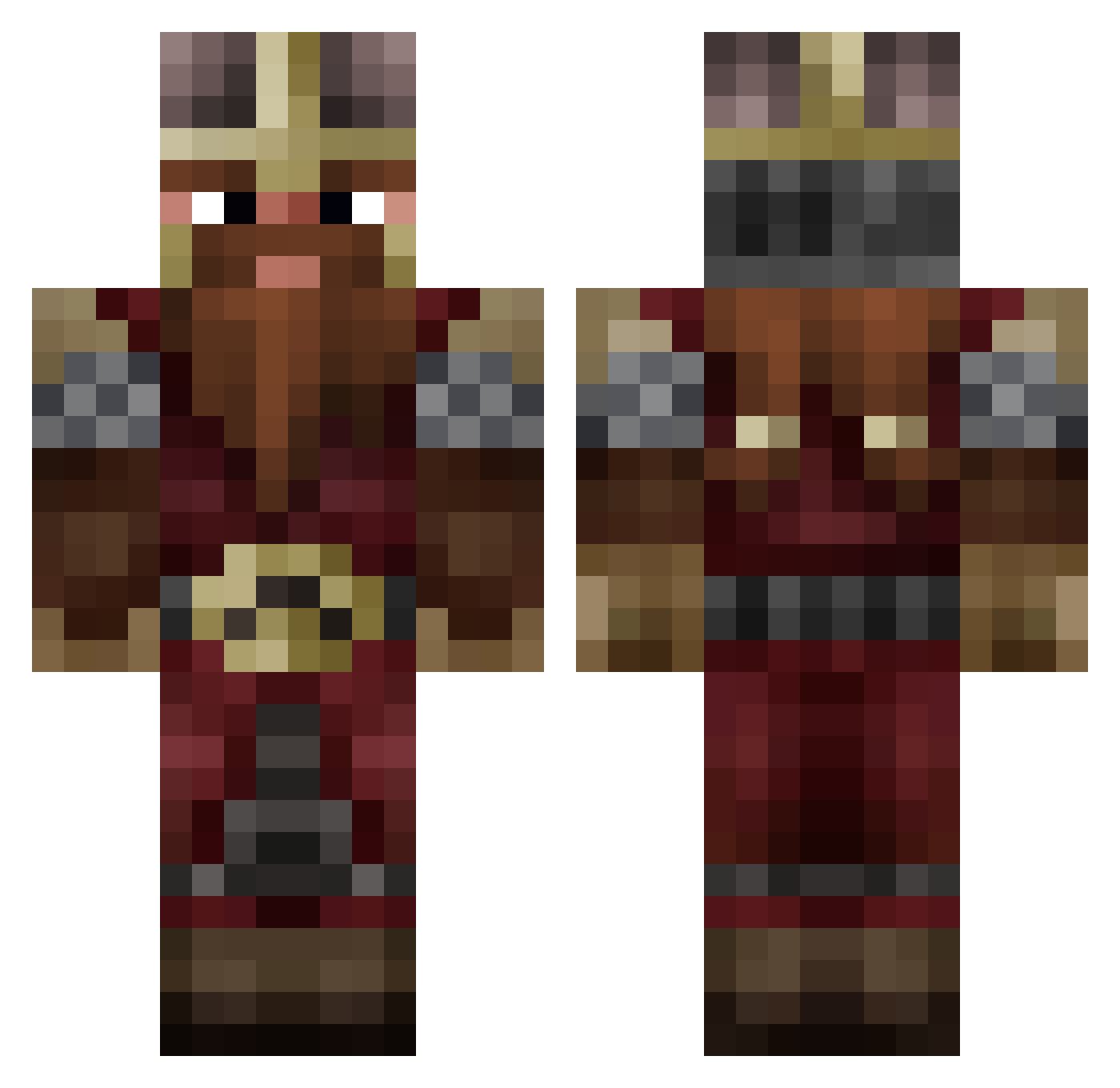
Current Minecraft skin of the player MatBO8, loaded from the official Mojang API. Rotate the 3D model with your mouse or finger, then download the skin as a PNG file and use it in Minecraft: Bedrock Edition or Java Edition for free. When MatBO8 changes their skin, this page updates automatically and the old skin stays in the history below.
Other players with this skin (746)
MatBO8 was the 371st player we have seen with this skin, first spotted on 03.09.2026. The same skin was seen on these players. Open a nickname to see their current skin and skin history.
 xXYsaaCXx FRANCOBELVA Aggle719 TenSoon_ Sacco1312 Awisemansfear7 Sheeple2001 CaddyJ23 Thickmoney16 Gyrf4lcon B3rz3rk3r93 RaZer_ReTox Carkrof FlannelRiot hejudoka brincochino Jokester07 GadoAlado Lenni5000 Strohkobold Canaan314 cheatingzubat SeBeezwax Yggdrasyl MenacingEgg Castor_Heureux Willbac Kusanafen Madpim20 sonosagmen Ricirecardo OG_Skeletor DarkNage DoobyOo oTURLo AKRIMAL Bananion vicosaurus TyroPyro Spaceas Leander_Panda Schorschiboy Murkipurki Libropolis Goatking001 H31110N kewy66 Fernandooxi Kingkiwionia Kattenlusse ZakyyyEw deafault1752 wishmanyt Mavricke91 AinarOnkulis HankHill85 AliYigito Wolzentrum JohnnyBeeGood21 Draetyn
More Dwarf Minecraft skins
How to install the MatBO8 skin
- Press the Download button above to save the skin as a PNG file.
- Minecraft: Bedrock Edition (PE): open the Dressing Room from the main menu (or tap your character → Edit Character), go to Classic Skins → Owned, press the + (new skin) button, choose the downloaded PNG and pick the Classic (Steve) model. Works on PC and mobile; consoles cannot import custom skins.
- Minecraft: Java Edition: open the Minecraft Launcher, go to the Skins tab, click New Skin, load the PNG, pick the Classic (Steve) model and press Save & Use. You can also upload it at minecraft.net → Profile → Change Skin.
The skin does not show up after import - what should I do?
Restart Minecraft and open the Dressing Room again - imported skins sometimes appear only after a restart. Also make sure you selected the imported skin and picked the Classic (Steve) model.
Which model should I choose, Classic or Slim?
This skin is designed for the Classic (Steve) model. If you pick the wrong model, the arms of the skin will look stretched or squeezed.
Is the skin of MatBO8 free to download?
Yes. Press Download, save the PNG file and use it in Minecraft: Bedrock Edition or Java Edition - no payment or registration needed. The skin also works on multiplayer servers and Realms.
More skins
Looking for more? Go back to all Minecraft skins and check the top skins of the week, month and all time, or find any player's skin by nickname.