
Mastercodes - Minecraft Skins & Skin History
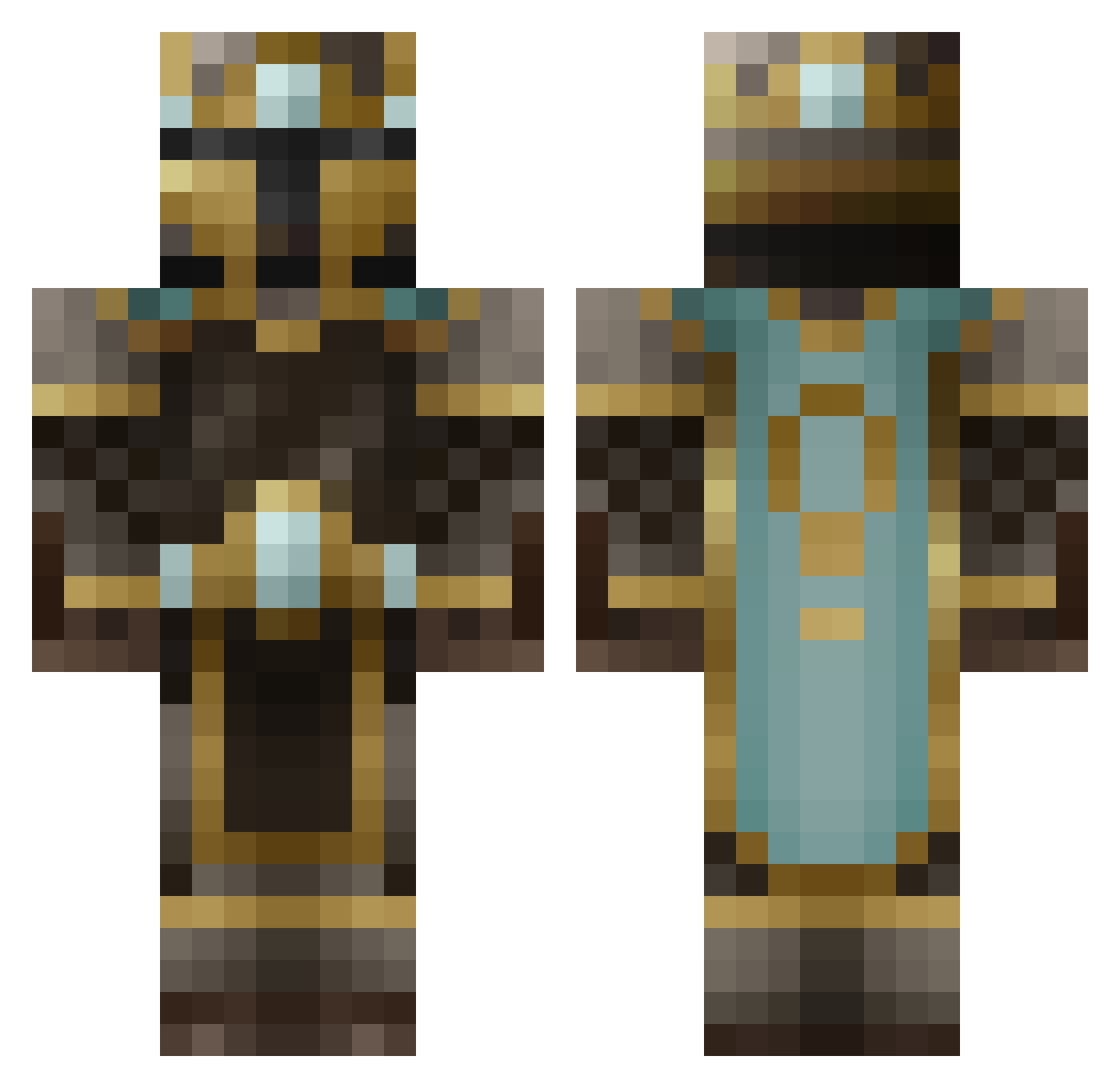
Current Minecraft skin of the player Mastercodes, loaded from the official Mojang API. Rotate the 3D model with your mouse or finger, then download the skin as a PNG file and use it in Minecraft: Bedrock Edition or Java Edition for free. When Mastercodes changes their skin, this page updates automatically and the old skin stays in the history below.
Other players with this skin (482)
Mastercodes was the 390th player we have seen with this skin, first spotted on 07.10.2026. The same skin was seen on these players. Open a nickname to see their current skin and skin history.
 bronzehorseman SilentMonkey101 arrowracer Jovys Mold96 xXZersokXx Bottledflower com876 Distarox healplz Whiskey13 Kostenix RogerCharlie Edible_OJ theocbates SoloAssassin24 Saac1996 Wanderer2003 cantSTOPme113 Kings351 PantlessPaton Fernandomc123 axite GuardianAngel MonkeyWarrior mchoucair2001 de_rune Bossier A_Goomba_Killer NdrwMnts gold_artem Reach49 mueller39 Dascissorsman shlobadober beastboy189 albertding Enigma8706 Schamwow alrockson1 dbk07 Pagorin Rechulas JOEHO5 celadar dnwilliams58 alex1o Kazaarrr Chocolatebar616 pheopix Ninnghizzidda GrimReaper1134 Minnesota_Crack Darvinesc trooperstorm123 ninjabear17 Mangochutney1999 bunnysonfire963 flesheater11 joshua10111
More King Minecraft skins
How to install the Mastercodes skin
- Press the Download button above to save the skin as a PNG file.
- Minecraft: Bedrock Edition (PE): open the Dressing Room from the main menu (or tap your character → Edit Character), go to Classic Skins → Owned, press the + (new skin) button, choose the downloaded PNG and pick the Classic (Steve) model. Works on PC and mobile; consoles cannot import custom skins.
- Minecraft: Java Edition: open the Minecraft Launcher, go to the Skins tab, click New Skin, load the PNG, pick the Classic (Steve) model and press Save & Use. You can also upload it at minecraft.net → Profile → Change Skin.
The skin does not show up after import - what should I do?
Restart Minecraft and open the Dressing Room again - imported skins sometimes appear only after a restart. Also make sure you selected the imported skin and picked the Classic (Steve) model.
Which model should I choose, Classic or Slim?
This skin is designed for the Classic (Steve) model. If you pick the wrong model, the arms of the skin will look stretched or squeezed.
Is the skin of Mastercodes free to download?
Yes. Press Download, save the PNG file and use it in Minecraft: Bedrock Edition or Java Edition - no payment or registration needed. The skin also works on multiplayer servers and Realms.
More skins
Looking for more? Go back to all Minecraft skins and check the top skins of the week, month and all time, or find any player's skin by nickname.