
MasterMine419 - Minecraft Skins & Skin History
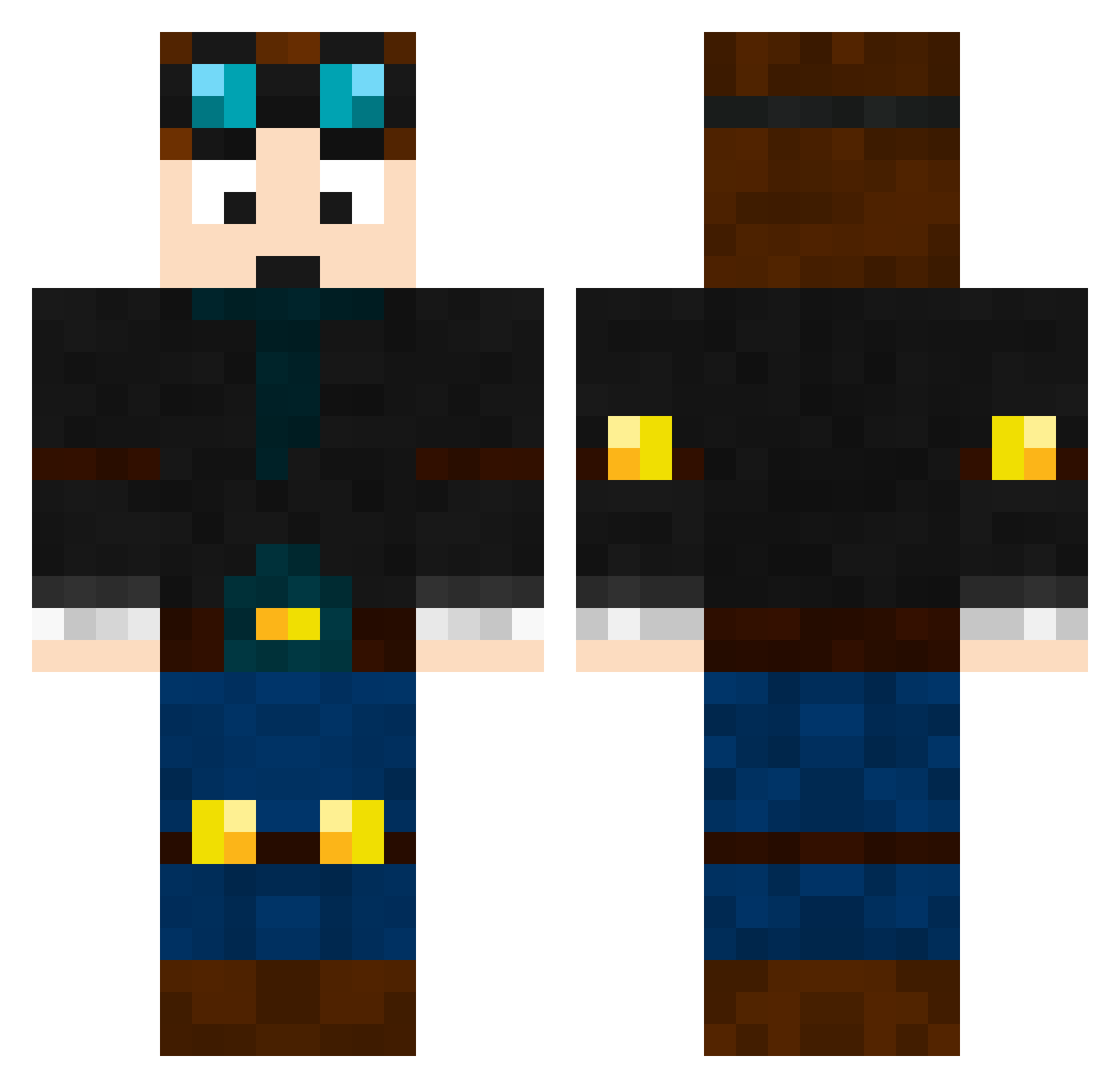
Current Minecraft skin of the player MasterMine419, loaded from the official Mojang API. Rotate the 3D model with your mouse or finger, then download the skin as a PNG file and use it in Minecraft: Bedrock Edition or Java Edition for free. When MasterMine419 changes their skin, this page updates automatically and the old skin stays in the history below.
Other players with this skin (464)
MasterMine419 was the 41st player we have seen with this skin, first spotted on 01.08.2026. The same skin was seen on these players. Open a nickname to see their current skin and skin history.
 Junior6868 Jettyboy2008 roberiksen edjs_ LuckyBoy08 WillBBR Bjohnson2006 Lukas_1000 mortaxe15 Spiderz75 TumbleweedGG assasinator_3 mdnghtrnnr dantdm0719 Paronymous Spongicus056 jetgirl334 Ayvier SkyzaLimit BentaMan BucketHat ADA000999 Diplodicus2009 stichbass Pengmus achmedduvkov Robotizer03 barker15 Crosbysweater SAFALTHAPA JyeG17 BlockMoli Archieepic SirGooseMc Thedabster5678 Buscercraft goldscher youmedia2 Superman250000 Mr_Blog denolle kyeplaboi22 zachlovesdogs jaggerbrown AwesomesauceCJ alejandrotejada nictheterminator Henry101101 Wyattgreen squidman0907 0Claudio Minecraftkjg Crusher01243 Scoozy27 Sgt_Seddon123 Damdams06 monster110 EHGman NoahtheFlash lekez420
More Engineer Minecraft skins
How to install the MasterMine419 skin
- Press the Download button above to save the skin as a PNG file.
- Minecraft: Bedrock Edition (PE): open the Dressing Room from the main menu (or tap your character → Edit Character), go to Classic Skins → Owned, press the + (new skin) button, choose the downloaded PNG and pick the Classic (Steve) model. Works on PC and mobile; consoles cannot import custom skins.
- Minecraft: Java Edition: open the Minecraft Launcher, go to the Skins tab, click New Skin, load the PNG, pick the Classic (Steve) model and press Save & Use. You can also upload it at minecraft.net → Profile → Change Skin.
The skin does not show up after import - what should I do?
Restart Minecraft and open the Dressing Room again - imported skins sometimes appear only after a restart. Also make sure you selected the imported skin and picked the Classic (Steve) model.
Which model should I choose, Classic or Slim?
This skin is designed for the Classic (Steve) model. If you pick the wrong model, the arms of the skin will look stretched or squeezed.
Is the skin of MasterMine419 free to download?
Yes. Press Download, save the PNG file and use it in Minecraft: Bedrock Edition or Java Edition - no payment or registration needed. The skin also works on multiplayer servers and Realms.
More skins
Looking for more? Go back to all Minecraft skins and check the top skins of the week, month and all time, or find any player's skin by nickname.