
MarillGG - Minecraft Skins & Skin History
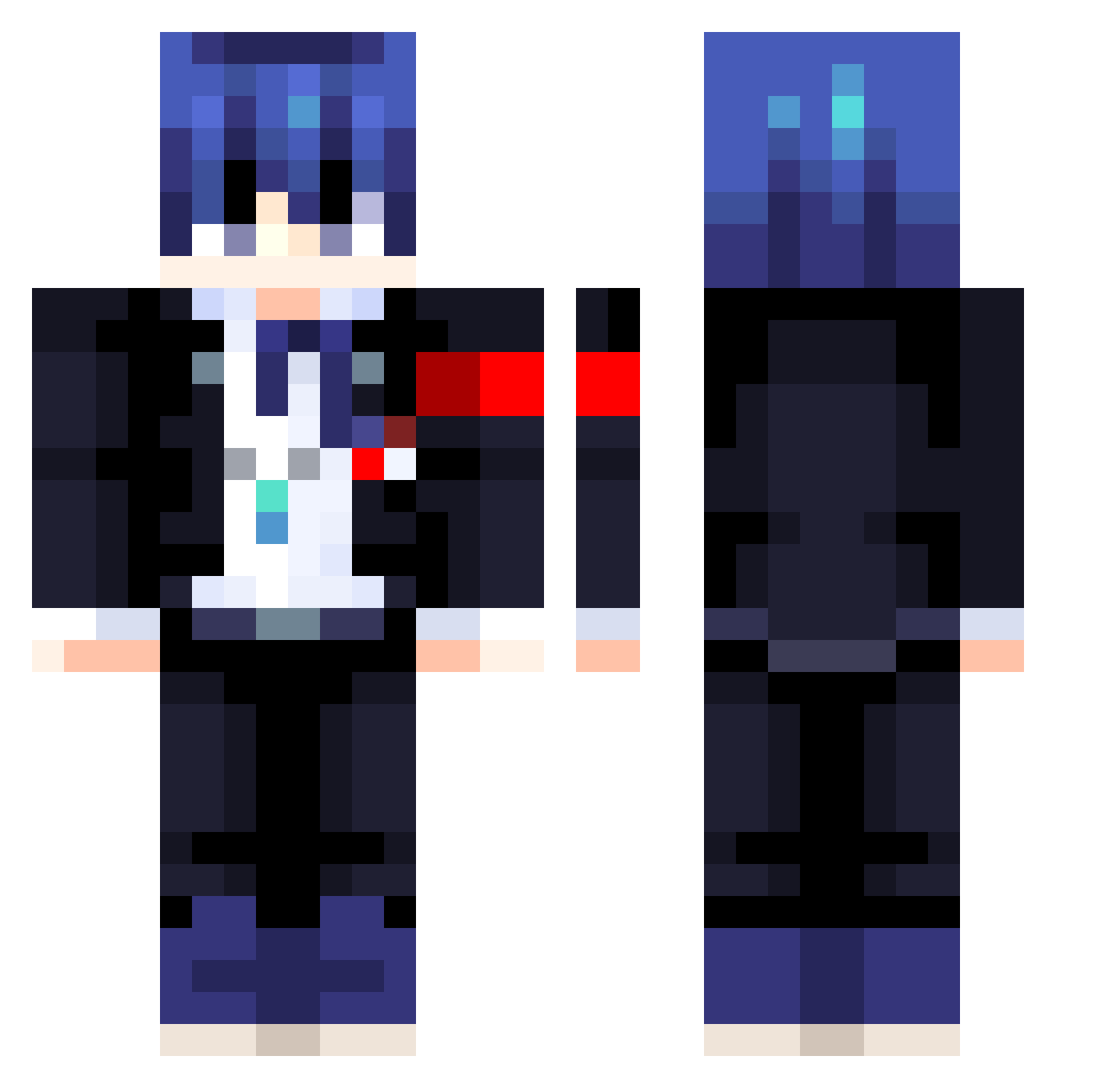
Current Minecraft skin of the player MarillGG, loaded from the official Mojang API. Rotate the 3D model with your mouse or finger, then download the skin as a PNG file and use it in Minecraft: Bedrock Edition or Java Edition for free. When MarillGG changes their skin, this page updates automatically and the old skin stays in the history below.
Other players with this skin (413)
MarillGG was the 64th player we have seen with this skin, first spotted on 10.08.2026. The same skin was seen on these players. Open a nickname to see their current skin and skin history.
 Julih22
 MisterKayy blackthunder0 nnorii_ grandeurs arrthurxd Nightcore123454 sugimot00 Kallango0911 HifumiTogo bym_PWe6P_04_29 Wallyx42 kotohart Wololoa4 sujirin ImTheFreezer lollokill2011 Nippy422 zkogachi HaruKaito4 Caburi rakisan7 ThunderEkmegi HAL_Akane Sighyanide saturnri Aras69 Kitsune_san84 KyraChan
 KusariGT Amamiya_Ren_ Turlu2 Emptyset_ TheBonnieMON Elunt Skull19920 ShackledJester Mr_AEgir TheAngex LXII04 nellsome Rickinpark sonicxdude WydSeasonal Alvaro4777 TheSubGamer JD_The_Goat7 Qewos90 Legacy48 NotFolha mlmkanata HejiLin Papermlg21 Andrei_Fierce Area51s03 AkiFenghan WhoKnowsWho27 Jacopo1309 Alone1117 Scuflix
More Makoto Naegi Minecraft skins
How to install the MarillGG skin
- Press the Download button above to save the skin as a PNG file.
- Minecraft: Bedrock Edition (PE): open the Dressing Room from the main menu (or tap your character → Edit Character), go to Classic Skins → Owned, press the + (new skin) button, choose the downloaded PNG and pick the Classic (Steve) model. Works on PC and mobile; consoles cannot import custom skins.
- Minecraft: Java Edition: open the Minecraft Launcher, go to the Skins tab, click New Skin, load the PNG, pick the Classic (Steve) model and press Save & Use. You can also upload it at minecraft.net → Profile → Change Skin.
The skin does not show up after import - what should I do?
Restart Minecraft and open the Dressing Room again - imported skins sometimes appear only after a restart. Also make sure you selected the imported skin and picked the Classic (Steve) model.
Which model should I choose, Classic or Slim?
This skin is designed for the Classic (Steve) model. If you pick the wrong model, the arms of the skin will look stretched or squeezed.
Is the skin of MarillGG free to download?
Yes. Press Download, save the PNG file and use it in Minecraft: Bedrock Edition or Java Edition - no payment or registration needed. The skin also works on multiplayer servers and Realms.
More skins
Looking for more? Go back to all Minecraft skins and check the top skins of the week, month and all time, or find any player's skin by nickname.