
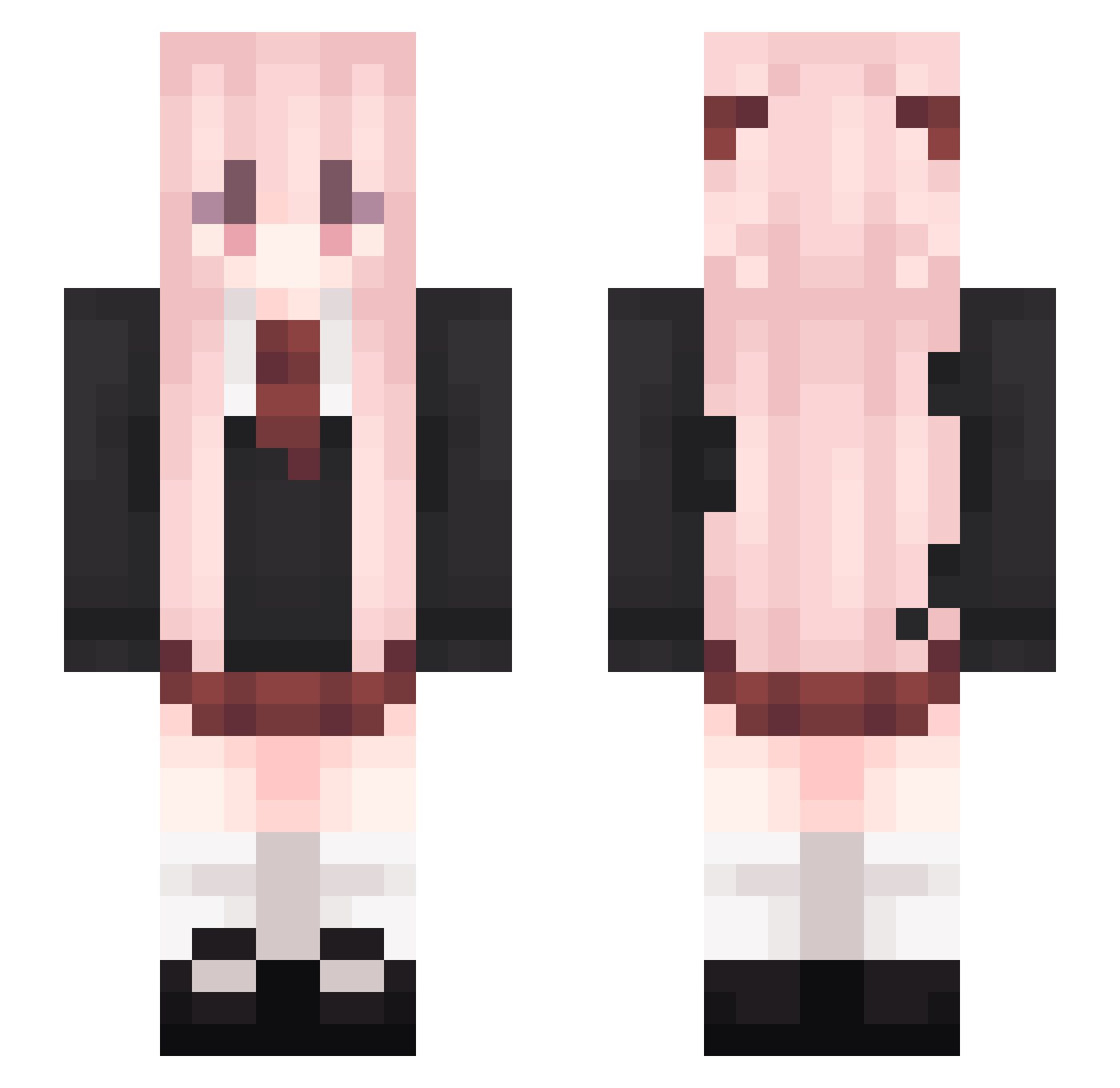
Current Minecraft skin of the player MarMcChicken, loaded from the official Mojang API. Rotate the 3D model with your mouse or finger, then download the skin as a PNG file and use it in Minecraft: Bedrock Edition or Java Edition for free. When MarMcChicken changes their skin, this page updates automatically and the old skin stays in the history below.
Other players with this skin (151)
MarMcChicken was the 102nd player we have seen with this skin, first spotted on 23.09.2026. The same skin was seen on these players. Open a nickname to see their current skin and skin history.
 sinser0203 2020505623 Creaminess useless0203 rainbow325 danshot yay1016 arthurzin1221 zzir_rizz 3li4ss Shaurst kh2z_ trenabolpozdro ydn1214 khuc iSoBad xefiaUwU Geason dswq ssjjss4 xibalji DaiM1Lu_ eJustin Alchemist_07 Anriiiiii Umbrina ML_LoveI xiao_q1we Ed1tumGame Klisys ishaxd Kankia Pro_Juni Prisenor iDukessa ProjectCicada muxlo cqna UsingGrapple Zentyffied Plum_0705 bk_rakki WNSDAP DevilStuff_ Glurix _TakeItEasy QINGCHU_MC Winal FemboyDavid Jackie_Ch4n RvW16 Eleroa WorMWooD11 Skin_Dr miglex Finierl Korlait chinokira Asunder169 ZZMhaha
More School Uniform Minecraft skins
See all 5722 School Uniform skins
How to install the MarMcChicken skin
- Press the Download button above to save the skin as a PNG file.
- Minecraft: Bedrock Edition (PE): open the Dressing Room from the main menu (or tap your character → Edit Character), go to Classic Skins → Owned, press the + (new skin) button, choose the downloaded PNG and pick the Slim (Alex) model. Works on PC and mobile; consoles cannot import custom skins.
- Minecraft: Java Edition: open the Minecraft Launcher, go to the Skins tab, click New Skin, load the PNG, pick the Slim (Alex) model and press Save & Use. You can also upload it at minecraft.net → Profile → Change Skin.
The skin does not show up after import - what should I do?
Restart Minecraft and open the Dressing Room again - imported skins sometimes appear only after a restart. Also make sure you selected the imported skin and picked the Slim (Alex) model.
Which model should I choose, Classic or Slim?
This skin is designed for the Slim (Alex) model. If you pick the wrong model, the arms of the skin will look stretched or squeezed.
Is the skin of MarMcChicken free to download?
Yes. Press Download, save the PNG file and use it in Minecraft: Bedrock Edition or Java Edition - no payment or registration needed. The skin also works on multiplayer servers and Realms.
More skins
Looking for more? Go back to all Minecraft skins and check the top skins of the week, month and all time, or find any player's skin by nickname.