
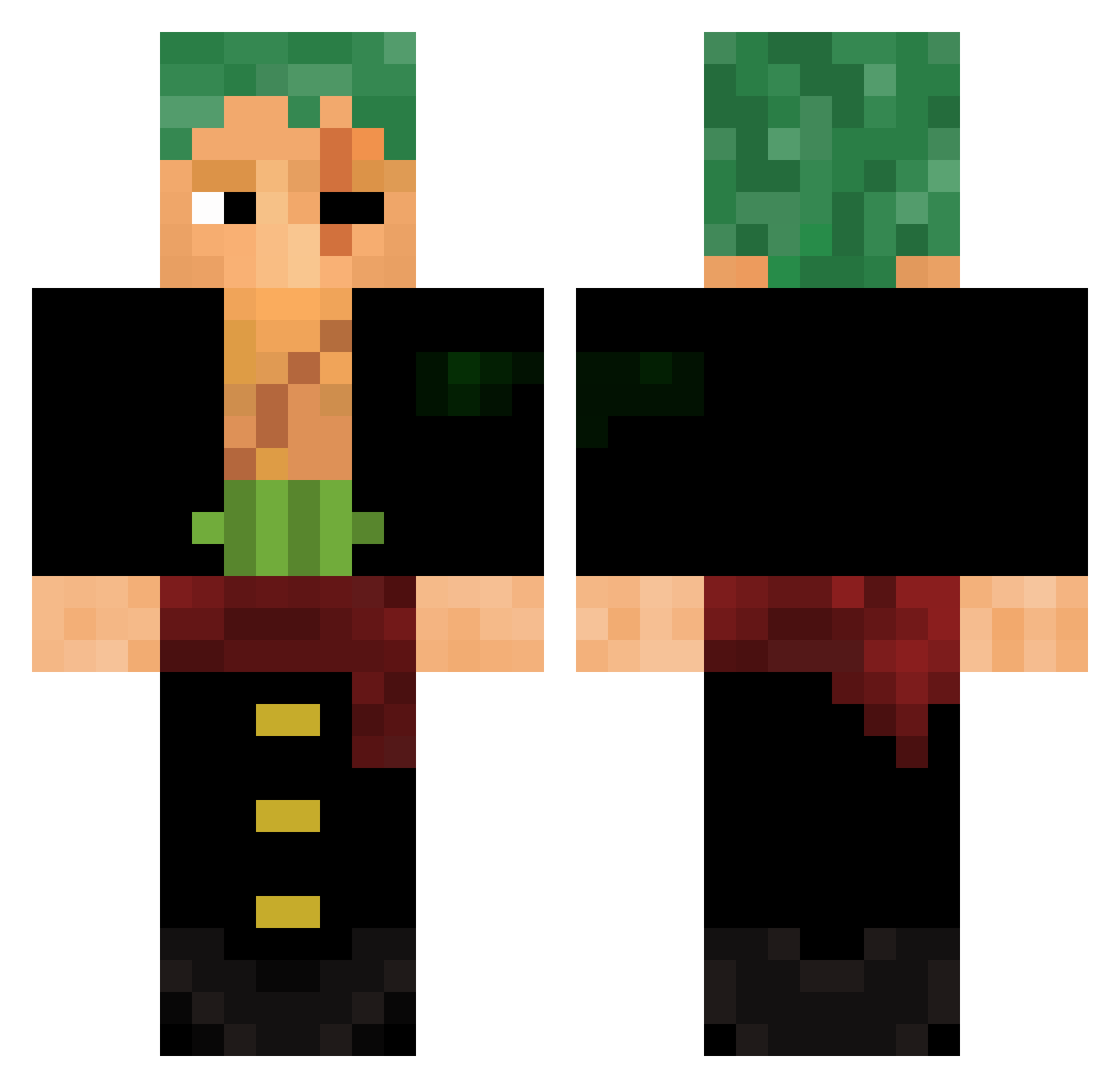
Current Minecraft skin of the player Mantoline_, loaded from the official Mojang API. Rotate the 3D model with your mouse or finger, then download the skin as a PNG file and use it in Minecraft: Bedrock Edition or Java Edition for free. When Mantoline_ changes their skin, this page updates automatically and the old skin stays in the history below.
Other players with this skin (449)
Mantoline_ was the 67th player we have seen with this skin, first spotted on 05.08.2026. The same skin was seen on these players. Open a nickname to see their current skin and skin history.
 CopperRifle PopSmoki elgogdo tomtomtomm Godwoke DAEMOND_ StratosSky Phantombears Pellenlord ZazaG0d PopHunter69 sofowest UnfunnyMeme54 Sr_Jhon xanta7 Ketchup_Packet_ AlleinZoro PEDROSX01 CRUGARZ8 Kobliko Viciolus God_Almighty001 Malkravon autonomous12 Devil710 Tony1337 MR3P_ Jaq1i TioManigold Ibratv2 ThreeAntsInACoat Epic_Zoro Aepoel99 BulkierSphinx01 YOSHIDA_77 MysticalPlays1
 bcking33 zRxbert ninjafall FaresKZR Iamzoro1 FrancklinMF LoonOhhh BigBoris1 Acjr305 khalilp_ idrfn
 BlinxyBoi Storm_Surge_YT DEM201284 _Devil2 _homcv Nightclaw_134 HoopaTroopaKoopa River65a_pro_ Mr_Fahrenheit27 Dovexis RogerioL xxslomyylomy beauflacco
More Roronoa Zoro Minecraft skins
See all 279 Roronoa Zoro skins
How to install the Mantoline_ skin
- Press the Download button above to save the skin as a PNG file.
- Minecraft: Bedrock Edition (PE): open the Dressing Room from the main menu (or tap your character → Edit Character), go to Classic Skins → Owned, press the + (new skin) button, choose the downloaded PNG and pick the Classic (Steve) model. Works on PC and mobile; consoles cannot import custom skins.
- Minecraft: Java Edition: open the Minecraft Launcher, go to the Skins tab, click New Skin, load the PNG, pick the Classic (Steve) model and press Save & Use. You can also upload it at minecraft.net → Profile → Change Skin.
The skin does not show up after import - what should I do?
Restart Minecraft and open the Dressing Room again - imported skins sometimes appear only after a restart. Also make sure you selected the imported skin and picked the Classic (Steve) model.
Which model should I choose, Classic or Slim?
This skin is designed for the Classic (Steve) model. If you pick the wrong model, the arms of the skin will look stretched or squeezed.
Is the skin of Mantoline_ free to download?
Yes. Press Download, save the PNG file and use it in Minecraft: Bedrock Edition or Java Edition - no payment or registration needed. The skin also works on multiplayer servers and Realms.
More skins
Looking for more? Go back to all Minecraft skins and check the top skins of the week, month and all time, or find any player's skin by nickname.