
Malshake - Minecraft Skins & Skin History
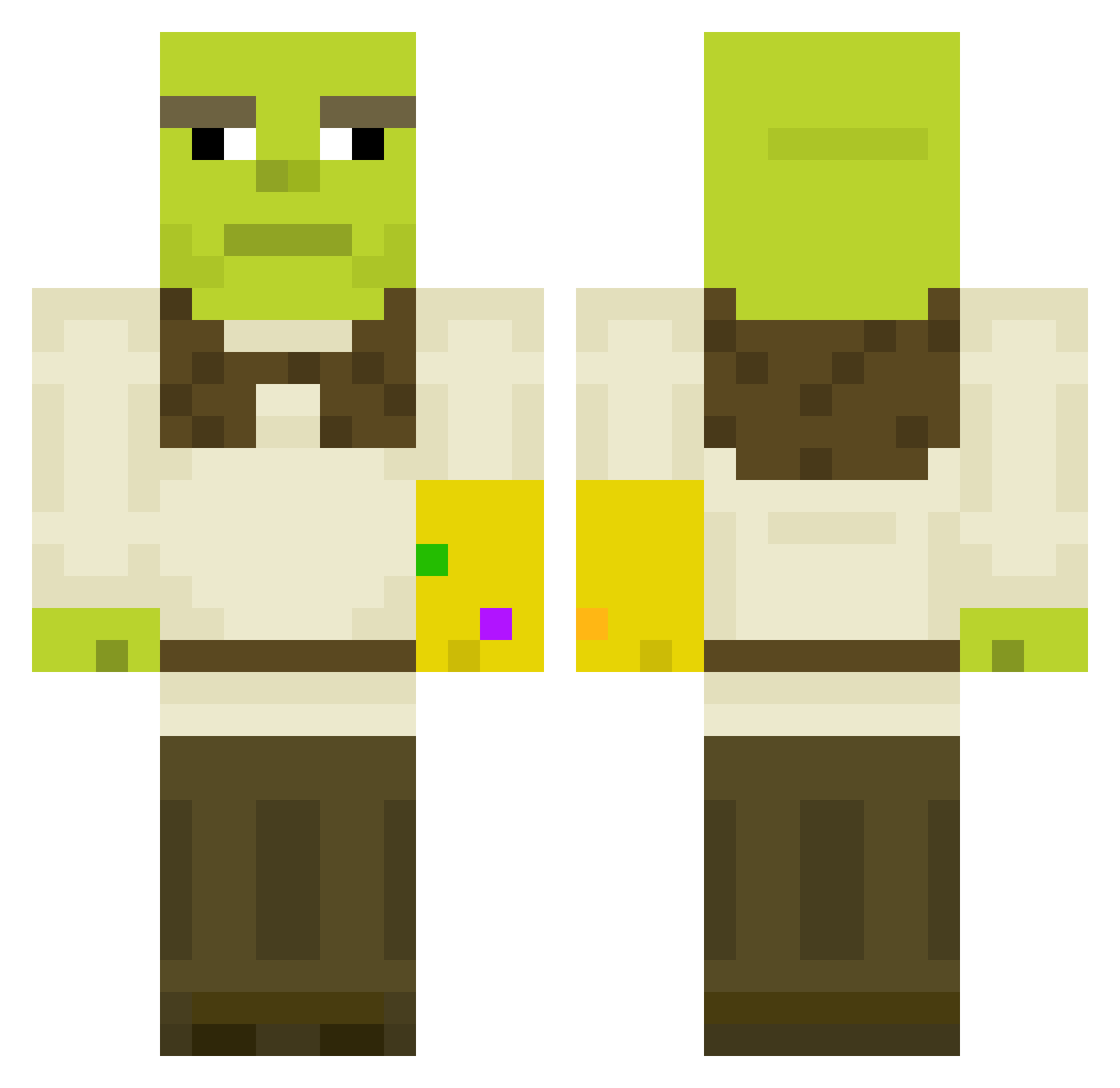
Current Minecraft skin of the player Malshake, loaded from the official Mojang API. Rotate the 3D model with your mouse or finger, then download the skin as a PNG file and use it in Minecraft: Bedrock Edition or Java Edition for free. When Malshake changes their skin, this page updates automatically and the old skin stays in the history below.
Other players with this skin (611)
Malshake was the 495th player we have seen with this skin, first spotted on 29.10.2026. The same skin was seen on these players. Open a nickname to see their current skin and skin history.
 GrovMugg Ukrai Codename_KND laaasti Warlone niriumi BigB0y05 Floki_Treemaster Lightsong701 ravanholi Joandaman bumpman123 gamertagjochem jonjalnam Agoraph0bia DiamondInTheDuff DeeAreEe Ann8KAY swissh Yaxp Chillaxin777 Skinny_Potato69 SpaceGoose_ Dragon_Rhyme Cora_Kuki salas422 Suvix96 Leka_ Jackster45 Aye_Lmaooo RyanThomps OuhaTT manwax5 PookieBearBabe SkygeJager MattLarz vVMoritzVv Tatarengulasch cambot77 ortmes DrSacks oczir02 Vonschlippe Deddis amnopif Christank xd_vlaresma Minin_n_Craftin cyberpunkegirl WhiffyLion Melonpan3n Sprizz16 _Quill5 tAincho becz0nia RobinDubosquet easychili BIGCHUNGUS2769 xpiczus KoolKidYeh
More Infinity Gauntlet Minecraft skins
See all 716 Infinity Gauntlet skins
How to install the Malshake skin
- Press the Download button above to save the skin as a PNG file.
- Minecraft: Bedrock Edition (PE): open the Dressing Room from the main menu (or tap your character → Edit Character), go to Classic Skins → Owned, press the + (new skin) button, choose the downloaded PNG and pick the Classic (Steve) model. Works on PC and mobile; consoles cannot import custom skins.
- Minecraft: Java Edition: open the Minecraft Launcher, go to the Skins tab, click New Skin, load the PNG, pick the Classic (Steve) model and press Save & Use. You can also upload it at minecraft.net → Profile → Change Skin.
The skin does not show up after import - what should I do?
Restart Minecraft and open the Dressing Room again - imported skins sometimes appear only after a restart. Also make sure you selected the imported skin and picked the Classic (Steve) model.
Which model should I choose, Classic or Slim?
This skin is designed for the Classic (Steve) model. If you pick the wrong model, the arms of the skin will look stretched or squeezed.
Is the skin of Malshake free to download?
Yes. Press Download, save the PNG file and use it in Minecraft: Bedrock Edition or Java Edition - no payment or registration needed. The skin also works on multiplayer servers and Realms.
More skins
Looking for more? Go back to all Minecraft skins and check the top skins of the week, month and all time, or find any player's skin by nickname.