
KoolKidYeh - Minecraft Skins & Skin History
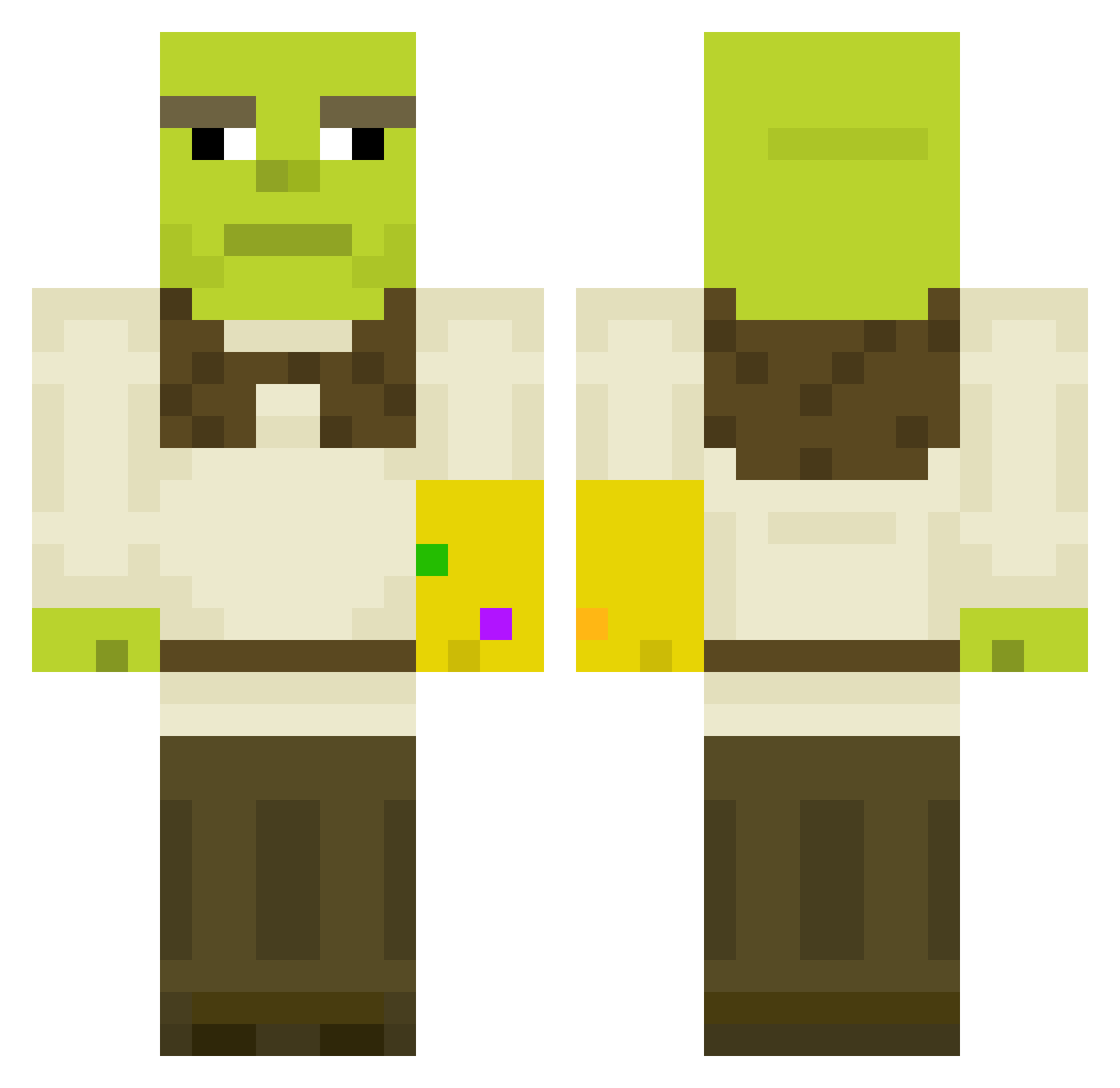
Current Minecraft skin of the player KoolKidYeh, loaded from the official Mojang API. Rotate the 3D model with your mouse or finger, then download the skin as a PNG file and use it in Minecraft: Bedrock Edition or Java Edition for free. When KoolKidYeh changes their skin, this page updates automatically and the old skin stays in the history below.
Other players with this skin (611)
KoolKidYeh was the 462nd player we have seen with this skin, first spotted on 25.10.2026. The same skin was seen on these players. Open a nickname to see their current skin and skin history.
 xpiczus BIGCHUNGUS2769 CauCasian_7 derFlynn SMTullstorp RobinDubosquet yoinkus123 tAincho Nonexyyy Sprizz16 Pisy67 croky_xxx YouMe69 ElephantBubs Minin_n_Craftin P_K095v2 xd_vlaresma amnopif oczir02 Monrixx FormerZygote BBarjot ortmes cambot77 TheMarls hamsterhill Bressa5898 Tatarengulasch DARANIN vVMoritzVv MattLarz PookieBearBabe TimmyMac69 manwax5 X_Another Supermoose14 OuhaTT RyanThomps Metamorpheus_ MrDrid Aye_Lmaooo Gyaaal Jackster45 Leka_ Non_Fat_Albert WassabiMaster Cora_Kuki Mixinz SpaceGoose_ Skinny_Potato69 Dittos22 Chillaxin777 Yeoll swissh DiamondInTheDuff Agoraph0bia BooberclAp jonjalnam ravanholi Lightsong701
More Infinity Gauntlet Minecraft skins
See all 716 Infinity Gauntlet skins
How to install the KoolKidYeh skin
- Press the Download button above to save the skin as a PNG file.
- Minecraft: Bedrock Edition (PE): open the Dressing Room from the main menu (or tap your character → Edit Character), go to Classic Skins → Owned, press the + (new skin) button, choose the downloaded PNG and pick the Classic (Steve) model. Works on PC and mobile; consoles cannot import custom skins.
- Minecraft: Java Edition: open the Minecraft Launcher, go to the Skins tab, click New Skin, load the PNG, pick the Classic (Steve) model and press Save & Use. You can also upload it at minecraft.net → Profile → Change Skin.
The skin does not show up after import - what should I do?
Restart Minecraft and open the Dressing Room again - imported skins sometimes appear only after a restart. Also make sure you selected the imported skin and picked the Classic (Steve) model.
Which model should I choose, Classic or Slim?
This skin is designed for the Classic (Steve) model. If you pick the wrong model, the arms of the skin will look stretched or squeezed.
Is the skin of KoolKidYeh free to download?
Yes. Press Download, save the PNG file and use it in Minecraft: Bedrock Edition or Java Edition - no payment or registration needed. The skin also works on multiplayer servers and Realms.
More skins
Looking for more? Go back to all Minecraft skins and check the top skins of the week, month and all time, or find any player's skin by nickname.