
MalochoDuck - Minecraft Skins & Skin History
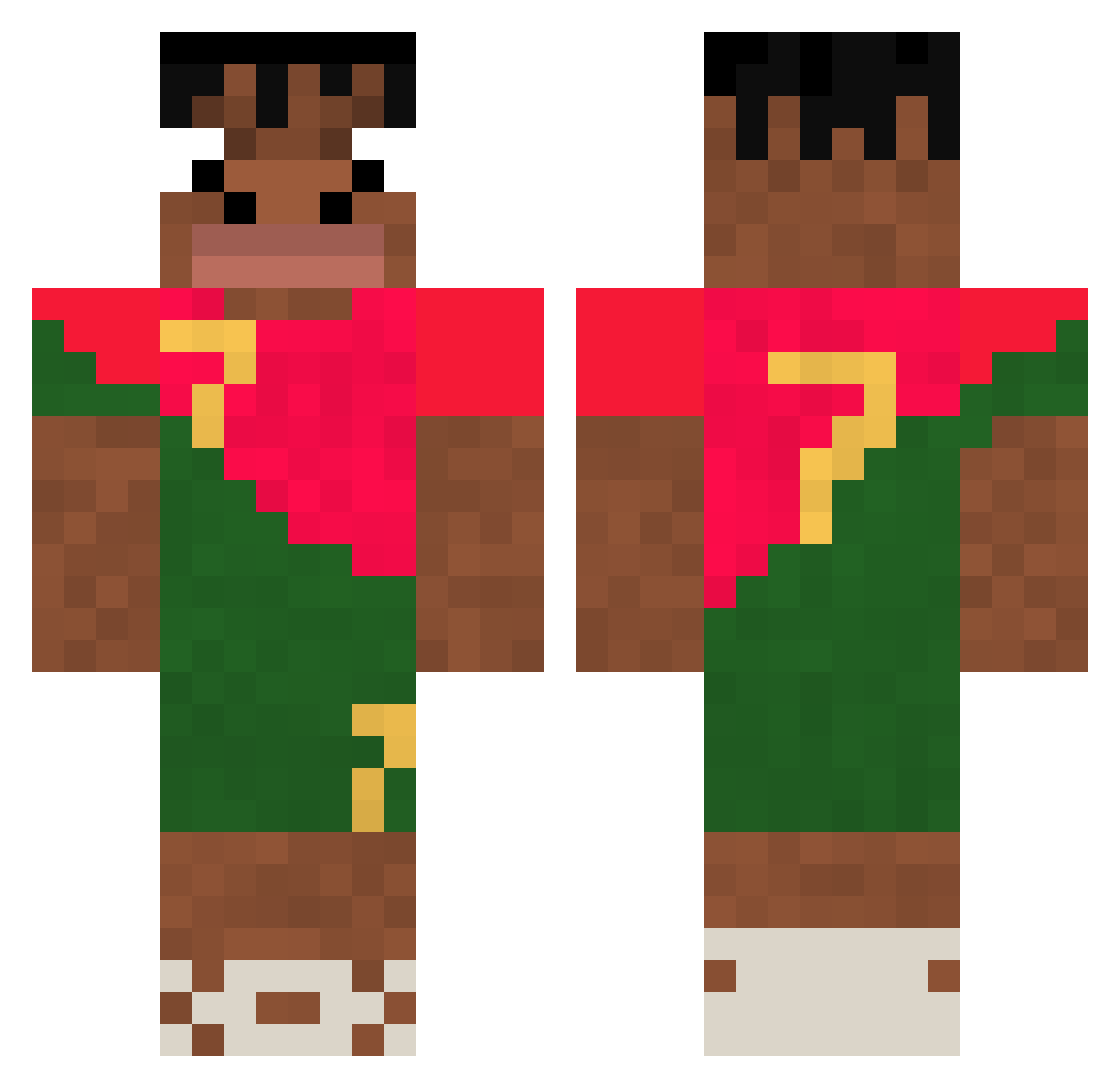
Current Minecraft skin of the player MalochoDuck, loaded from the official Mojang API. Rotate the 3D model with your mouse or finger, then download the skin as a PNG file and use it in Minecraft: Bedrock Edition or Java Edition for free. When MalochoDuck changes their skin, this page updates automatically and the old skin stays in the history below.
Other players with this skin (327)
MalochoDuck was the 103rd player we have seen with this skin, first spotted on 31.08.2026. The same skin was seen on these players. Open a nickname to see their current skin and skin history.
 4ekaln6 TitoSoto69 diggarodrigo
 f0rhdsan chugi7 maikinpak Winhcett KFC_LOVER_ PlerJ BigMac1024 Krysik_777 lilboibrody TheBigPoo12 Airrit0 djatpgns yiwenxuan9 nicolxv1et Yujong__ d0uglaaz Costao KAYXX974 HijabiWithAVest PILADURA 6ooe Celeklein Marisachan722 fire22x Wxxrxx Timxalonx14 Sanches021 cleitolucas Susu2912 Voirx31 Nks365z linohits69 IIpapichulloII itay_itay kapix1238 AriAlzara Hiro1146_2 MyMomKindaHomles Critalo19 AKnight3108 danieloelo320 luisfg09 nxsher TrevorPhillipino Ajotta22 Papaleta123 skorpik7 wornyyy xXArda59Xx LzumP Armanito123 i7zqrx Bulser228 WoodyCookie66 COSMOGOD Alehssander coco4GWB
More Portugal Minecraft skins
How to install the MalochoDuck skin
- Press the Download button above to save the skin as a PNG file.
- Minecraft: Bedrock Edition (PE): open the Dressing Room from the main menu (or tap your character → Edit Character), go to Classic Skins → Owned, press the + (new skin) button, choose the downloaded PNG and pick the Classic (Steve) model. Works on PC and mobile; consoles cannot import custom skins.
- Minecraft: Java Edition: open the Minecraft Launcher, go to the Skins tab, click New Skin, load the PNG, pick the Classic (Steve) model and press Save & Use. You can also upload it at minecraft.net → Profile → Change Skin.
The skin does not show up after import - what should I do?
Restart Minecraft and open the Dressing Room again - imported skins sometimes appear only after a restart. Also make sure you selected the imported skin and picked the Classic (Steve) model.
Which model should I choose, Classic or Slim?
This skin is designed for the Classic (Steve) model. If you pick the wrong model, the arms of the skin will look stretched or squeezed.
Is the skin of MalochoDuck free to download?
Yes. Press Download, save the PNG file and use it in Minecraft: Bedrock Edition or Java Edition - no payment or registration needed. The skin also works on multiplayer servers and Realms.
More skins
Looking for more? Go back to all Minecraft skins and check the top skins of the week, month and all time, or find any player's skin by nickname.