
Maksyj - Minecraft Skins & Skin History
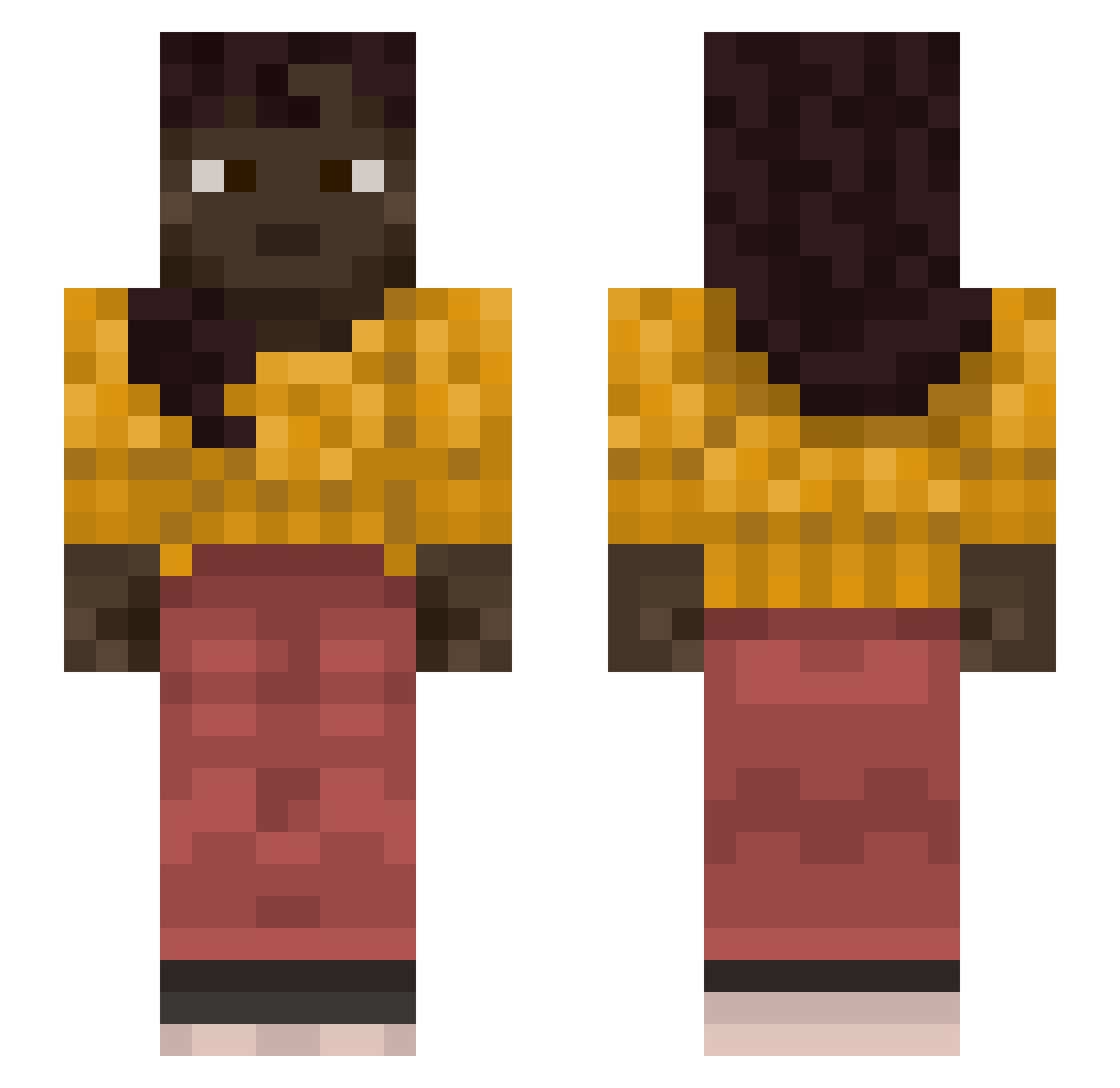
Current Minecraft skin of the player Maksyj, loaded from the official Mojang API. Rotate the 3D model with your mouse or finger, then download the skin as a PNG file and use it in Minecraft: Bedrock Edition or Java Edition for free. When Maksyj changes their skin, this page updates automatically and the old skin stays in the history below.
Other players with this skin (1127)
Maksyj was the 529th player we have seen with this skin, first spotted on 16.09.2026. The same skin was seen on these players. Open a nickname to see their current skin and skin history.
 otpking14 Grergouare Correlates MertVomBahnhof CrelorCraftYT yupg KaviP2 MVB_MATVEYKA whipcrack EvilNess Supervene xavinaranjo84 habeas Jazak xxLVIHDLPxD Cooker 1Rkn KeinAltFrFr pipe5706 rudo118 Trung696 ReMake077 cockatrices blankety silicone_gaming ArmouredBrownie YourLocalHottie constantan DemiDoctor DeadBushLover123 lowan NADPH2 Gratia197 qwertyuiop_0922 Krisander10 OsamaBinNibe Bersil STOMATOSE mojangzach Philippians Envisioning Mister_Apple1 erotogenic hanchoponcho carroty emirsevim Snowz_14 R253 Imagical_1 KENNYWIN cuxy84 sushiboi07 oooo9 xAnkylos planktoini fu20122 Ship_Of_Theseus_ Responsively Engie_Gaming_TF2 OGShakespeare
More Braid Minecraft skins
How to install the Maksyj skin
- Press the Download button above to save the skin as a PNG file.
- Minecraft: Bedrock Edition (PE): open the Dressing Room from the main menu (or tap your character → Edit Character), go to Classic Skins → Owned, press the + (new skin) button, choose the downloaded PNG and pick the Slim (Alex) model. Works on PC and mobile; consoles cannot import custom skins.
- Minecraft: Java Edition: open the Minecraft Launcher, go to the Skins tab, click New Skin, load the PNG, pick the Slim (Alex) model and press Save & Use. You can also upload it at minecraft.net → Profile → Change Skin.
The skin does not show up after import - what should I do?
Restart Minecraft and open the Dressing Room again - imported skins sometimes appear only after a restart. Also make sure you selected the imported skin and picked the Slim (Alex) model.
Which model should I choose, Classic or Slim?
This skin is designed for the Slim (Alex) model. If you pick the wrong model, the arms of the skin will look stretched or squeezed.
Is the skin of Maksyj free to download?
Yes. Press Download, save the PNG file and use it in Minecraft: Bedrock Edition or Java Edition - no payment or registration needed. The skin also works on multiplayer servers and Realms.
More skins
Looking for more? Go back to all Minecraft skins and check the top skins of the week, month and all time, or find any player's skin by nickname.