
Responsively - Minecraft Skins & Skin History
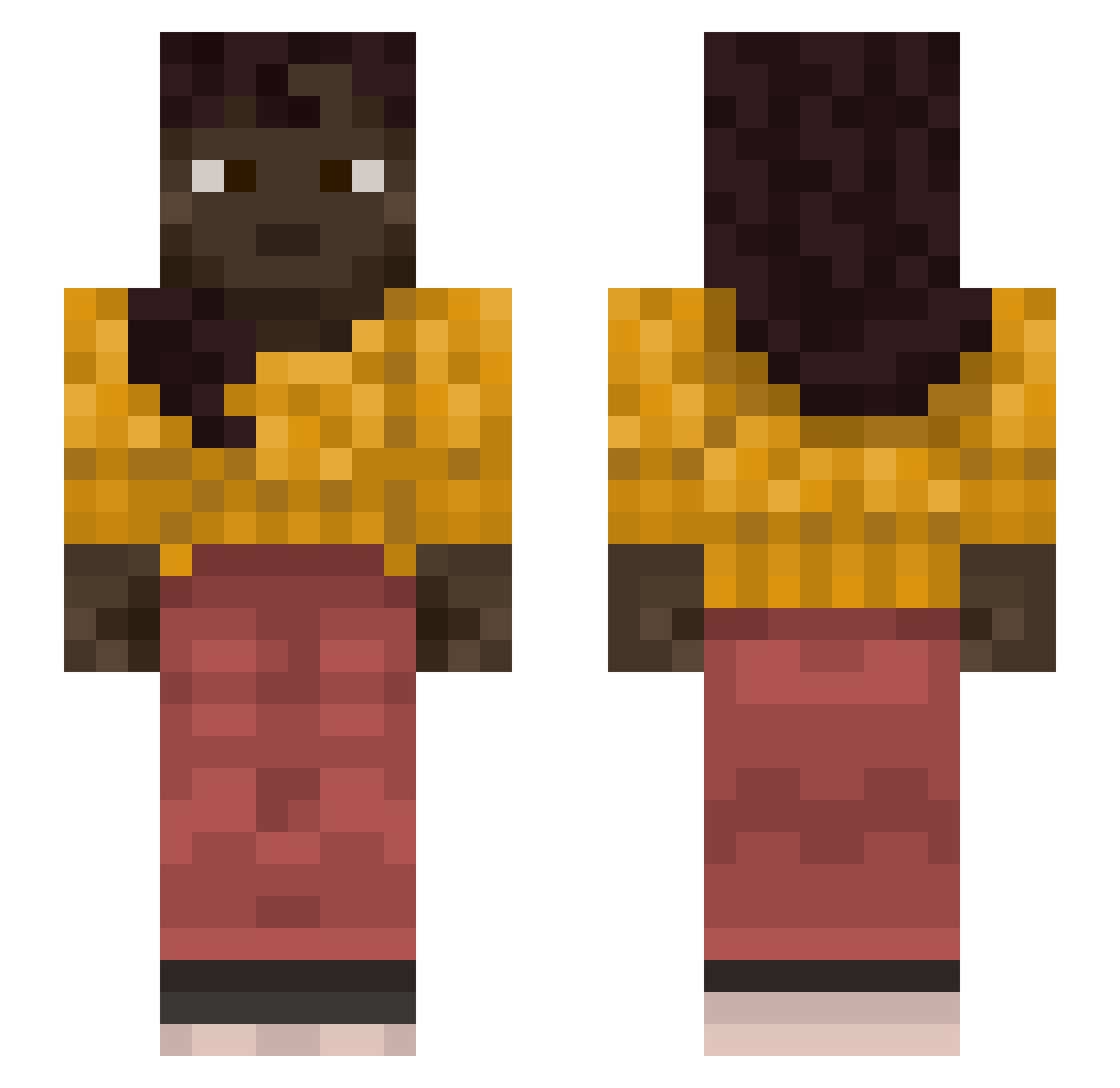
Current Minecraft skin of the player Responsively, loaded from the official Mojang API. Rotate the 3D model with your mouse or finger, then download the skin as a PNG file and use it in Minecraft: Bedrock Edition or Java Edition for free. When Responsively changes their skin, this page updates automatically and the old skin stays in the history below.
Other players with this skin (1127)
Responsively was the 561st player we have seen with this skin, first spotted on 20.09.2026. The same skin was seen on these players. Open a nickname to see their current skin and skin history.
 Engie_Gaming_TF2 OGShakespeare garred onegp fu20122 planktoini Zooscopy R253 Copywriting broncosmode Encroaching Somal Seantastik Snowz_14 emirsevim carroty portal444 erotogenic Mister_Apple1 Torcs Dream_Wa1ker WriteOff Envisioning chow_ch0w Philippians mojangzach STOMATOSE Gondziu FruitSky ApolloDxrkz Gexur Krisander10 BeeBeePie qwertyuiop_0922 Gratia197 ManoIsCoolXD Seanbean21 HyperGeometric Whift NxwbieRPG Pizzaparties15 RobBoi1 constantan FeloniousGru69 Blobby132 Twitch_TidoVH YourLocalHottie ArmouredBrownie Omar_ EricJJJJ blankety ribek0 cockatrices Yansoun6789 latitudinal abusedjello BurtsWasps pipe5706 jman126 nascan
More Braid Minecraft skins
How to install the Responsively skin
- Press the Download button above to save the skin as a PNG file.
- Minecraft: Bedrock Edition (PE): open the Dressing Room from the main menu (or tap your character → Edit Character), go to Classic Skins → Owned, press the + (new skin) button, choose the downloaded PNG and pick the Slim (Alex) model. Works on PC and mobile; consoles cannot import custom skins.
- Minecraft: Java Edition: open the Minecraft Launcher, go to the Skins tab, click New Skin, load the PNG, pick the Slim (Alex) model and press Save & Use. You can also upload it at minecraft.net → Profile → Change Skin.
The skin does not show up after import - what should I do?
Restart Minecraft and open the Dressing Room again - imported skins sometimes appear only after a restart. Also make sure you selected the imported skin and picked the Slim (Alex) model.
Which model should I choose, Classic or Slim?
This skin is designed for the Slim (Alex) model. If you pick the wrong model, the arms of the skin will look stretched or squeezed.
Is the skin of Responsively free to download?
Yes. Press Download, save the PNG file and use it in Minecraft: Bedrock Edition or Java Edition - no payment or registration needed. The skin also works on multiplayer servers and Realms.
More skins
Looking for more? Go back to all Minecraft skins and check the top skins of the week, month and all time, or find any player's skin by nickname.