
MadiClay11 - Minecraft Skins & Skin History
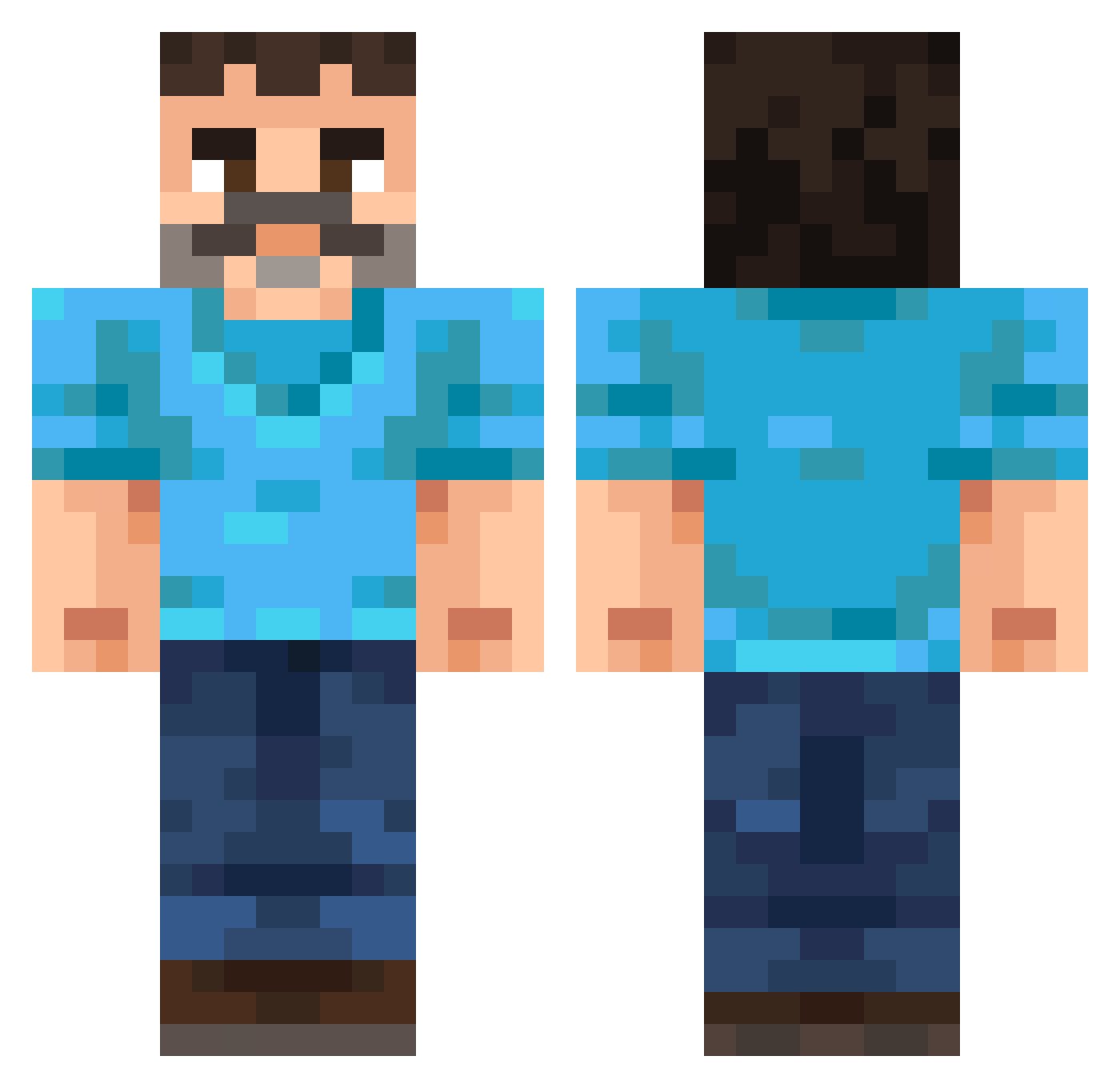
Current Minecraft skin of the player MadiClay11, loaded from the official Mojang API. Rotate the 3D model with your mouse or finger, then download the skin as a PNG file and use it in Minecraft: Bedrock Edition or Java Edition for free. When MadiClay11 changes their skin, this page updates automatically and the old skin stays in the history below.
Other players with this skin (302)
MadiClay11 was the 257th player we have seen with this skin, first spotted on 01.11.2026. The same skin was seen on these players. Open a nickname to see their current skin and skin history.
 Zebastianxzw15 MuckleSheep Fezex_550 Es1ef candy38479 Skelentin Six20 MRBLUEDUK Stoller01 maximgun Podsobka Casherimo 1j1_nicegen_asq SportsDog11 GalletaDeMenta Kapi218 ObsidianStigma thomasedsf Aldao PatataCubica callmezo CausitiveCarp09 Alex185 Albinoollama ecficies onhas BeanTM_ PochitoCute pitsso VGAR55 NightKnight06 MrHorse14 Calixthebuilder EmperorofHell01 Er1kDev enriquex1231 Purifyy1 simonerebecca joniu_77 a33_msmc_ywb JokeyBlackBeard Krivoss Toasted_NPC Lucien11092006 MrTorgue32 Guiga9 Dibentins69 COORTRIX SoKk223 Kivaki BluePunchAU 77dread SunlyXB Leeaaf Simo_O andreaodioigay LeloLeloX4 hhalow fronthole ElAcu18
More Mustache Minecraft skins
How to install the MadiClay11 skin
- Press the Download button above to save the skin as a PNG file.
- Minecraft: Bedrock Edition (PE): open the Dressing Room from the main menu (or tap your character → Edit Character), go to Classic Skins → Owned, press the + (new skin) button, choose the downloaded PNG and pick the Classic (Steve) model. Works on PC and mobile; consoles cannot import custom skins.
- Minecraft: Java Edition: open the Minecraft Launcher, go to the Skins tab, click New Skin, load the PNG, pick the Classic (Steve) model and press Save & Use. You can also upload it at minecraft.net → Profile → Change Skin.
The skin does not show up after import - what should I do?
Restart Minecraft and open the Dressing Room again - imported skins sometimes appear only after a restart. Also make sure you selected the imported skin and picked the Classic (Steve) model.
Which model should I choose, Classic or Slim?
This skin is designed for the Classic (Steve) model. If you pick the wrong model, the arms of the skin will look stretched or squeezed.
Is the skin of MadiClay11 free to download?
Yes. Press Download, save the PNG file and use it in Minecraft: Bedrock Edition or Java Edition - no payment or registration needed. The skin also works on multiplayer servers and Realms.
More skins
Looking for more? Go back to all Minecraft skins and check the top skins of the week, month and all time, or find any player's skin by nickname.