
MadelynMcG - Minecraft Skins & Skin History
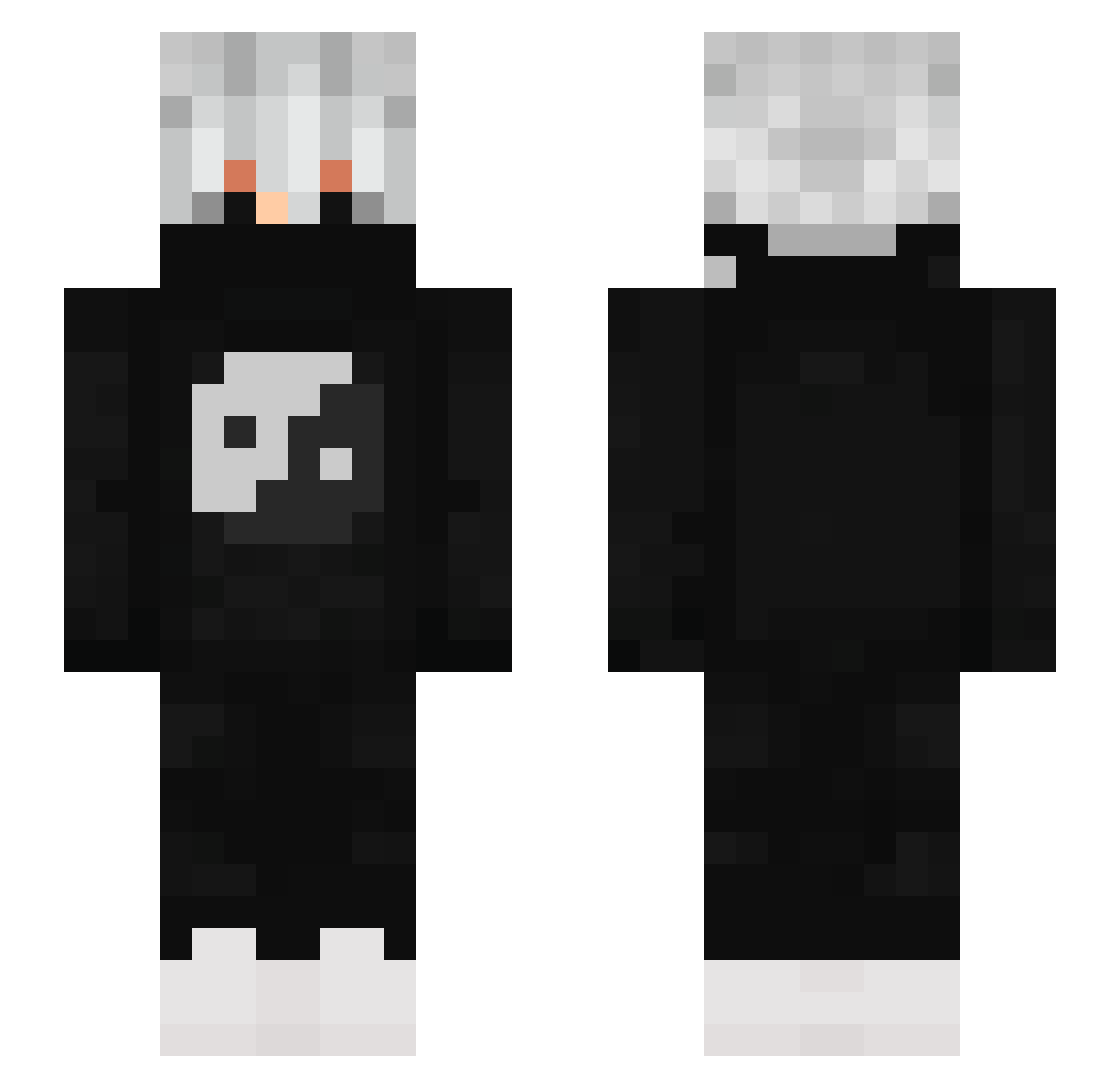
Current Minecraft skin of the player MadelynMcG, loaded from the official Mojang API. Rotate the 3D model with your mouse or finger, then download the skin as a PNG file and use it in Minecraft: Bedrock Edition or Java Edition for free. When MadelynMcG changes their skin, this page updates automatically and the old skin stays in the history below.
Other players with this skin (814)
MadelynMcG was the 724th player we have seen with this skin, first spotted on 21.10.2026. The same skin was seen on these players. Open a nickname to see their current skin and skin history.
 EnAbelVagyok MDSSKGAMER super2Minecraft deki21112011 Gakiun LeaderXDragonUwU KunzFake cimadom Tasamass Schnolo Fr_Skyyz Daniel3794 baisezy qrqk kaua22kk CoMaNo10 Ricky_Gamerz DjCoco43 SG_Thunder01 Lollel768 Oscar__11 1Indigo BoggedCashew522 RineloY ___gothicc___ ThiagoYT4044 Jaejuu BEN100SUZ sosoplays21 ATommyco08 Rj_157 red_nem BigBurrito43 ellny CPS_Leif NovakFG RIPZain geomanix jie_zhan sarayama3 Jooooooooo2011 seimeiiii raoni_444 EvoXGodzilla burkkk1 KevaIz Dead__Plays YallSellMeOut OpeOnLunar sqxdofinin Slaiziy SekushiPrime Emmittsito MigueMusta Crateron DuduCraftHD Rauzike zoomcruz Lyrix330 Bmert1SH
More Yin Yang Minecraft skins
How to install the MadelynMcG skin
- Press the Download button above to save the skin as a PNG file.
- Minecraft: Bedrock Edition (PE): open the Dressing Room from the main menu (or tap your character → Edit Character), go to Classic Skins → Owned, press the + (new skin) button, choose the downloaded PNG and pick the Slim (Alex) model. Works on PC and mobile; consoles cannot import custom skins.
- Minecraft: Java Edition: open the Minecraft Launcher, go to the Skins tab, click New Skin, load the PNG, pick the Slim (Alex) model and press Save & Use. You can also upload it at minecraft.net → Profile → Change Skin.
The skin does not show up after import - what should I do?
Restart Minecraft and open the Dressing Room again - imported skins sometimes appear only after a restart. Also make sure you selected the imported skin and picked the Slim (Alex) model.
Which model should I choose, Classic or Slim?
This skin is designed for the Slim (Alex) model. If you pick the wrong model, the arms of the skin will look stretched or squeezed.
Is the skin of MadelynMcG free to download?
Yes. Press Download, save the PNG file and use it in Minecraft: Bedrock Edition or Java Edition - no payment or registration needed. The skin also works on multiplayer servers and Realms.
More skins
Looking for more? Go back to all Minecraft skins and check the top skins of the week, month and all time, or find any player's skin by nickname.