
MaComAury - Minecraft Skins & Skin History
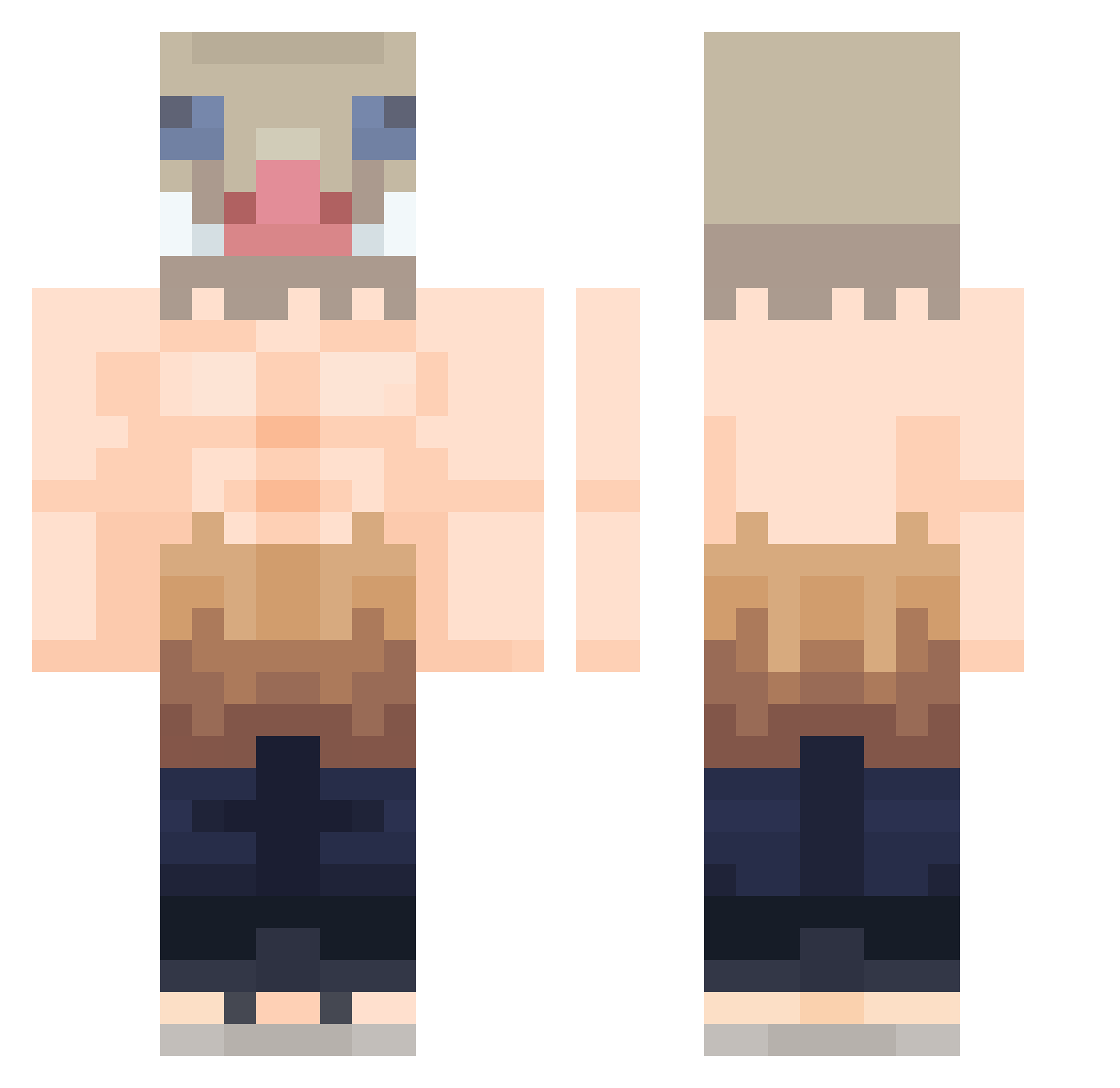
Current Minecraft skin of the player MaComAury, loaded from the official Mojang API. Rotate the 3D model with your mouse or finger, then download the skin as a PNG file and use it in Minecraft: Bedrock Edition or Java Edition for free. When MaComAury changes their skin, this page updates automatically and the old skin stays in the history below.
Other players with this skin (423)
MaComAury was the 169th player we have seen with this skin, first spotted on 09.09.2026. The same skin was seen on these players. Open a nickname to see their current skin and skin history.
 ValEaE berkwll Vega15 Murder_Cookies meoskis Incontri13 BR3ADDD hanurnim Plakachu Boywithbighead Scr1pt_DeadRider BigGG30CM SaltyPirat321 Totnak Vegito YUKI717 Alexegsa ShadowHunter828 Zam0th GusXBus windsaga Mitchellator Mazoys _YungAL_ Gasbriii TyquariousX HxRmOnY001 Chemoky98 LilSheep01 Playing_Outsides Suzan0 SpottyExpert Arekkusupaddo Mental_D0ra mecksdee Nabryy HunchoTC NekCraft EduBunny gakrot SnightGHG EliteShawn JOTAKR8 Paradostic Darkasia_ nanu0323 Martinobri ChillyMartz
 MiguelOrpinelli Kuma779 Fattymilks RedHotDabz LightRedChicken kaisabatata juan_grimm Kitto28 HK_pakpak1104 Znahs Mast3rchief Techno_Vin
More Boar Mask Minecraft skins
How to install the MaComAury skin
- Press the Download button above to save the skin as a PNG file.
- Minecraft: Bedrock Edition (PE): open the Dressing Room from the main menu (or tap your character → Edit Character), go to Classic Skins → Owned, press the + (new skin) button, choose the downloaded PNG and pick the Classic (Steve) model. Works on PC and mobile; consoles cannot import custom skins.
- Minecraft: Java Edition: open the Minecraft Launcher, go to the Skins tab, click New Skin, load the PNG, pick the Classic (Steve) model and press Save & Use. You can also upload it at minecraft.net → Profile → Change Skin.
The skin does not show up after import - what should I do?
Restart Minecraft and open the Dressing Room again - imported skins sometimes appear only after a restart. Also make sure you selected the imported skin and picked the Classic (Steve) model.
Which model should I choose, Classic or Slim?
This skin is designed for the Classic (Steve) model. If you pick the wrong model, the arms of the skin will look stretched or squeezed.
Is the skin of MaComAury free to download?
Yes. Press Download, save the PNG file and use it in Minecraft: Bedrock Edition or Java Edition - no payment or registration needed. The skin also works on multiplayer servers and Realms.
More skins
Looking for more? Go back to all Minecraft skins and check the top skins of the week, month and all time, or find any player's skin by nickname.