
MYFRIEND10 - Minecraft Skins & Skin History
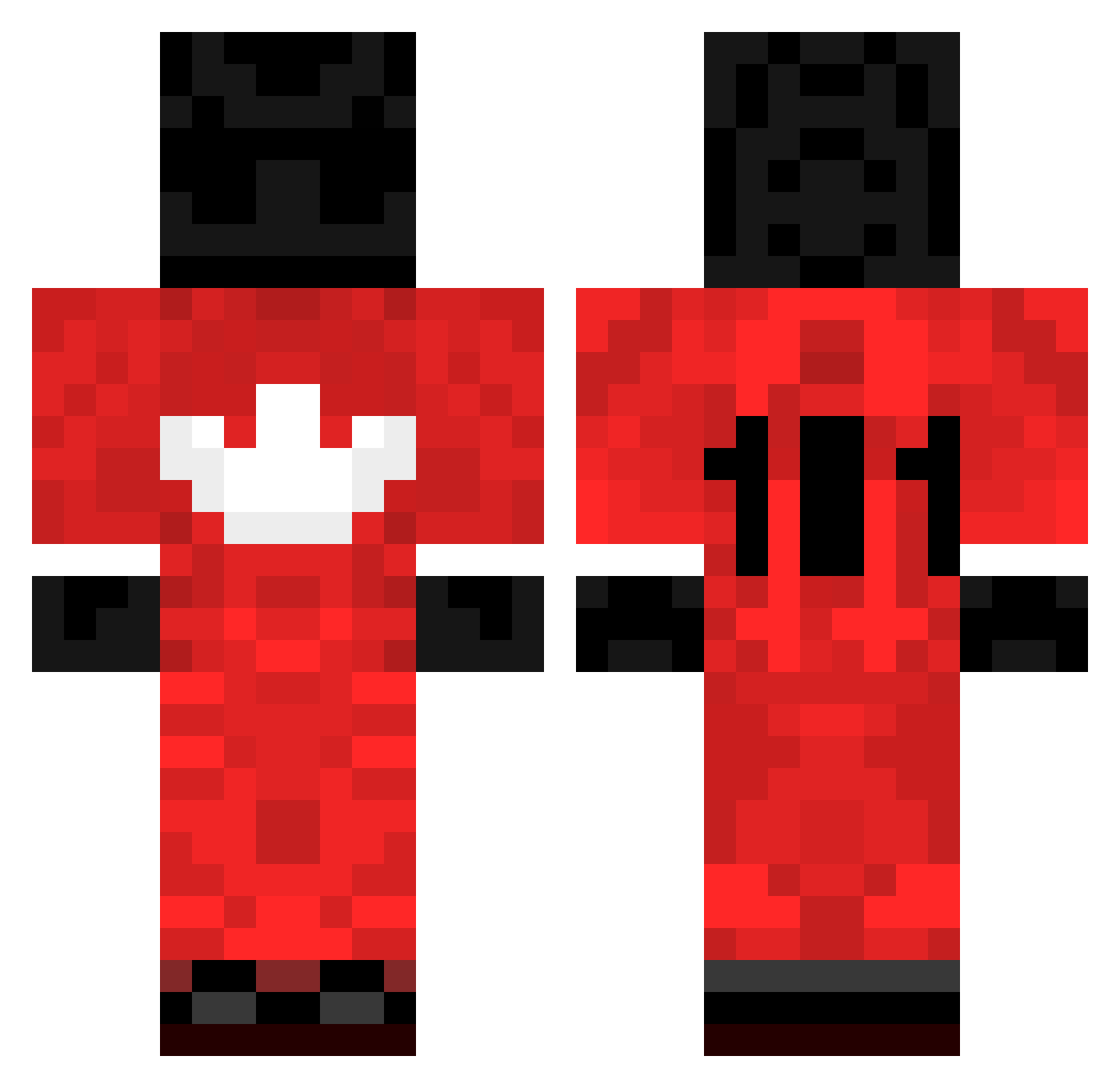
Current Minecraft skin of the player MYFRIEND10, loaded from the official Mojang API. Rotate the 3D model with your mouse or finger, then download the skin as a PNG file and use it in Minecraft: Bedrock Edition or Java Edition for free. When MYFRIEND10 changes their skin, this page updates automatically and the old skin stays in the history below.
Other players with this skin (203)
MYFRIEND10 was the 19th player we have seen with this skin, first spotted on 05.08.2026. The same skin was seen on these players. Open a nickname to see their current skin and skin history.
 nadddir 8c55 xF_QqiOr9c5Hp2sJ grgls LazyKuro Nortoon Denis_alb vidudienis maczpiku _FRCMJEJZOQOSBDV Enrico2805 x33calMaggum Shm388 Rajil starr242 Pxwy Peuplement BanShe69 Rockymcb NobodyisSpecial_ keuffgf DimplesForeal15 Best_pvp AutoAimer NaSRaY ZwalilUlti NoHackJustLorisC Hydaraclient Duchna Liddell_mquTeP Kovaaaak silkyYT ByCesar21YT Ziblacking_Legit T4nzy vaterlos RunINFear _Patate2Forain YouAreChampions zRe1oad elbazo krauger20 P1NGCHANGER melonbobby PurgaaL NeverBeALoser Stepna MrDamgaard ygoe Kiritoo2314 GANGMEMBER3HUNNA 0bkl Telefon97 carr0t_76 Vaasankatu TheKazakhstanPVP Maicyn3 Wesoly_ NickyThicc CheatForFun
More Sports Uniform Minecraft skins
See all 67 Sports Uniform skins
How to install the MYFRIEND10 skin
- Press the Download button above to save the skin as a PNG file.
- Minecraft: Bedrock Edition (PE): open the Dressing Room from the main menu (or tap your character → Edit Character), go to Classic Skins → Owned, press the + (new skin) button, choose the downloaded PNG and pick the Classic (Steve) model. Works on PC and mobile; consoles cannot import custom skins.
- Minecraft: Java Edition: open the Minecraft Launcher, go to the Skins tab, click New Skin, load the PNG, pick the Classic (Steve) model and press Save & Use. You can also upload it at minecraft.net → Profile → Change Skin.
The skin does not show up after import - what should I do?
Restart Minecraft and open the Dressing Room again - imported skins sometimes appear only after a restart. Also make sure you selected the imported skin and picked the Classic (Steve) model.
Which model should I choose, Classic or Slim?
This skin is designed for the Classic (Steve) model. If you pick the wrong model, the arms of the skin will look stretched or squeezed.
Is the skin of MYFRIEND10 free to download?
Yes. Press Download, save the PNG file and use it in Minecraft: Bedrock Edition or Java Edition - no payment or registration needed. The skin also works on multiplayer servers and Realms.
More skins
Looking for more? Go back to all Minecraft skins and check the top skins of the week, month and all time, or find any player's skin by nickname.