
CheatForFun - Minecraft Skins & Skin History
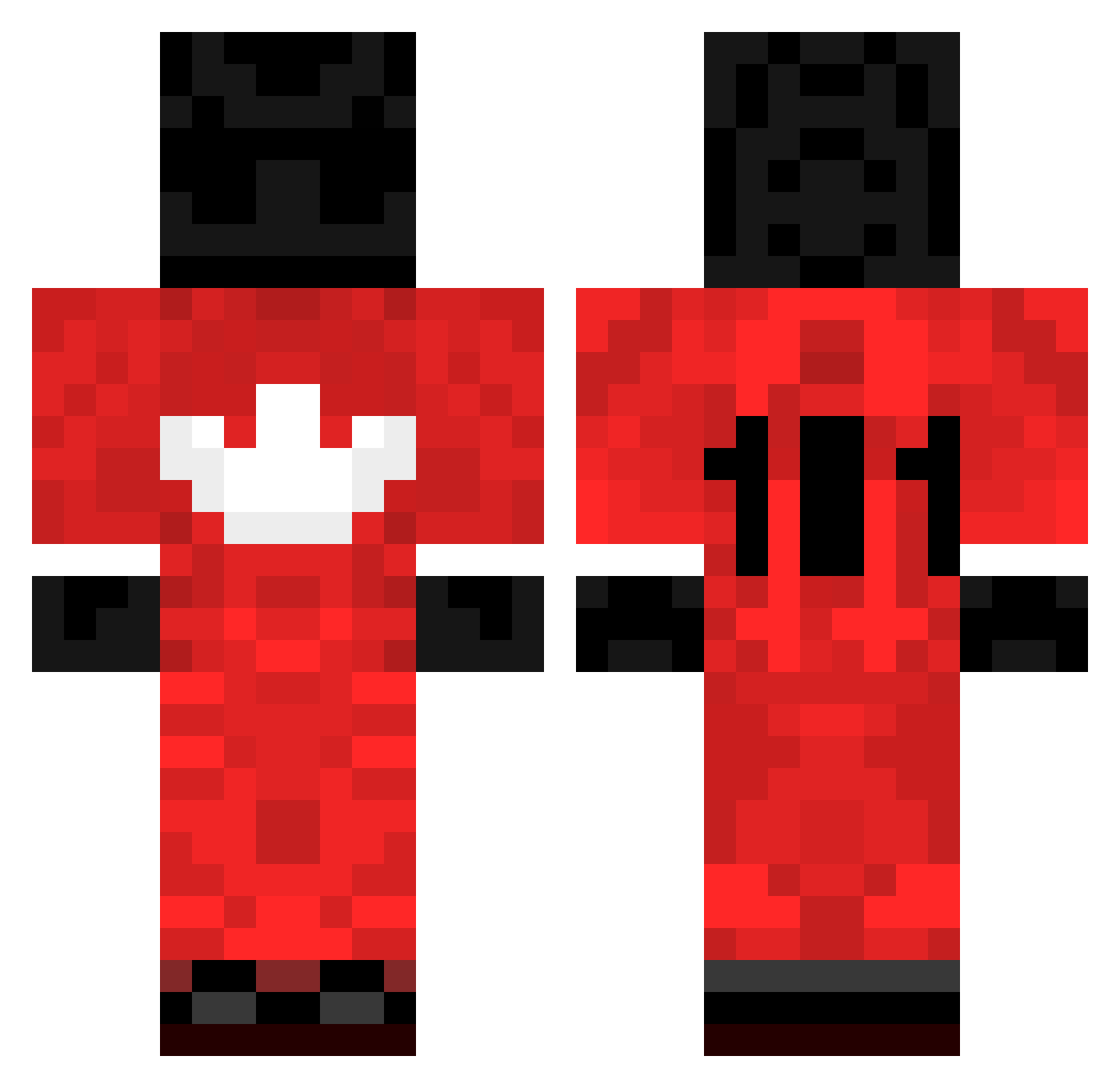
Current Minecraft skin of the player CheatForFun, loaded from the official Mojang API. Rotate the 3D model with your mouse or finger, then download the skin as a PNG file and use it in Minecraft: Bedrock Edition or Java Edition for free. When CheatForFun changes their skin, this page updates automatically and the old skin stays in the history below.
Other players with this skin (203)
CheatForFun was the 61st player we have seen with this skin, first spotted on 21.08.2026. The same skin was seen on these players. Open a nickname to see their current skin and skin history.
 Caydel2 NickyThicc Reazonn mommymilker34 Wesoly_ Maicyn3 pvphyae TheKazakhstanPVP
 HyperSlav carr0t_76 BUSIJOA CliqntV2 lenw Telefon97 TheWienerMan 0bkl GANGMEMBER3HUNNA Kiritoo2314 Shiftace ygoe MrDamgaard Stepna NeverBeALoser VAPEGGMYFRIEND10 At1ant1s1337 PurgaaL J4ckyB0y02 Mishinkovv P1NGCHANGER YaBoyG32 KOWALEWSKIJA krauger20 elbazo zRe1oad YouAreChampions _Patate2Forain SklejMiKatane checkout242 BlackRadiant TheGolden_Guard 69Lucas TaykoOMT vaterlos Zeyhan T4nzy daswf8p9roy89w6h Ilizarr ByCesar21YT soicale Incarnationz ezmapa
 kqas silkyYT Kovaaaak skoyfam on_loh Liddell_mquTeP Baguette2P12 AbdoulaLaBanana 1s1ms1z
More Sports Uniform Minecraft skins
See all 67 Sports Uniform skins
How to install the CheatForFun skin
- Press the Download button above to save the skin as a PNG file.
- Minecraft: Bedrock Edition (PE): open the Dressing Room from the main menu (or tap your character → Edit Character), go to Classic Skins → Owned, press the + (new skin) button, choose the downloaded PNG and pick the Classic (Steve) model. Works on PC and mobile; consoles cannot import custom skins.
- Minecraft: Java Edition: open the Minecraft Launcher, go to the Skins tab, click New Skin, load the PNG, pick the Classic (Steve) model and press Save & Use. You can also upload it at minecraft.net → Profile → Change Skin.
The skin does not show up after import - what should I do?
Restart Minecraft and open the Dressing Room again - imported skins sometimes appear only after a restart. Also make sure you selected the imported skin and picked the Classic (Steve) model.
Which model should I choose, Classic or Slim?
This skin is designed for the Classic (Steve) model. If you pick the wrong model, the arms of the skin will look stretched or squeezed.
Is the skin of CheatForFun free to download?
Yes. Press Download, save the PNG file and use it in Minecraft: Bedrock Edition or Java Edition - no payment or registration needed. The skin also works on multiplayer servers and Realms.
More skins
Looking for more? Go back to all Minecraft skins and check the top skins of the week, month and all time, or find any player's skin by nickname.