
MONSTERDOH - Minecraft Skins & Skin History
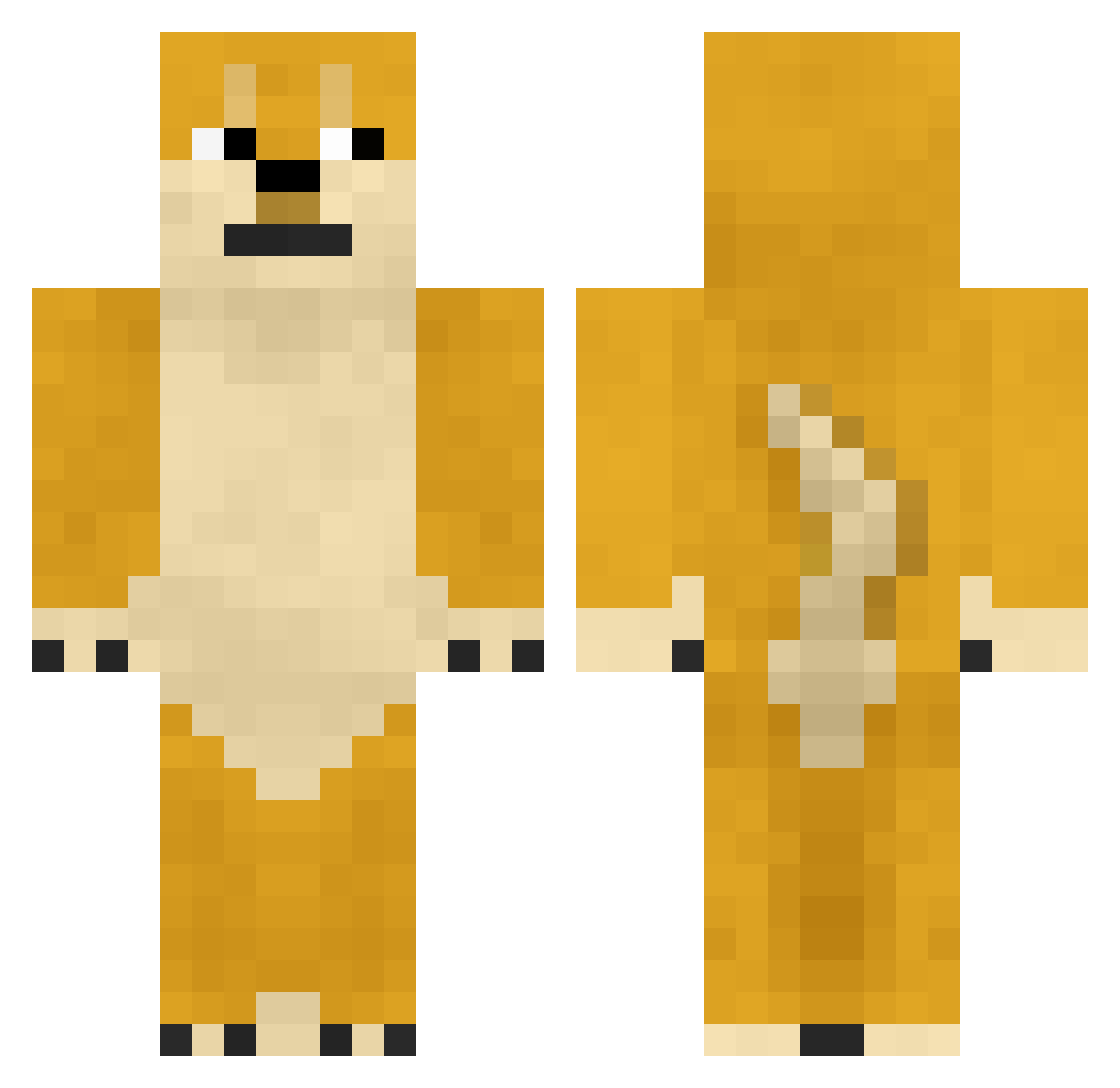
Current Minecraft skin of the player MONSTERDOH, loaded from the official Mojang API. Rotate the 3D model with your mouse or finger, then download the skin as a PNG file and use it in Minecraft: Bedrock Edition or Java Edition for free. When MONSTERDOH changes their skin, this page updates automatically and the old skin stays in the history below.
Other players with this skin (745)
MONSTERDOH was the 37th player we have seen with this skin, first spotted on 28.07.2026. The same skin was seen on these players. Open a nickname to see their current skin and skin history.
 LS_OZ84MSmSr1kJQ HAOWDADAWDWADAWD SpringBlock864 Lovely_Girl_awa binbinlp Juddi7
 Mrmzsn LUONAN12 lvg666 DreamerJun darkentriesss DarkPhantom00 Imww_ oo7Red poeles charliegf17 xlcz buplcc Illgrowup tmdzmdy runtujun1224 244_Fenrir 0nly_Phil SNMyyds KaiHuang_GG wngcm BittySire CSQLOVEYOU oudadan washi0506 hoyar Sylvii11 0xVed Asuegere CRAZYKER yoiiro Dm9uiClphin
 Carloskarls QIYUANJI Flowither scp3999 Spider_steps Sark3n_ TryTonyKK Lucakill99 VirtuosoHong Eden__xuanboy721 PoorChild666 CHENGYH215 Gaszon D_Star_D yuyuyu122 Noself Simminub big_zz wuihua Derby1210 givemeshrimp Pieselke LeNdSkIy
More Shiba Inu Minecraft skins
How to install the MONSTERDOH skin
- Press the Download button above to save the skin as a PNG file.
- Minecraft: Bedrock Edition (PE): open the Dressing Room from the main menu (or tap your character → Edit Character), go to Classic Skins → Owned, press the + (new skin) button, choose the downloaded PNG and pick the Classic (Steve) model. Works on PC and mobile; consoles cannot import custom skins.
- Minecraft: Java Edition: open the Minecraft Launcher, go to the Skins tab, click New Skin, load the PNG, pick the Classic (Steve) model and press Save & Use. You can also upload it at minecraft.net → Profile → Change Skin.
The skin does not show up after import - what should I do?
Restart Minecraft and open the Dressing Room again - imported skins sometimes appear only after a restart. Also make sure you selected the imported skin and picked the Classic (Steve) model.
Which model should I choose, Classic or Slim?
This skin is designed for the Classic (Steve) model. If you pick the wrong model, the arms of the skin will look stretched or squeezed.
Is the skin of MONSTERDOH free to download?
Yes. Press Download, save the PNG file and use it in Minecraft: Bedrock Edition or Java Edition - no payment or registration needed. The skin also works on multiplayer servers and Realms.
More skins
Looking for more? Go back to all Minecraft skins and check the top skins of the week, month and all time, or find any player's skin by nickname.