
MC_haobaby - Minecraft Skins & Skin History
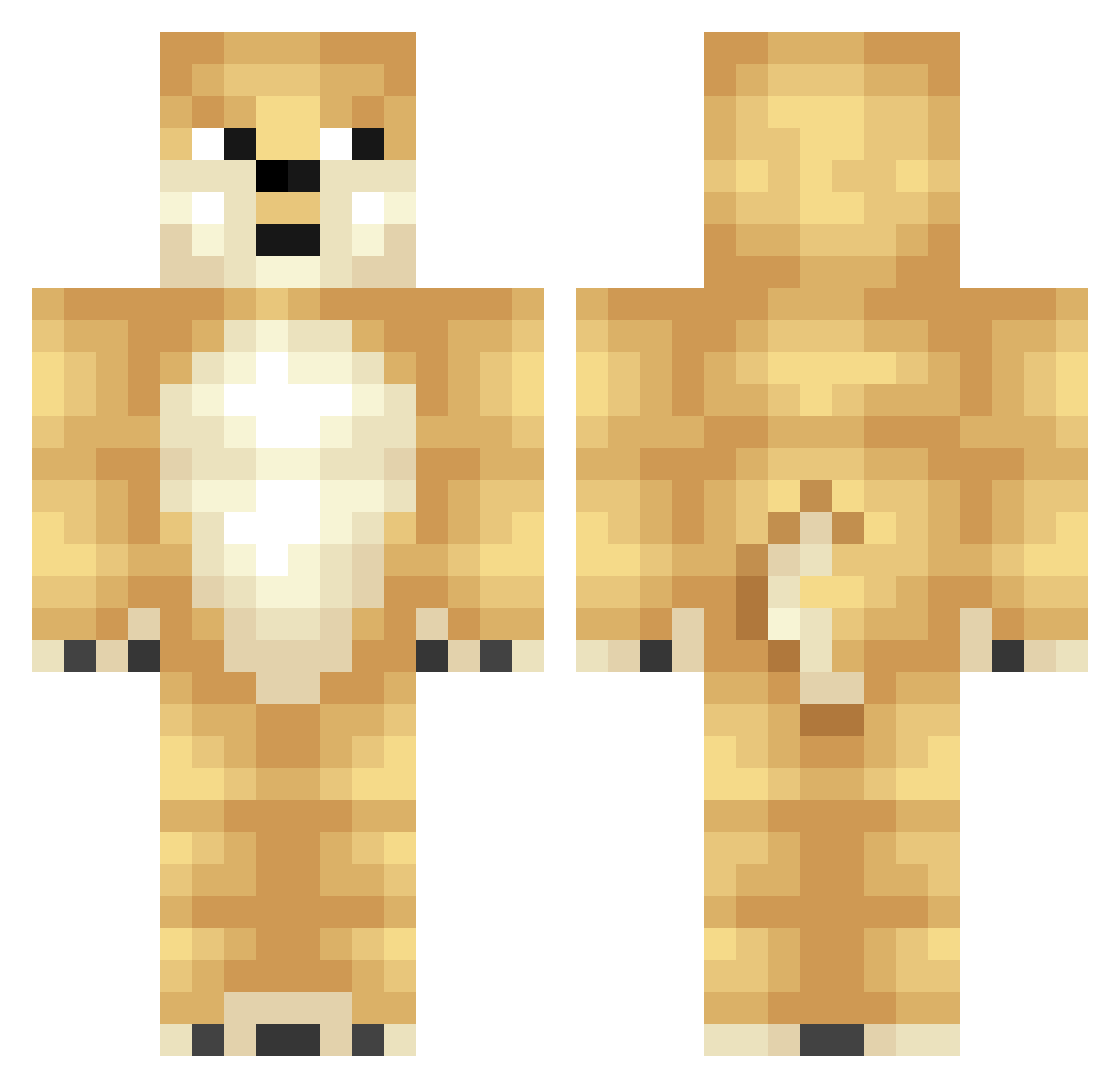
Current Minecraft skin of the player MC_haobaby, loaded from the official Mojang API. Rotate the 3D model with your mouse or finger, then download the skin as a PNG file and use it in Minecraft: Bedrock Edition or Java Edition for free. When MC_haobaby changes their skin, this page updates automatically and the old skin stays in the history below.
Other players with this skin (320)
MC_haobaby was the 121st player we have seen with this skin, first spotted on 03.09.2026. The same skin was seen on these players. Open a nickname to see their current skin and skin history.
 peewan Fadef_f Tonicyn KevinPei Macaronxx wuqilong996 larrycaverga Minseok0153 Neyran Paramela MizzlePlays Cheeselezz Neyrroz BubbaHyd NetPack CherryVodkar stugg bebefofinho monster537heimin aaronhongers Sneatyx wbb123 foxyguri_ lch ClementineQAQ AKITA200 Shawn1i wbyhgx Soroskin Gesteft rladyddns FoksyBox girthguy Seal_Junho suan_tian CHCHDOH sonjimin1954 PXPP1592 YourBoiKipper TangoWhiskey31 woofkv kxjen_ gogogo030303 Gebotelli pastray liveggfriedrice MatthewjRoles AleksaVrh souvlakimaster69 zx26271047 MgLHF fistach_ Druis DogLord2007 DOG10011 qboy2007 SY_CT Grullrok eggcute chief_cheems
More Shiba Inu Minecraft skins
How to install the MC_haobaby skin
- Press the Download button above to save the skin as a PNG file.
- Minecraft: Bedrock Edition (PE): open the Dressing Room from the main menu (or tap your character → Edit Character), go to Classic Skins → Owned, press the + (new skin) button, choose the downloaded PNG and pick the Classic (Steve) model. Works on PC and mobile; consoles cannot import custom skins.
- Minecraft: Java Edition: open the Minecraft Launcher, go to the Skins tab, click New Skin, load the PNG, pick the Classic (Steve) model and press Save & Use. You can also upload it at minecraft.net → Profile → Change Skin.
The skin does not show up after import - what should I do?
Restart Minecraft and open the Dressing Room again - imported skins sometimes appear only after a restart. Also make sure you selected the imported skin and picked the Classic (Steve) model.
Which model should I choose, Classic or Slim?
This skin is designed for the Classic (Steve) model. If you pick the wrong model, the arms of the skin will look stretched or squeezed.
Is the skin of MC_haobaby free to download?
Yes. Press Download, save the PNG file and use it in Minecraft: Bedrock Edition or Java Edition - no payment or registration needed. The skin also works on multiplayer servers and Realms.
More skins
Looking for more? Go back to all Minecraft skins and check the top skins of the week, month and all time, or find any player's skin by nickname.