
MCMMO_PVP - Minecraft Skins & Skin History
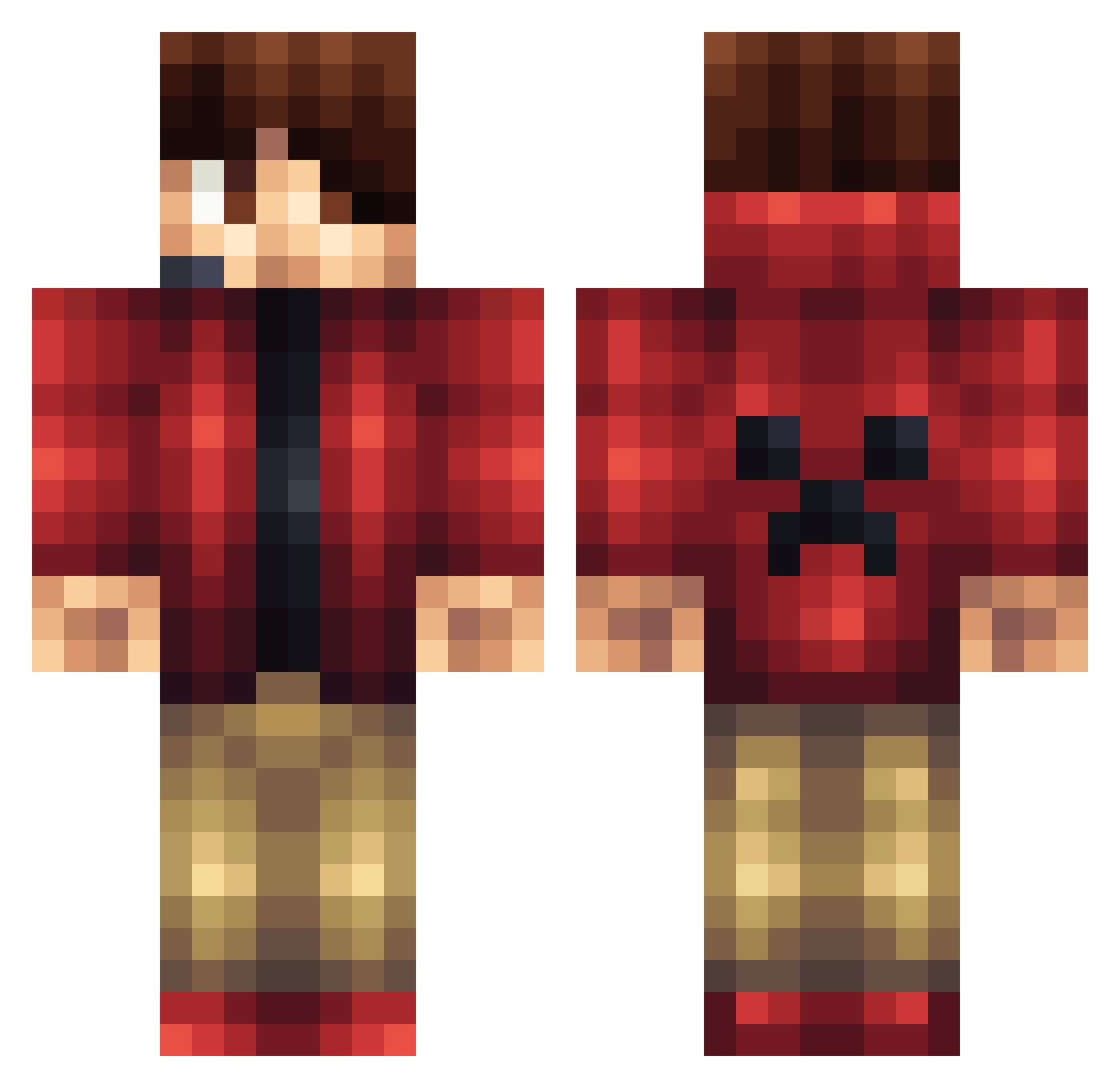
Current Minecraft skin of the player MCMMO_PVP, loaded from the official Mojang API. Rotate the 3D model with your mouse or finger, then download the skin as a PNG file and use it in Minecraft: Bedrock Edition or Java Edition for free. When MCMMO_PVP changes their skin, this page updates automatically and the old skin stays in the history below.
Other players with this skin (1428)
MCMMO_PVP was the 1350th player we have seen with this skin, first spotted on 12.11.2026. The same skin was seen on these players. Open a nickname to see their current skin and skin history.
 SKT_Piglet packersbear Kevin19011901 DerChiller98 Sportsdude432 weirdna64 swag_master_yolo jetman1998 jmgarcia2004 itsNamxD F1reWaII lifelikecooper ToastByte bbctyler dolce20 femboluls LeSpecter Creeper_Caydn wilsonrox12 BalcoinBoy juanra1990 HUCKERMAN h00it EXCL1_ DarkAssassinz5 SojoAli bfaulkner1404 AlexHasALife ziggyzigy FireBolt765 Neiik chubach poopguard123 _KingRudolph_ jacob0902 chaseB007 Bigshout2 Nick_The_Gamer12 foxy70 Sanderfrost Notgnihtrow scramblers Baisary TheSergics Samster_Sam47 minmacc eirik1512 Hayate_shadow tbrookesy Xman270 LloydMaster64 psychoman67 johcar123 z0mbiekill528 GlobalWave MaxOette Wellbro17 EPIC__TITAN__ kevmarjr POSKYIN
More Headset Minecraft skins
How to install the MCMMO_PVP skin
- Press the Download button above to save the skin as a PNG file.
- Minecraft: Bedrock Edition (PE): open the Dressing Room from the main menu (or tap your character → Edit Character), go to Classic Skins → Owned, press the + (new skin) button, choose the downloaded PNG and pick the Classic (Steve) model. Works on PC and mobile; consoles cannot import custom skins.
- Minecraft: Java Edition: open the Minecraft Launcher, go to the Skins tab, click New Skin, load the PNG, pick the Classic (Steve) model and press Save & Use. You can also upload it at minecraft.net → Profile → Change Skin.
The skin does not show up after import - what should I do?
Restart Minecraft and open the Dressing Room again - imported skins sometimes appear only after a restart. Also make sure you selected the imported skin and picked the Classic (Steve) model.
Which model should I choose, Classic or Slim?
This skin is designed for the Classic (Steve) model. If you pick the wrong model, the arms of the skin will look stretched or squeezed.
Is the skin of MCMMO_PVP free to download?
Yes. Press Download, save the PNG file and use it in Minecraft: Bedrock Edition or Java Edition - no payment or registration needed. The skin also works on multiplayer servers and Realms.
More skins
Looking for more? Go back to all Minecraft skins and check the top skins of the week, month and all time, or find any player's skin by nickname.