
MATTARIOT - Minecraft Skins & Skin History
Current Minecraft skin of the player MATTARIOT, loaded from the official Mojang API. Rotate the 3D model with your mouse or finger, then download the skin as a PNG file and use it in Minecraft: Bedrock Edition or Java Edition for free. When MATTARIOT changes their skin, this page updates automatically and the old skin stays in the history below.
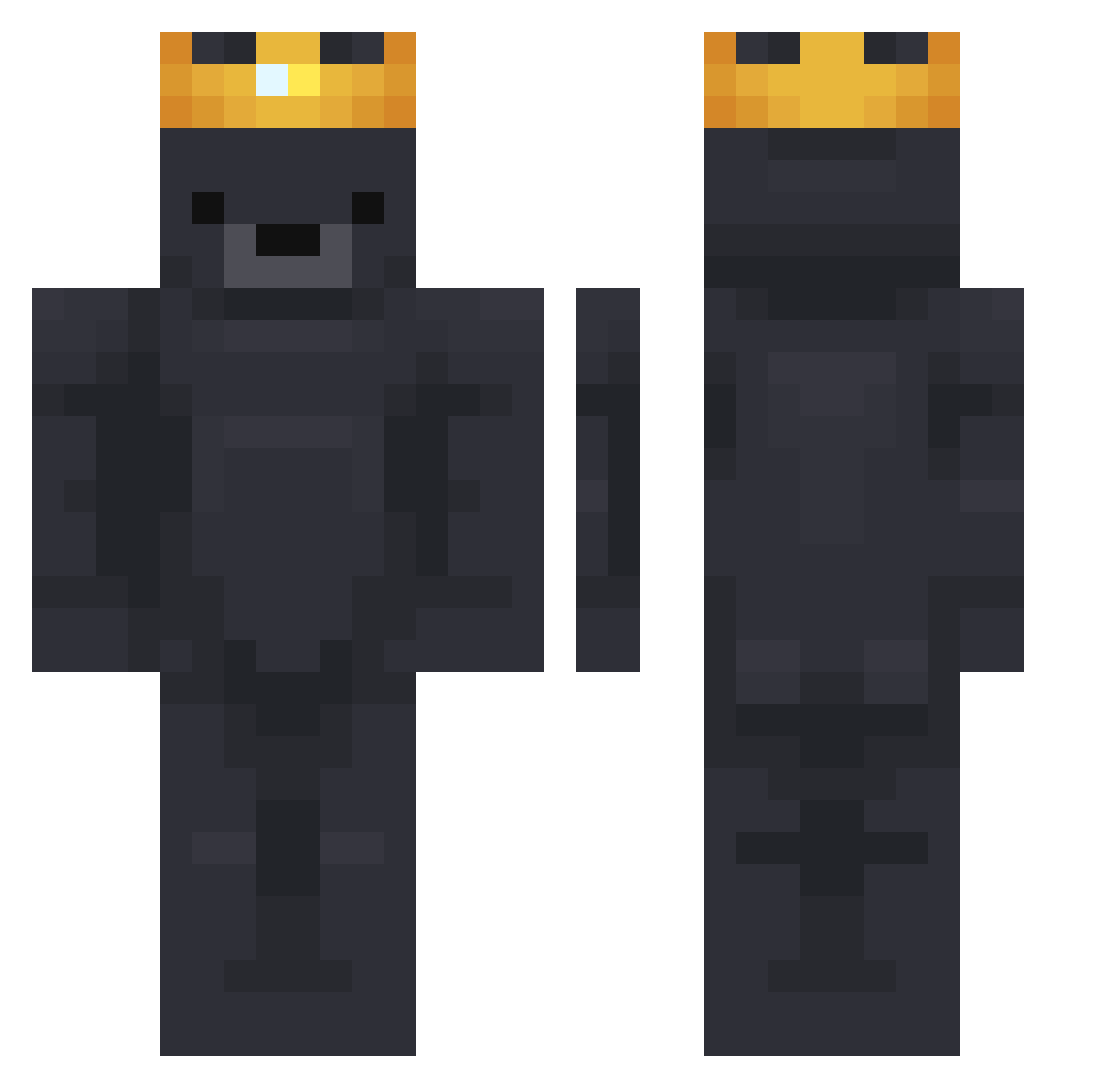
Other players with this skin (751)
MATTARIOT was the 143rd player we have seen with this skin, first spotted on 12.08.2026. The same skin was seen on these players. Open a nickname to see their current skin and skin history.
 SpringRainZ Siggi2006 lsjbyungsin Hjerpan SnootyMarY ddakdae00 Moritz_1810 TheWooDK Elartistazo EzDover123
 oCartr TillSair Hugh_Jaaas SkidMyCannons_ cyrille37
 carsflyby DetSmagerFlot menday Tatooos Telunprince
 ItzAleyxx shark080 TwinsPC jajamikod Pixj Olsdew BlackShadowPT zilverdwergje alex_BLANKET ToroToky0 wgyhhh Dremorbit DerAllerEchte305 Hul_Yang kpdf Gilek Minecraft2D ChilPan2 OfficialStiffel bzcardi schneebutter DaylightFirework Brookhaven159 philioop tmddn17 Solobean Chips_Guac BR1uu carbonatedkiwi MalleMagKekse PetitCurly AbuelitoHardcore Kornyyt
 SPR1TIEEEE caiud0 XxShadoukinguxX Grisoulum EliNoScopez Zarazekk_ parkdabin
More Crown Minecraft skins
How to install the MATTARIOT skin
- Press the Download button above to save the skin as a PNG file.
- Minecraft: Bedrock Edition (PE): open the Dressing Room from the main menu (or tap your character → Edit Character), go to Classic Skins → Owned, press the + (new skin) button, choose the downloaded PNG and pick the Classic (Steve) model. Works on PC and mobile; consoles cannot import custom skins.
- Minecraft: Java Edition: open the Minecraft Launcher, go to the Skins tab, click New Skin, load the PNG, pick the Classic (Steve) model and press Save & Use. You can also upload it at minecraft.net → Profile → Change Skin.
The skin does not show up after import - what should I do?
Restart Minecraft and open the Dressing Room again - imported skins sometimes appear only after a restart. Also make sure you selected the imported skin and picked the Classic (Steve) model.
Which model should I choose, Classic or Slim?
This skin is designed for the Classic (Steve) model. If you pick the wrong model, the arms of the skin will look stretched or squeezed.
Is the skin of MATTARIOT free to download?
Yes. Press Download, save the PNG file and use it in Minecraft: Bedrock Edition or Java Edition - no payment or registration needed. The skin also works on multiplayer servers and Realms.
More skins
Looking for more? Go back to all Minecraft skins and check the top skins of the week, month and all time, or find any player's skin by nickname.