
Lunatic2190 - Minecraft Skins & Skin History
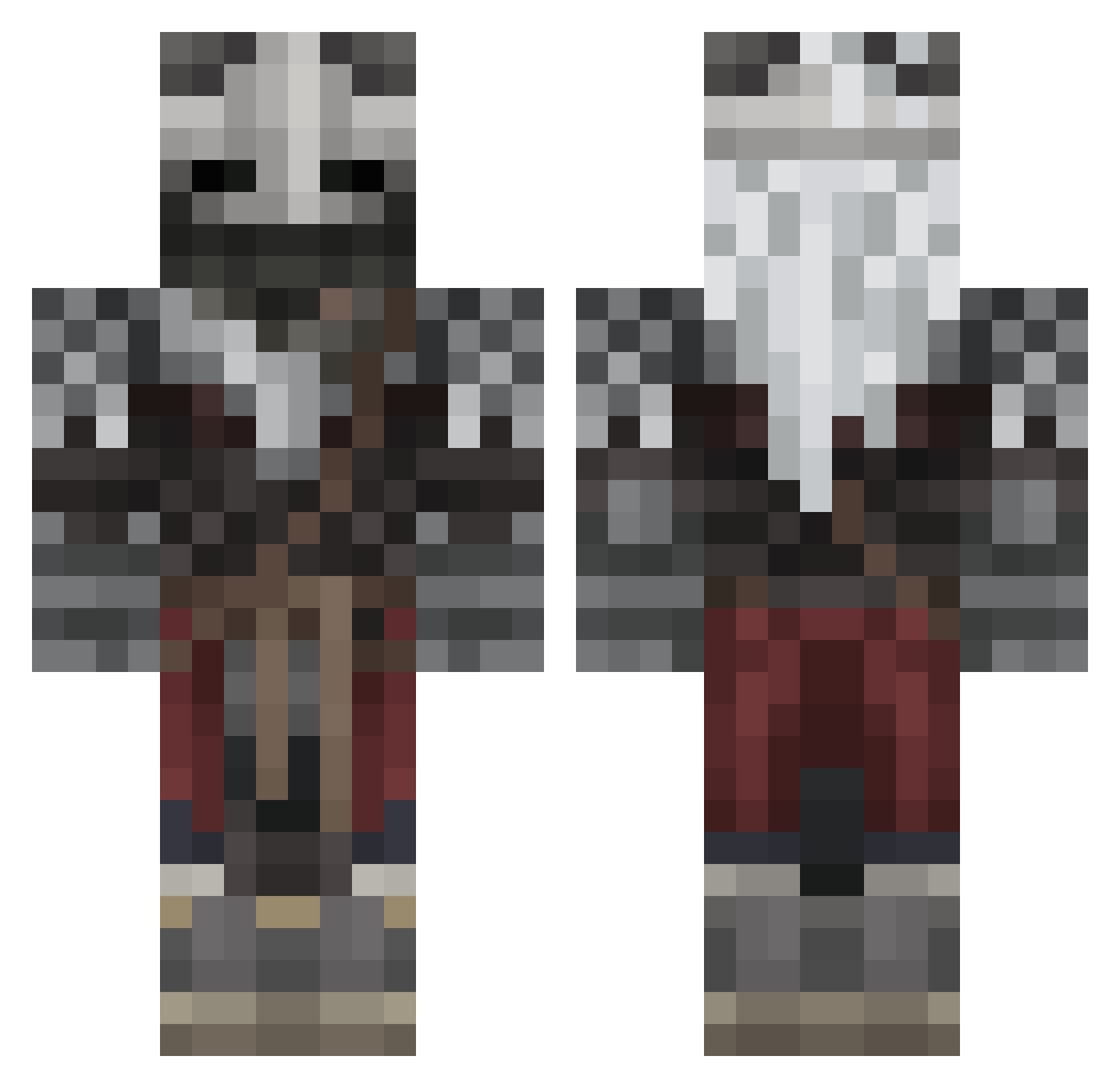
Current Minecraft skin of the player Lunatic2190, loaded from the official Mojang API. Rotate the 3D model with your mouse or finger, then download the skin as a PNG file and use it in Minecraft: Bedrock Edition or Java Edition for free. When Lunatic2190 changes their skin, this page updates automatically and the old skin stays in the history below.
Other players with this skin (567)
Lunatic2190 was the 451st player we have seen with this skin, first spotted on 17.10.2026. The same skin was seen on these players. Open a nickname to see their current skin and skin history.
 Kauan0_0 Papo_Ram DrPepper1981 qxhh1 ethanol812 SophisticatedPi ClexX138 St4in213 GreenClover1412 Zer0_Hollow thatonepenquin Lugia813 camilq_ myl0o0 Blanqqq WisdomPear itsthatguys Minty219 SlayneDaGreat ImagineStinking EtherealPage Krimocchi IDAFOK TheScav Kosamiini Cory924 DrachenkerlDK Mageds Zufalligerweise WAFIGAMER1470 NightmareNow Demo_Uuu YourBoiZ ballcheeks515 Kinuritama kuyo_u Mr__Quackers X_shalom IDrinkDrano Clysma KelHord Ezjx BeastBendy6 itsJustLuis19 PapaFazzy Our_Way AtemPharaoh Notnaotami 0JackTheRipper0 Zenanka BeastClergyman Father_Loaf Ayes_rs Nick_Scopre Eriktion6969 Cayneee Nemesis_Scylla AryaRoBiN rodrix_05 DarkRed010
More Warrior Minecraft skins
How to install the Lunatic2190 skin
- Press the Download button above to save the skin as a PNG file.
- Minecraft: Bedrock Edition (PE): open the Dressing Room from the main menu (or tap your character → Edit Character), go to Classic Skins → Owned, press the + (new skin) button, choose the downloaded PNG and pick the Classic (Steve) model. Works on PC and mobile; consoles cannot import custom skins.
- Minecraft: Java Edition: open the Minecraft Launcher, go to the Skins tab, click New Skin, load the PNG, pick the Classic (Steve) model and press Save & Use. You can also upload it at minecraft.net → Profile → Change Skin.
The skin does not show up after import - what should I do?
Restart Minecraft and open the Dressing Room again - imported skins sometimes appear only after a restart. Also make sure you selected the imported skin and picked the Classic (Steve) model.
Which model should I choose, Classic or Slim?
This skin is designed for the Classic (Steve) model. If you pick the wrong model, the arms of the skin will look stretched or squeezed.
Is the skin of Lunatic2190 free to download?
Yes. Press Download, save the PNG file and use it in Minecraft: Bedrock Edition or Java Edition - no payment or registration needed. The skin also works on multiplayer servers and Realms.
More skins
Looking for more? Go back to all Minecraft skins and check the top skins of the week, month and all time, or find any player's skin by nickname.