
Lunastra69 - Minecraft Skins & Skin History
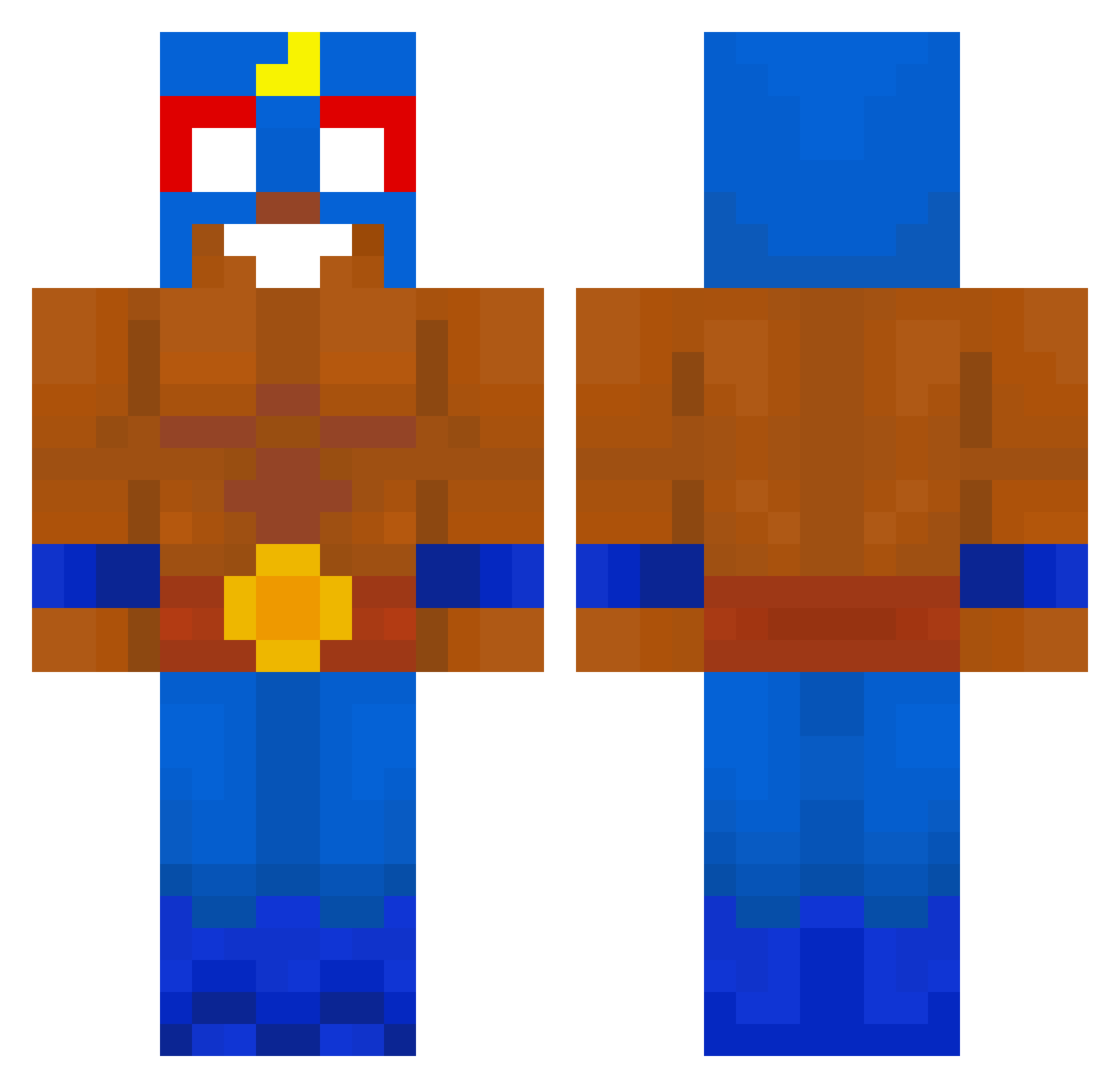
Current Minecraft skin of the player Lunastra69, loaded from the official Mojang API. Rotate the 3D model with your mouse or finger, then download the skin as a PNG file and use it in Minecraft: Bedrock Edition or Java Edition for free. When Lunastra69 changes their skin, this page updates automatically and the old skin stays in the history below.
Other players with this skin (620)
Lunastra69 was the 317th player we have seen with this skin, first spotted on 17.09.2026. The same skin was seen on these players. Open a nickname to see their current skin and skin history.
 iannjub ImCandyPT Diegogi7 ZeNNarda ILIKEDOG1w3 Basjeuhhh auiies Homiga yeonjmo11 XxD6vid07xX Tekla7 Macios999 Valery05 kapipapi Gr0000bY Lolsu35 TomasEspi MarcinoBambino64 azgarde Math_73 KMSKull niko_rapak Light452 KrispyPsycho ALXEZzz Osiris0204 Manu3p Chaeyougu CurlyCocuk Manu2601 SkibidiSigma1888 DAVIDX322 cedricgamesyt Vladunka R4ulgzz Kimo_ochi ShulkerT snanak Andy10001 Maksiosigma rexito3 Minekevin1 poueren ElPrimooo_ CAPYGIGA David110010 hectoorvr AIMGOD6952 Pottssyy Brw7911 Asiton1 ElFlipso Mafamude Gognzm Gumix12 Chyfug youngmati_ EEELPRIMOOOOO kellan2shiftyYT Foolio1337
More El Primo Minecraft skins
How to install the Lunastra69 skin
- Press the Download button above to save the skin as a PNG file.
- Minecraft: Bedrock Edition (PE): open the Dressing Room from the main menu (or tap your character → Edit Character), go to Classic Skins → Owned, press the + (new skin) button, choose the downloaded PNG and pick the Classic (Steve) model. Works on PC and mobile; consoles cannot import custom skins.
- Minecraft: Java Edition: open the Minecraft Launcher, go to the Skins tab, click New Skin, load the PNG, pick the Classic (Steve) model and press Save & Use. You can also upload it at minecraft.net → Profile → Change Skin.
The skin does not show up after import - what should I do?
Restart Minecraft and open the Dressing Room again - imported skins sometimes appear only after a restart. Also make sure you selected the imported skin and picked the Classic (Steve) model.
Which model should I choose, Classic or Slim?
This skin is designed for the Classic (Steve) model. If you pick the wrong model, the arms of the skin will look stretched or squeezed.
Is the skin of Lunastra69 free to download?
Yes. Press Download, save the PNG file and use it in Minecraft: Bedrock Edition or Java Edition - no payment or registration needed. The skin also works on multiplayer servers and Realms.
More skins
Looking for more? Go back to all Minecraft skins and check the top skins of the week, month and all time, or find any player's skin by nickname.