
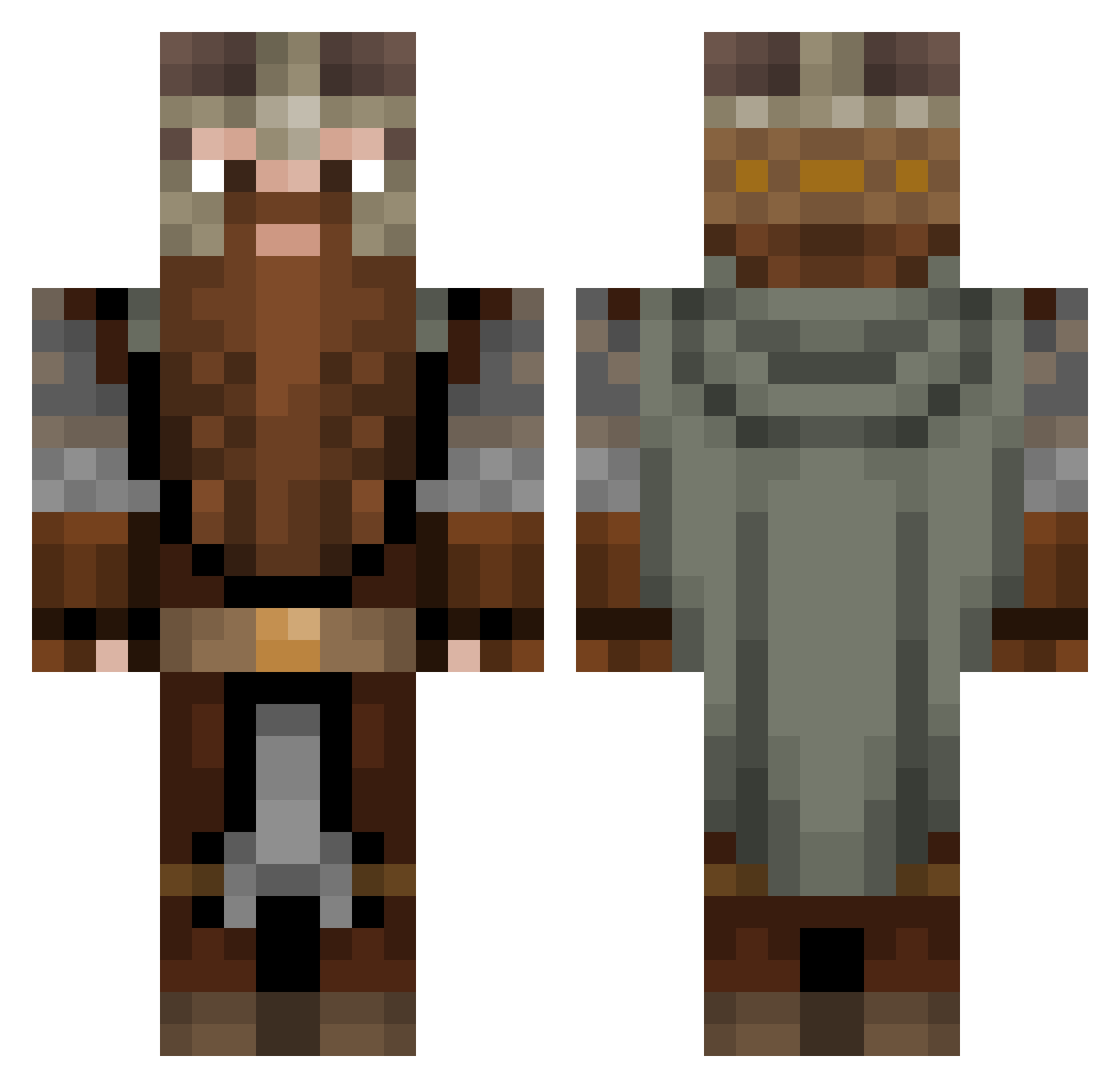
Current Minecraft skin of the player LukyRojo, loaded from the official Mojang API. Rotate the 3D model with your mouse or finger, then download the skin as a PNG file and use it in Minecraft: Bedrock Edition or Java Edition for free. When LukyRojo changes their skin, this page updates automatically and the old skin stays in the history below.
Other players with this skin (863)
LukyRojo was the 409th player we have seen with this skin, first spotted on 03.09.2026. The same skin was seen on these players. Open a nickname to see their current skin and skin history.
 LooneyLoki thedwerf MojoTango Dorfjohnson slimediana_jones Liron28 Don_DiegoJ Seamonsterjam TamTam143 Vitoutg JannisBrueck D0lan_ DasEine_Z Zozrs Xarris2107 SpartanDP capn_knuckles asulin Arapaho cZair Keneba SniperGotYou401 Kain_KL Jermster523 zeropom king0fUnder Ingenieurskunst Valadion A_SpicyNacho Lukas_fl_19 Varonssss Jeffvonundzu SirPoggal zzvoid3dzz Mr_Bubs24 Tommyjenski Grumirk Rackula24
 PanPawel_
 Lalanto90 Pusih BananaGuyMike8 LuuposX qelemir JesterByte GuiltyKataphrakt Saiko155 Ngwsklv AChaud69 Ravicus ParaLP23 Kalkabop ItzDeathbladeMc KaozPrinz Atainex_ Gimmers ekseorb Joris1004 VFish_Abyss Kaaskanon2022
More Dwarf Minecraft skins
How to install the LukyRojo skin
- Press the Download button above to save the skin as a PNG file.
- Minecraft: Bedrock Edition (PE): open the Dressing Room from the main menu (or tap your character → Edit Character), go to Classic Skins → Owned, press the + (new skin) button, choose the downloaded PNG and pick the Classic (Steve) model. Works on PC and mobile; consoles cannot import custom skins.
- Minecraft: Java Edition: open the Minecraft Launcher, go to the Skins tab, click New Skin, load the PNG, pick the Classic (Steve) model and press Save & Use. You can also upload it at minecraft.net → Profile → Change Skin.
The skin does not show up after import - what should I do?
Restart Minecraft and open the Dressing Room again - imported skins sometimes appear only after a restart. Also make sure you selected the imported skin and picked the Classic (Steve) model.
Which model should I choose, Classic or Slim?
This skin is designed for the Classic (Steve) model. If you pick the wrong model, the arms of the skin will look stretched or squeezed.
Is the skin of LukyRojo free to download?
Yes. Press Download, save the PNG file and use it in Minecraft: Bedrock Edition or Java Edition - no payment or registration needed. The skin also works on multiplayer servers and Realms.
More skins
Looking for more? Go back to all Minecraft skins and check the top skins of the week, month and all time, or find any player's skin by nickname.