
Lukep222 - Minecraft Skins & Skin History
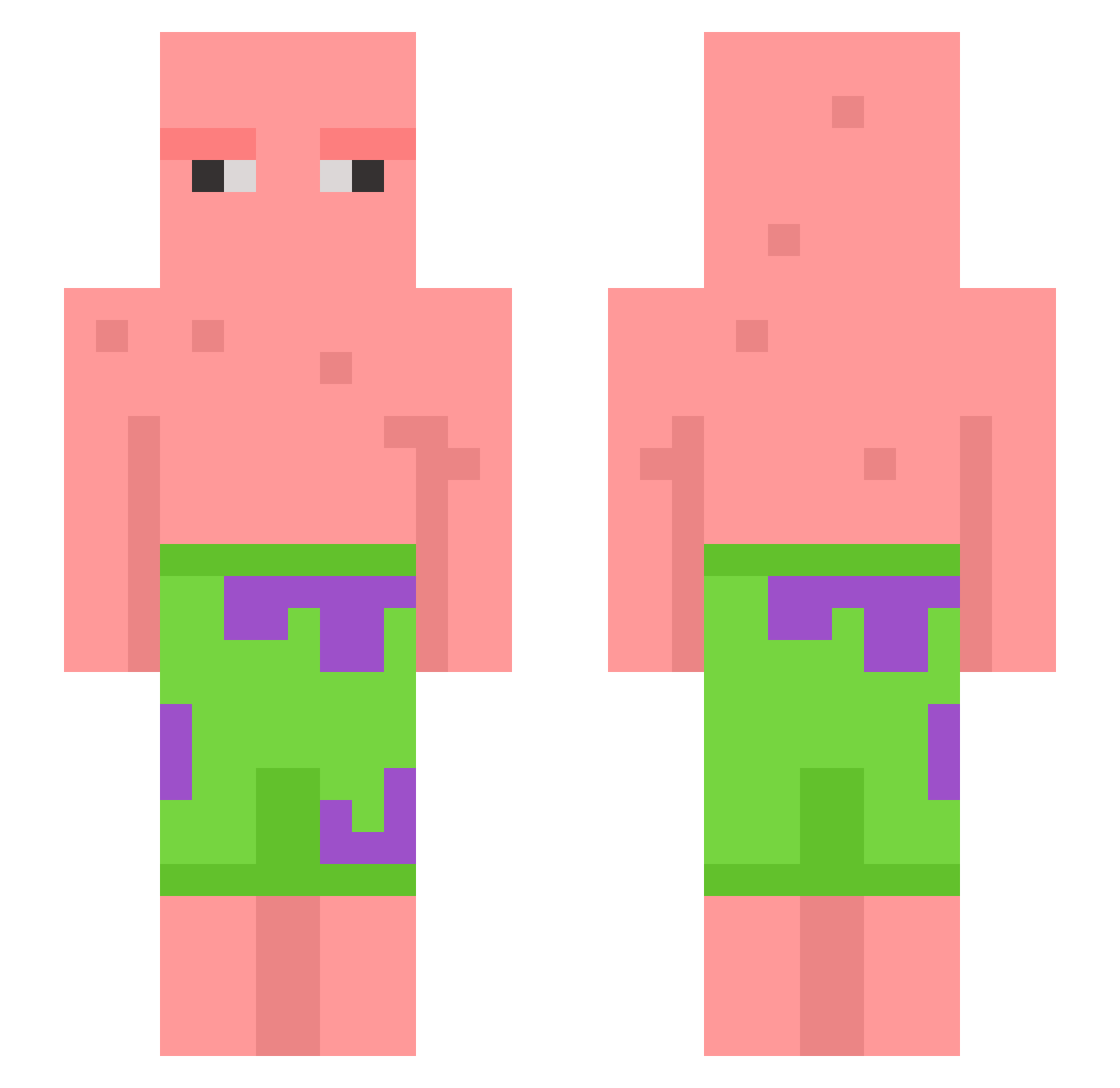
Current Minecraft skin of the player Lukep222, loaded from the official Mojang API. Rotate the 3D model with your mouse or finger, then download the skin as a PNG file and use it in Minecraft: Bedrock Edition or Java Edition for free. When Lukep222 changes their skin, this page updates automatically and the old skin stays in the history below.
Other players with this skin (602)
Lukep222 was the 89th player we have seen with this skin, first spotted on 09.08.2026. The same skin was seen on these players. Open a nickname to see their current skin and skin history.
 Kyeong_min_love BANDZI3 collerfinn1 coolyface21 OverweightGiraff fenghuo145 Br0_for_Live Adistraction1 pp_cheese215 atran17 bant367 Whitescarfn Pinselfuerst theyluvdrizz UrGaY6969 Irreflection Alberto98909 CheesyMiner poloch48_8K broxaworld Monsterkoh TurkeyRock EmpitenZ JS4JS4 DiabeticSTD hentiwithsenpai hockyplyr7 itsdavid7754 AussieNicolson06 AxeBrother1 SEOYEMIN Santander541 Ariz37_ rallymoi amx9 NiasHasMineCraft iLID Sprockelnootjex IllegalEmpanada Le_nax clodhomper DillBipperly CristianoMieri TrentonFrye Scott1804 aidnaa Reten34 LimitlessVoid tarsmom55 LemonHaze93 JunSe0k Memina2002 hunt009 MetaChat thomler65 MC_Morgas Nw_22 Phaxt0m032610 EgonmKowalski NDaddyPatty
More Patrick Star Minecraft skins
See all 611 Patrick Star skins
How to install the Lukep222 skin
- Press the Download button above to save the skin as a PNG file.
- Minecraft: Bedrock Edition (PE): open the Dressing Room from the main menu (or tap your character → Edit Character), go to Classic Skins → Owned, press the + (new skin) button, choose the downloaded PNG and pick the Slim (Alex) model. Works on PC and mobile; consoles cannot import custom skins.
- Minecraft: Java Edition: open the Minecraft Launcher, go to the Skins tab, click New Skin, load the PNG, pick the Slim (Alex) model and press Save & Use. You can also upload it at minecraft.net → Profile → Change Skin.
The skin does not show up after import - what should I do?
Restart Minecraft and open the Dressing Room again - imported skins sometimes appear only after a restart. Also make sure you selected the imported skin and picked the Slim (Alex) model.
Which model should I choose, Classic or Slim?
This skin is designed for the Slim (Alex) model. If you pick the wrong model, the arms of the skin will look stretched or squeezed.
Is the skin of Lukep222 free to download?
Yes. Press Download, save the PNG file and use it in Minecraft: Bedrock Edition or Java Edition - no payment or registration needed. The skin also works on multiplayer servers and Realms.
More skins
Looking for more? Go back to all Minecraft skins and check the top skins of the week, month and all time, or find any player's skin by nickname.