
LuizeraTryHarD_ - Minecraft Skins & Skin History
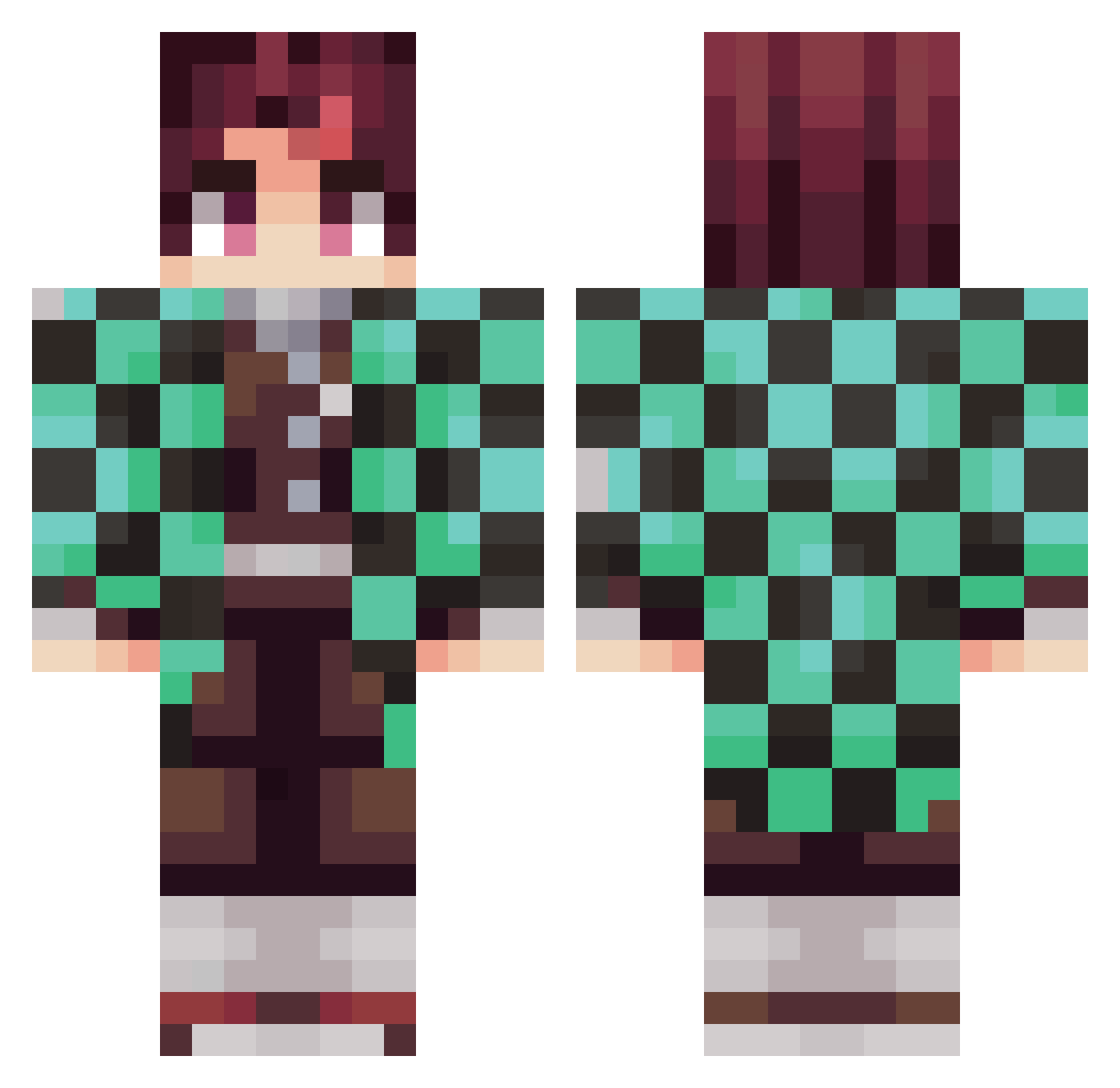
Current Minecraft skin of the player LuizeraTryHarD_, loaded from the official Mojang API. Rotate the 3D model with your mouse or finger, then download the skin as a PNG file and use it in Minecraft: Bedrock Edition or Java Edition for free. When LuizeraTryHarD_ changes their skin, this page updates automatically and the old skin stays in the history below.
Other players with this skin (433)
LuizeraTryHarD_ was the 404th player we have seen with this skin, first spotted on 09.11.2026. The same skin was seen on these players. Open a nickname to see their current skin and skin history.
 gena49 desiboss HarvirSidhu WeLuvPizza OfficialSpektrom AdamChile MalahanP1 GabrielHSR perchitaYT Fastorylan Kxarlex kayayayayayayaya MKRTMicka Stevo9925 dohhhhhh Yagazo elRadlako SuperDogeBoi Mgato joaogamer2002 alsjoon CalamarSupremo Andresmiusik xDUNE andresss17 vela22 Herbalgummeh Hiro2Dachi Fafa29 Warkes XllNA YourHugry Kxrmaaa_ Ravssolace Tanjiro8455 Alexissss35 XrdDex Constantina08 Getlinked2 Janik2912 zzxgp_iAFTT xiTosa MobbedUp Kiach Frannlionel DrepGD Koneeca17 link5095 BraTTeeX Vinceisums _aestival_ Rico_Manus_Wang LEWYLEVIS 3n3s2356 OV13x Tini_san SouLs_Adrivx kvrma00 Glorfindel91 Trollschnepfe
More Tanjiro Kamado Minecraft skins
See all 476 Tanjiro Kamado skins
How to install the LuizeraTryHarD_ skin
- Press the Download button above to save the skin as a PNG file.
- Minecraft: Bedrock Edition (PE): open the Dressing Room from the main menu (or tap your character → Edit Character), go to Classic Skins → Owned, press the + (new skin) button, choose the downloaded PNG and pick the Classic (Steve) model. Works on PC and mobile; consoles cannot import custom skins.
- Minecraft: Java Edition: open the Minecraft Launcher, go to the Skins tab, click New Skin, load the PNG, pick the Classic (Steve) model and press Save & Use. You can also upload it at minecraft.net → Profile → Change Skin.
The skin does not show up after import - what should I do?
Restart Minecraft and open the Dressing Room again - imported skins sometimes appear only after a restart. Also make sure you selected the imported skin and picked the Classic (Steve) model.
Which model should I choose, Classic or Slim?
This skin is designed for the Classic (Steve) model. If you pick the wrong model, the arms of the skin will look stretched or squeezed.
Is the skin of LuizeraTryHarD_ free to download?
Yes. Press Download, save the PNG file and use it in Minecraft: Bedrock Edition or Java Edition - no payment or registration needed. The skin also works on multiplayer servers and Realms.
More skins
Looking for more? Go back to all Minecraft skins and check the top skins of the week, month and all time, or find any player's skin by nickname.